EasyManua.ls Logo

Eventide ARGUS 5000 - Page 126

Eventide ARGUS 5000
237 pages
Print Icon
To Next Page IconTo Next Page
To Previous Page IconTo Previous Page
Loading...
AMEND
PAGE
1:
Display
Features
(Categories)
DISPLAY
FEATURES
DISPLAY
OPTIONS:
->ADF:
MAP+PLAN
AIRSPACE
FIXES
NAVAIDS
SPECIAL
USE
AIRSPACE
AIRPORTS
HELIPORTS
USER
WPTS
SELECT.
AIRWAYS
|PAGE
|LINEl|CH6
RTN
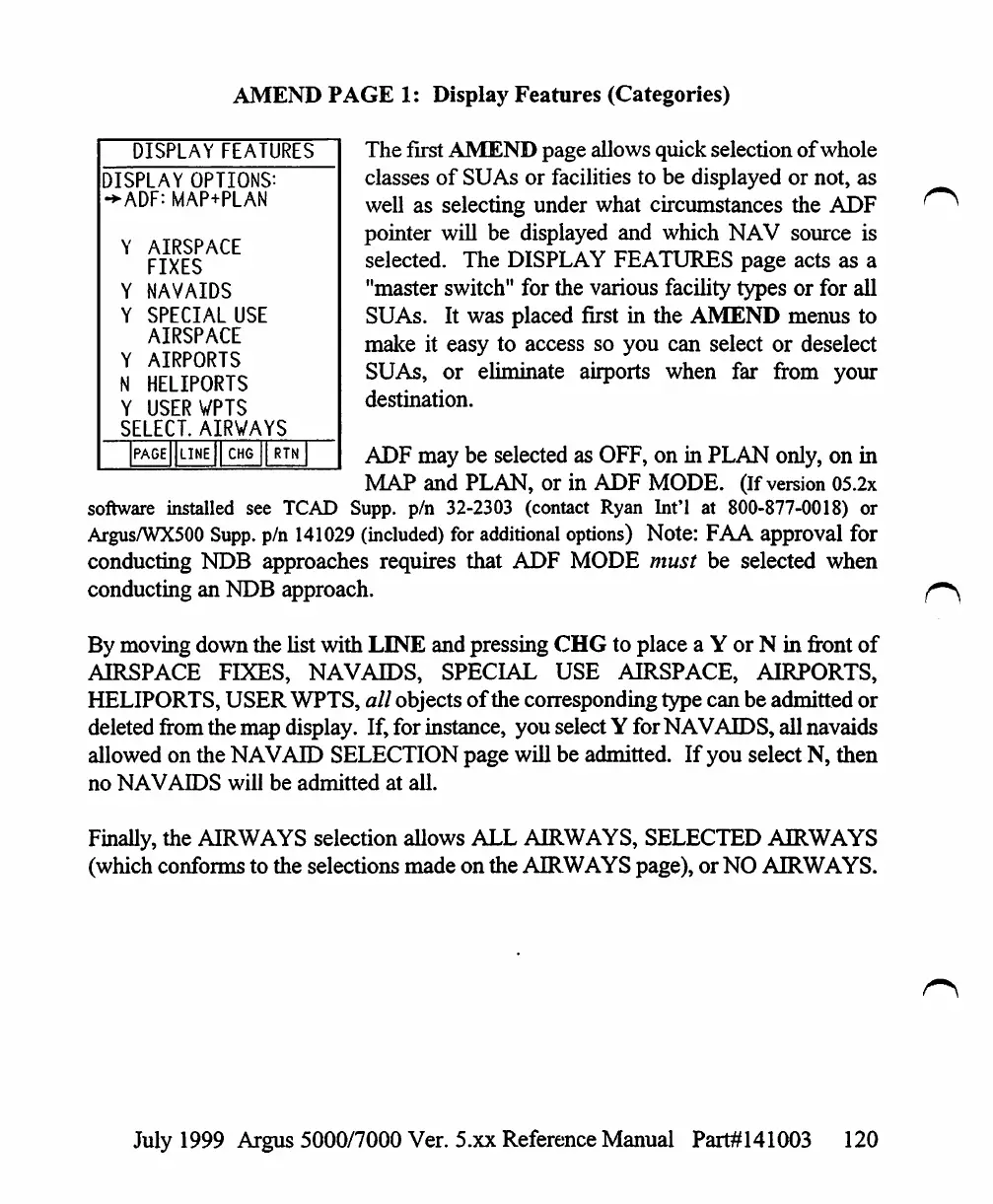
The
first
AMEND
page
allows
quick
selection
of
whole
classes
of
SUAs
or
facilities
to
be
displayed
or
not,
as
well
as
selecting
under
what
circumstances
the
ADF
pointer
will
be
displayed
and
which
NAV
source
is
selected.
The
DISPLAY
FEATURES
page
acts
as
a
"master
switch"
for
the
various
facility
types
or
for
all
SUAs.
It
was
placed
first
in
the
AMEND
menus
to
make
it
easy
to
access so
you
can
select
or
deselect
SUAs,
or
eliminate
airports
when
far
from
your
destination.
ADF
may
be
selected
as
OFF,
on
in
PLAN
only,
on
in
MAP
and
PLAN,
or
in
ADF
MODE.
(If
version
05.2x
software
installed
see
TCAD
Supp.
p/n
32-2303
(contact
Ryan
Int'l
at
800-877-0018)
or
Argus/WX500
Supp.
p/n
141029
(included)
for
additional
options)
Note:
FAA
approval
for
conducting
NDB
approaches
requires
that
ADF
MODE
must
be
selected
when
conducting
an
NDB
approach.
By
moving
down
the
list
with
LINE
and
pressing
CHG
to
place
a
Y
or
N
in
front
of
AIRSPACE
FIXES,
NAVAIDS,
SPECIAL
USE
AIRSPACE,
AIRPORTS,
HELIPORTS,
USER
WPTS,
all
objects
of
the
corresponding
type
can be
admitted
or
deleted
from
the
map
display.
If,
for
instance,
you
select
Y
for
NAVAIDS,
all
navaids
allowed
on
the
NAVAID
SELECTION
page
will
be
admitted.
If
you
select
N,
then
no
NAVAIDS
will
be
admitted
at
all.
Finally,
the
AIRWAYS
selection
allows
ALL
AIRWAYS,
SELECTED
AIRWAYS
(which
conforms
to
the
selections
made
on
the
AIRWAYS
page),
or
NO
AIRWAYS.
July
1999
Argus
5000/7000
Ver.
5.xx
Reference
Manual
Part#141003
120

Table of Contents

Other manuals for Eventide ARGUS 5000

Related product manuals