EasyManua.ls Logo

Eventide ARGUS 5000 - Page 151

Eventide ARGUS 5000
237 pages
Print Icon
To Next Page IconTo Next Page
To Previous Page IconTo Previous Page
Loading...
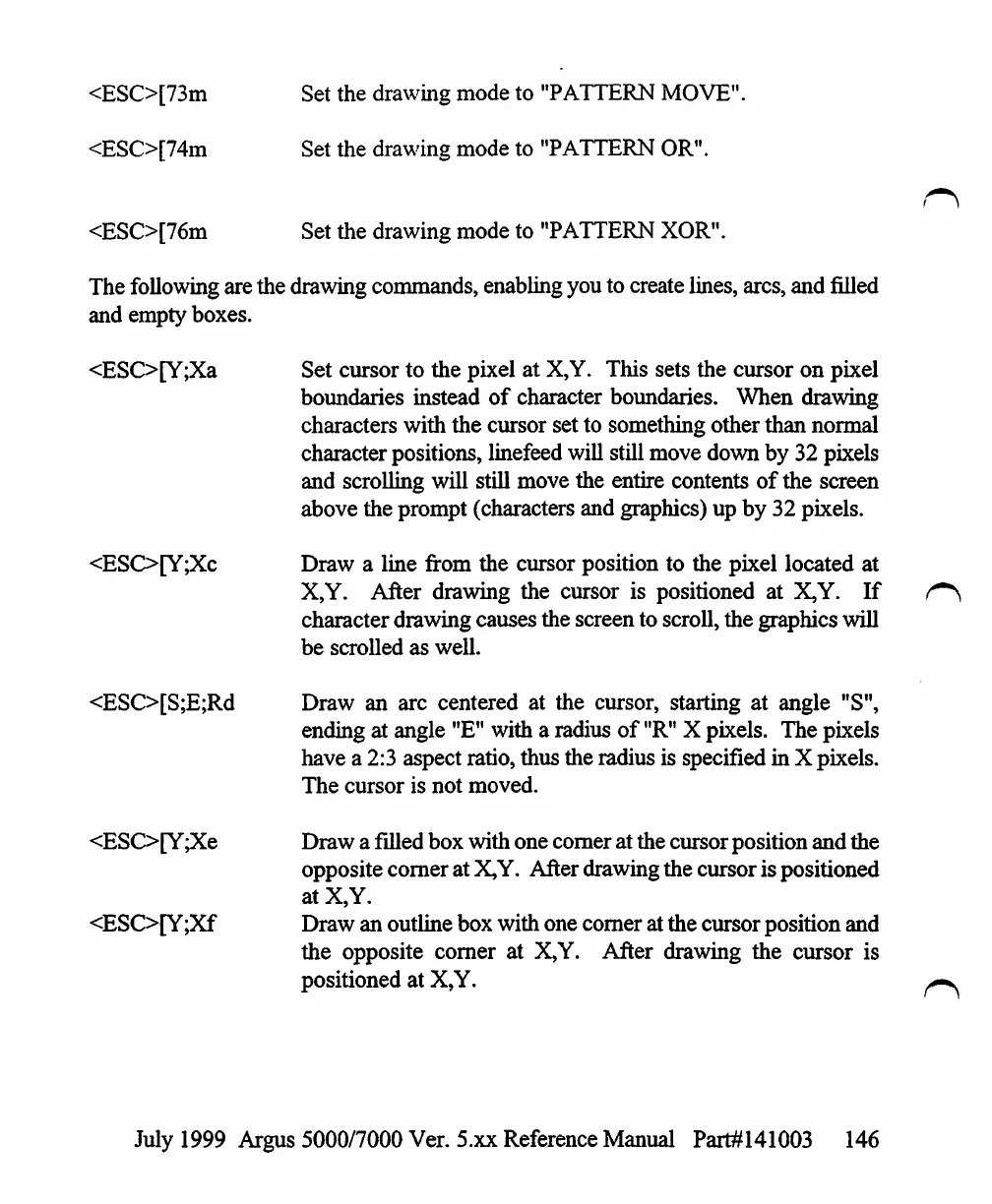
<ESO[73m
<ESO[74m
<ESO[76m
Set
the
drawing
mode
to
"PATTERN
MOVE".
Set the
drawing
mode
to
"PATTERN
OR".
Set
the
drawing
mode
to
"PATTERN
XOR".
The
following
are
the
drawing
commands,
enabling
you
to
create
lines,
arcs,
and
filled
and
empty
boxes.
<ESO[Y;Xa
<ESO[Y;Xc
<ESO[S;E;Rd
<ESO[Y;Xe
<ESO[Y;Xf
Set
cursor
to
the
pixel
at
X,Y.
This
sets
the
cursor
on
pixel
boundaries
instead
of
character
boundaries.
When
drawing
characters
with
the
cursor
set
to
something
other
than
normal
character
positions,
linefeed
will
still
move
down
by
32
pixels
and
scrolling
will
still
move
the
entire
contents
of
the
screen
above
the
prompt
(characters
and
graphics)
up
by
32
pixels.
Draw
a
line
from
the
cursor
position
to
the
pixel
located
at
X,Y.
After
drawing
the
cursor
is
positioned
at
X,Y.
If
character
drawing
causes
the
screen
to
scroll,
the
graphics
will
be
scrolled
as
well.
Draw
an
arc
centered
at
the
cursor,
starting
at
angle
"S",
ending
at
angle
"E"
with
a
radius
of
"R"
X
pixels.
The
pixels
have
a
2:3
aspect
ratio,
thus
the
radius
is
specified
in
X
pixels.
The
cursor
is
not
moved.
Draw
a
filled
box
with
one
comer
at
the
cursor
position
and
the
opposite
comer
at
X,Y.
After
drawing
the
cursor
is
positioned
at
X,Y.
Draw
an
outline
box
with
one
comer
at
the
cursor
position
and
the
opposite
comer
at
X,Y.
After
drawing
the
cursor
is
positioned
at
X,Y.
July
1999
Argus
5000/7000
Ver. 5.xx
Reference
Manual
Part#141003
146

Table of Contents

Other manuals for Eventide ARGUS 5000

Related product manuals