EasyManua.ls Logo

Eventide ARGUS 5000 - Page 152

Eventide ARGUS 5000
237 pages
Print Icon
To Next Page IconTo Next Page
To Previous Page IconTo Previous Page
Loading...
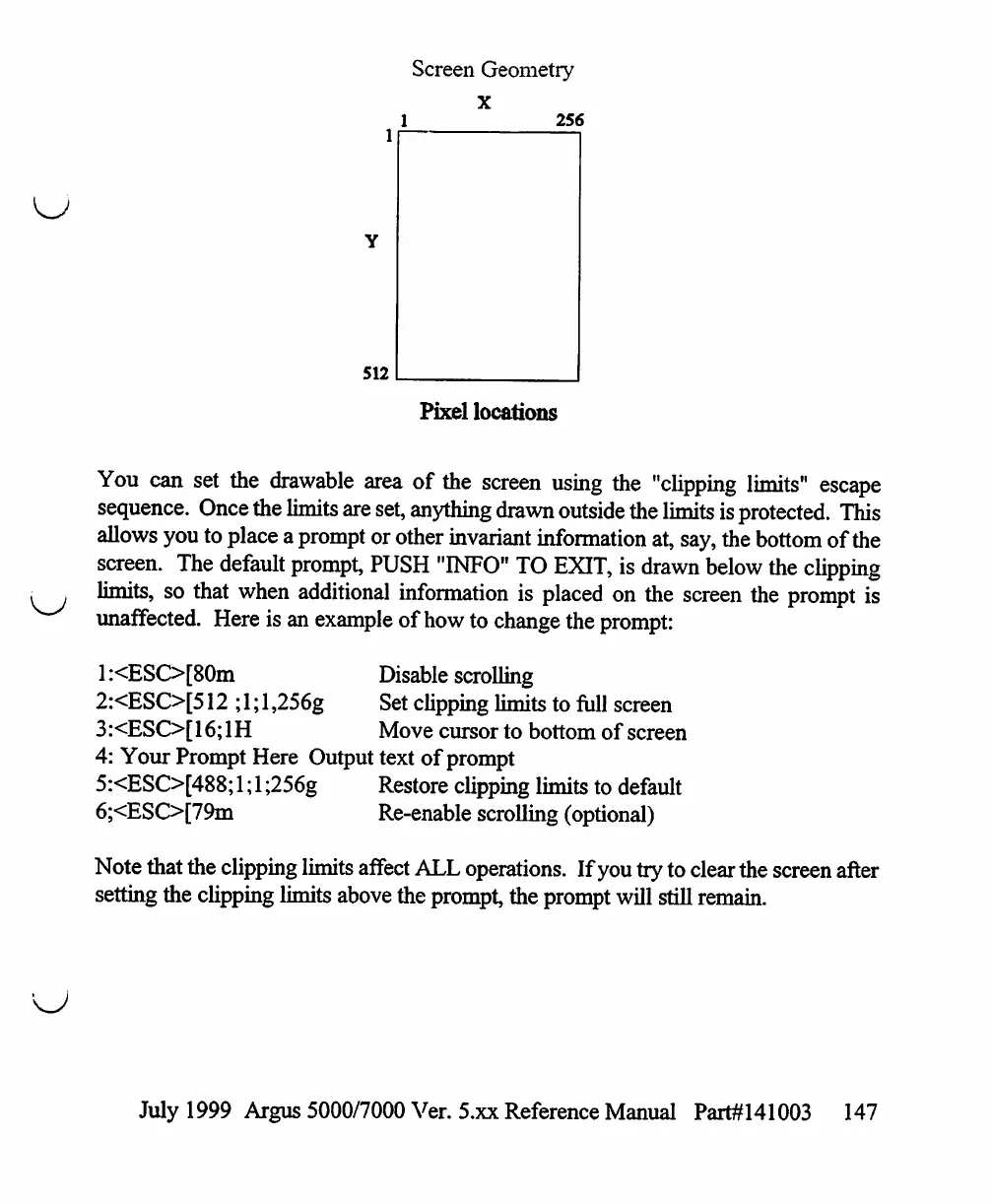
Screen
Geometry
X
1
256
512
Pixel
locations
You
can
set
the
drawable
area
of
the
screen
using
the
"clipping
limits"
escape
sequence.
Once
the
limits
are
set,
anything
drawn
outside
the
limits
is
protected.
This
allows
you
to
place
a
prompt
or
other
invariant
information
at,
say,
the
bottom
of
the
screen.
The
default
prompt,
PUSH
"INFO"
TO
EXIT,
is
drawn
below
the
clipping
limits,
so
that
when
additional
information
is
placed
on
the
screen
the
prompt
is
unaffected.
Here
is
an
example of
how
to
change
the
prompt:
1
:<ESO[80m
Disable
scrolling
2:<ESC>[512
;
1;
1,256g
Set
clipping
limits
to
full
screen
3
:<ESC>[
16;
1H
Move
cursor
to
bottom
of
screen
4:
Your
Prompt
Here
Output
text
of
prompt
5:<ESC>[488;
1;
1
;256g
Restore
clipping
limits
to
default
6;<ESO[79m
Re-enable
scrolling
(optional)
Note
that
the
clipping
limits
affect
ALL
operations.
If
you
try
to clear
the
screen
after
setting
the
clipping
limits
above
the
prompt,
the
prompt
will
still
remain.
July
1999
Argus
5000/7000
Ver.
5.xx
Reference
Manual
Part#141003
147

Table of Contents

Other manuals for Eventide ARGUS 5000

Related product manuals