6. Settings Menu
This chapter outlines User and Super user basic settings, programming and software adjustments.
Never give your password to untrained users. Incorrect entries or changes may reduce
the quality of drinks.
The display of these chapters depends on your access level. Please refer to User
Rights (page 159) for more information.
The display of products and buttons depends on the settings.
Illustrations show software V3.17.
Illustrations show monochrome style.
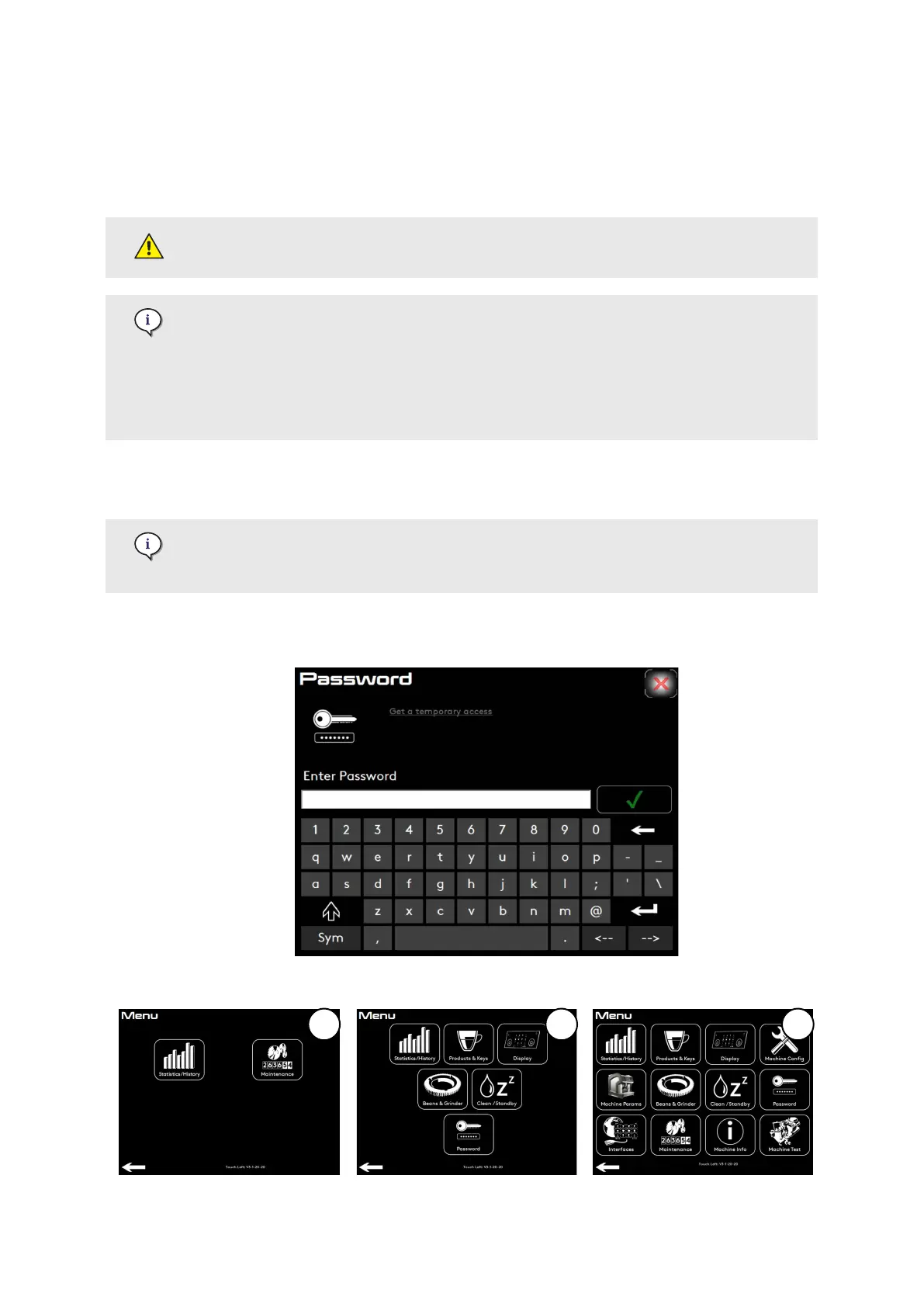
6.1. Access to login menu
If you do not have a password, it is possible to request a temporary password. Press
Get a temporary access and provide your service organisation with the number
displayed.
1. Press and hold the Login access area (see Header strip (page 50)).
2. Type in your password to access the settings menu.
Settings Menu
© Eversys S.A. Page 70 of 172 02.01.2023











 To Next Page