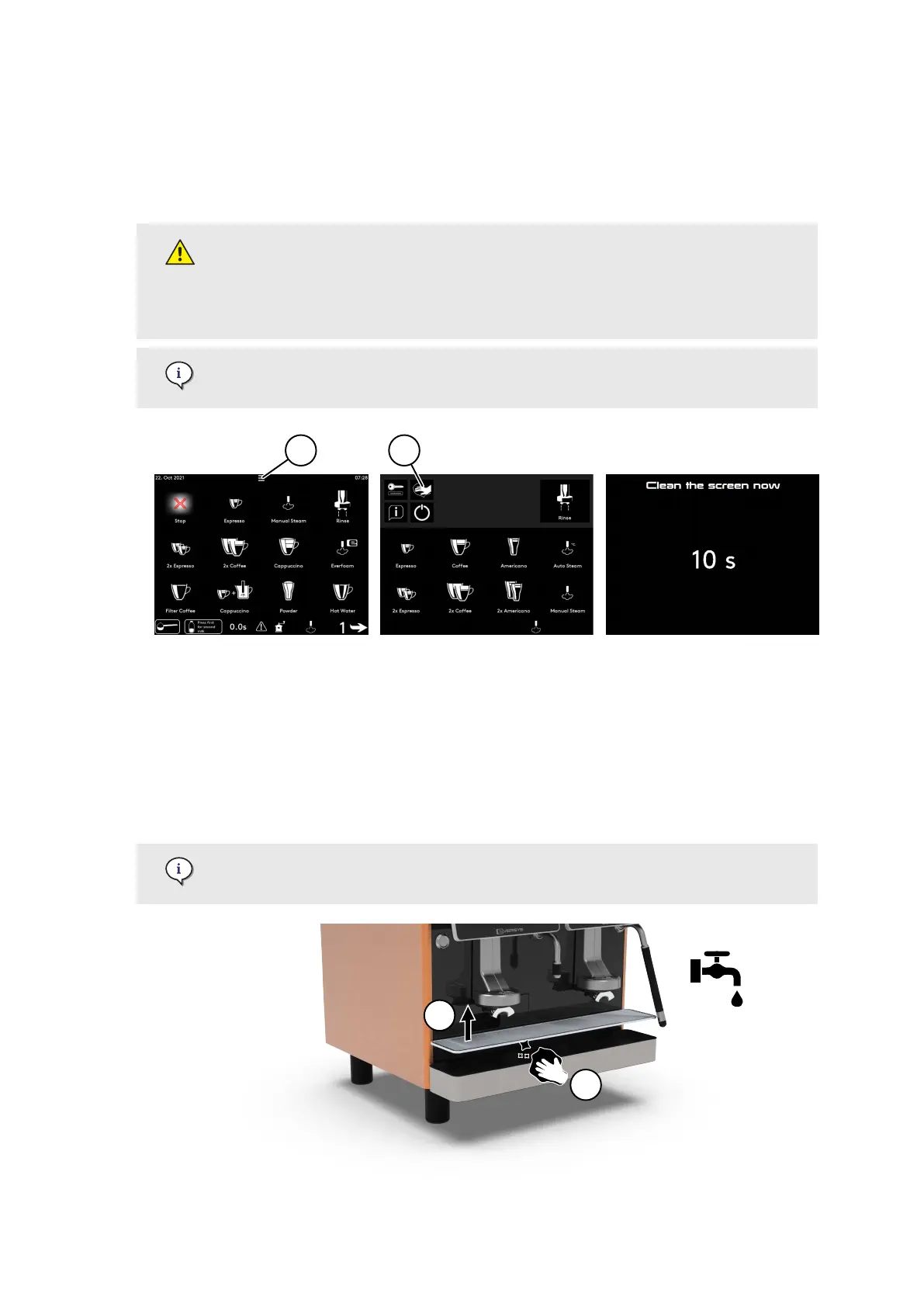
7.3.6. Clean the display | touch screen
1. Press on the top middle of the touch screen (1).
2. Press on the Clean the screen button (2).
3. During the countdown, disinfect the screen according to the following recommendation.
Only use commercial disinfectants for hands. Do not use any sanitary
disinfectants!
Spray disinfectant on a soft cloth and carefully wipe the surface with the cloth.
Important! Never spray any liquid directly onto the surface.
The countdown allows to clean the screen without the risk of starting a product.
7.3.7. Clean the drip tray
Enigma | Shotmaster (standard | large drip tray)
1. Remove the drip tray grid (1).
2. Wash the grid and inside of the drip tray (2) with soft soap and rinse.
3. Put the drip tray grid back to its original position.
Make sure that it lays nice and at.
Care
02.01.2023 Page 95 of 172 © Eversys S.A.











 To Next Page