+1.317.845.5710
+44.1438.310163
USA (Corporate Headquarters)
Europe/Middle East/Asia
19
6 Live View
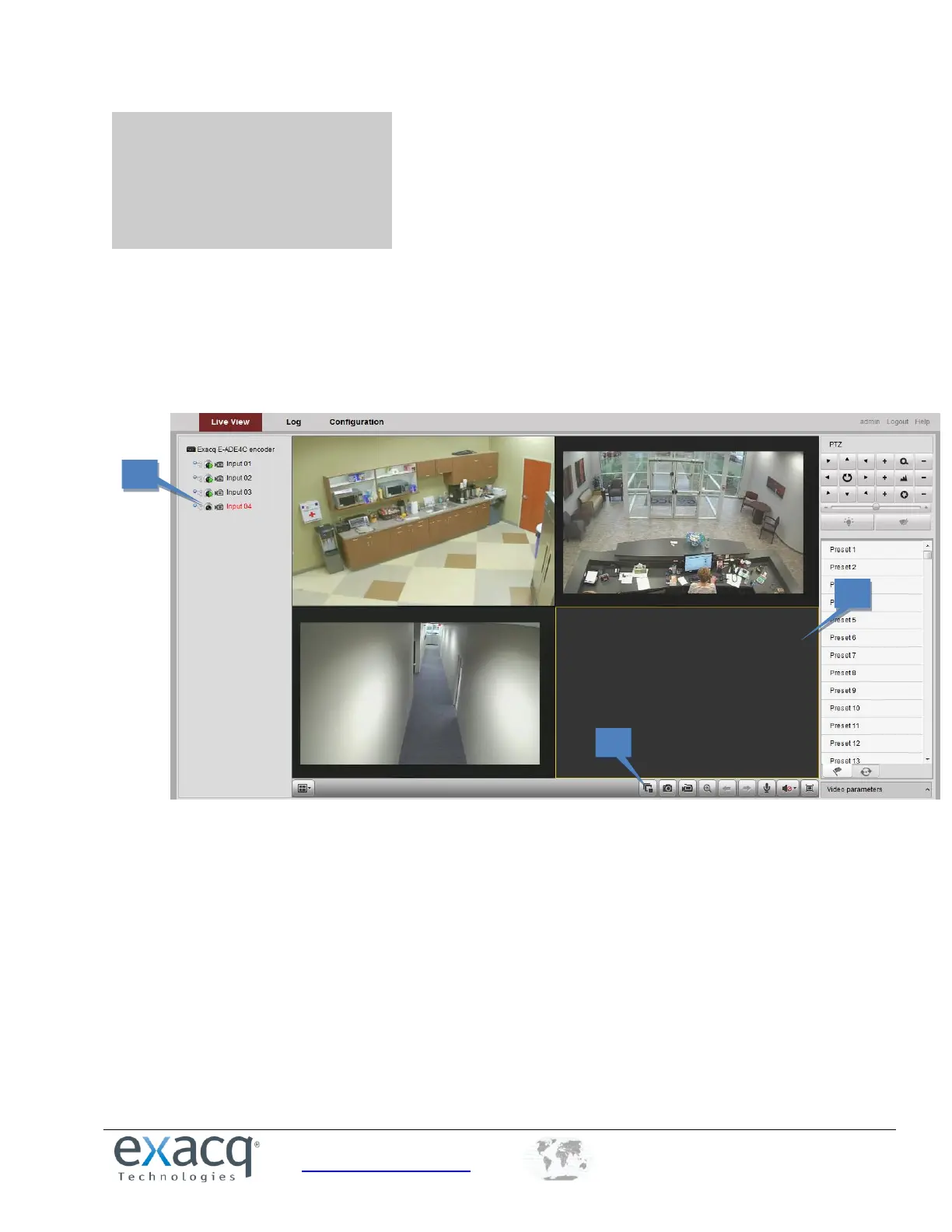
Live View shows you the video image transmitted from the connected camera in real time. After successful login, the
system will open Live View automatically.
Starting Live View
1. In the Live View window, select a video window.
2. Double-click a camera from the device list to start the Live View.


 To Next Page