+1.317.845.5710
+44.1438.310163
USA (Corporate Headquarters)
Europe/Middle East/Asia
30
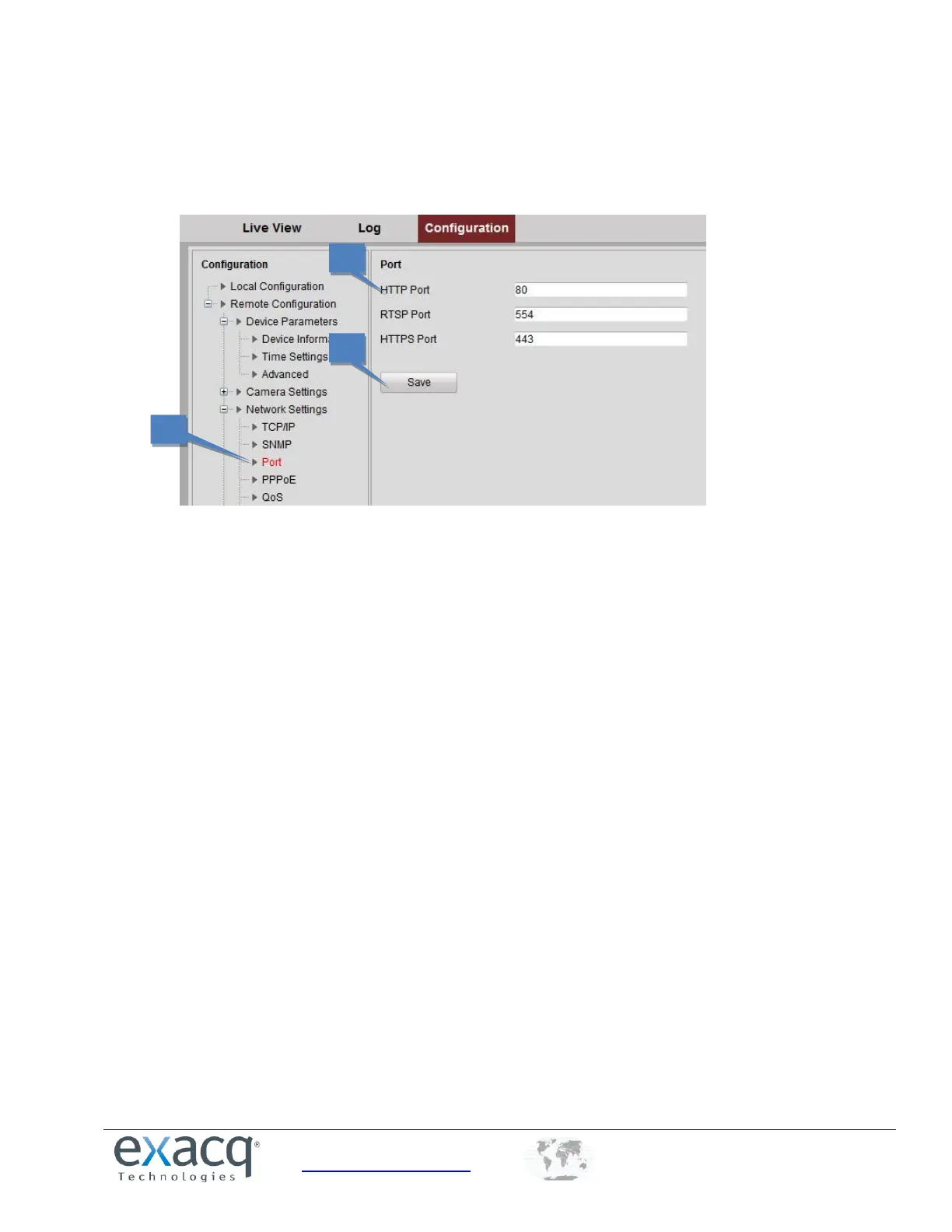
Configuring Port Settings
1. From the Remote Configuration menu, select Network Settings and then Port to open the Port Settings
interface:
2. Set the HTTP port (default: 80), RTSP port (554), and HTTPS port (443) of the camera.
3. Click Save to save the settings. A system restart is required to activate changed settings.



 To Next Page