+1.317.845.5710
+44.1438.310163
USA (Corporate Headquarters)
Europe/Middle East/Asia
39
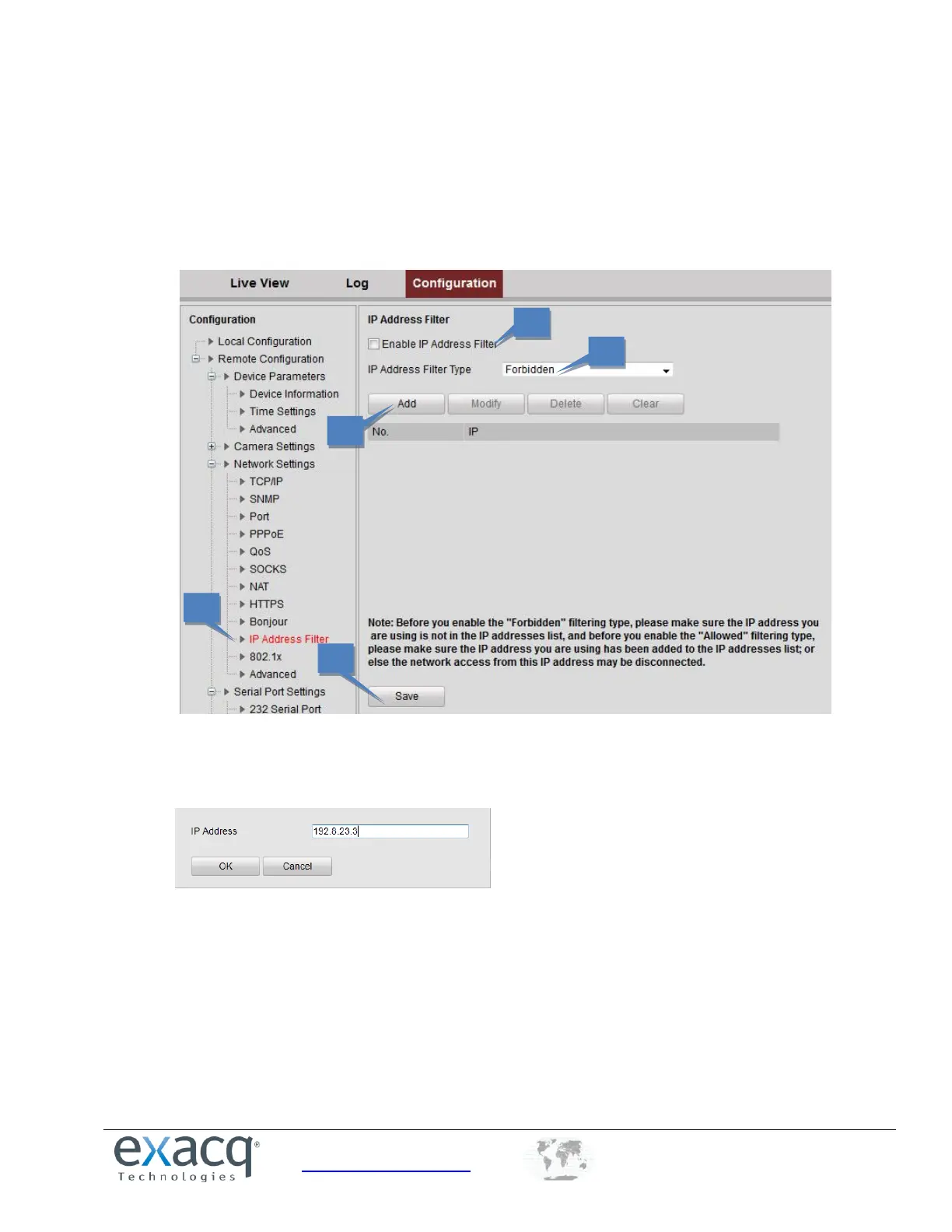
Configuring IP Address Filter
You can allow or forbid access by specified IP addresses to the encoder by enabling IP Address Filter. Up to 256 IP address
can be added to the list (allowed/forbidden) by Web Browser.
1. From the Remote Configuration menu, select Network Settings and then IP Address Filter to open the IP
address filter settings interface.
2. Select the Enable IP Address Filter checkbox.
3. Select the filter type of IP address (Allowed or Forbidden).
4. Click the Add button to add the IP address to the selected filter type list.
5. Click Save to save the settings.



 To Next Page