+1.317.845.5710
+44.1438.310163
USA (Corporate Headquarters)
Europe/Middle East/Asia
56
11 Alarm Input/Output
Configuring the External Alarm Input
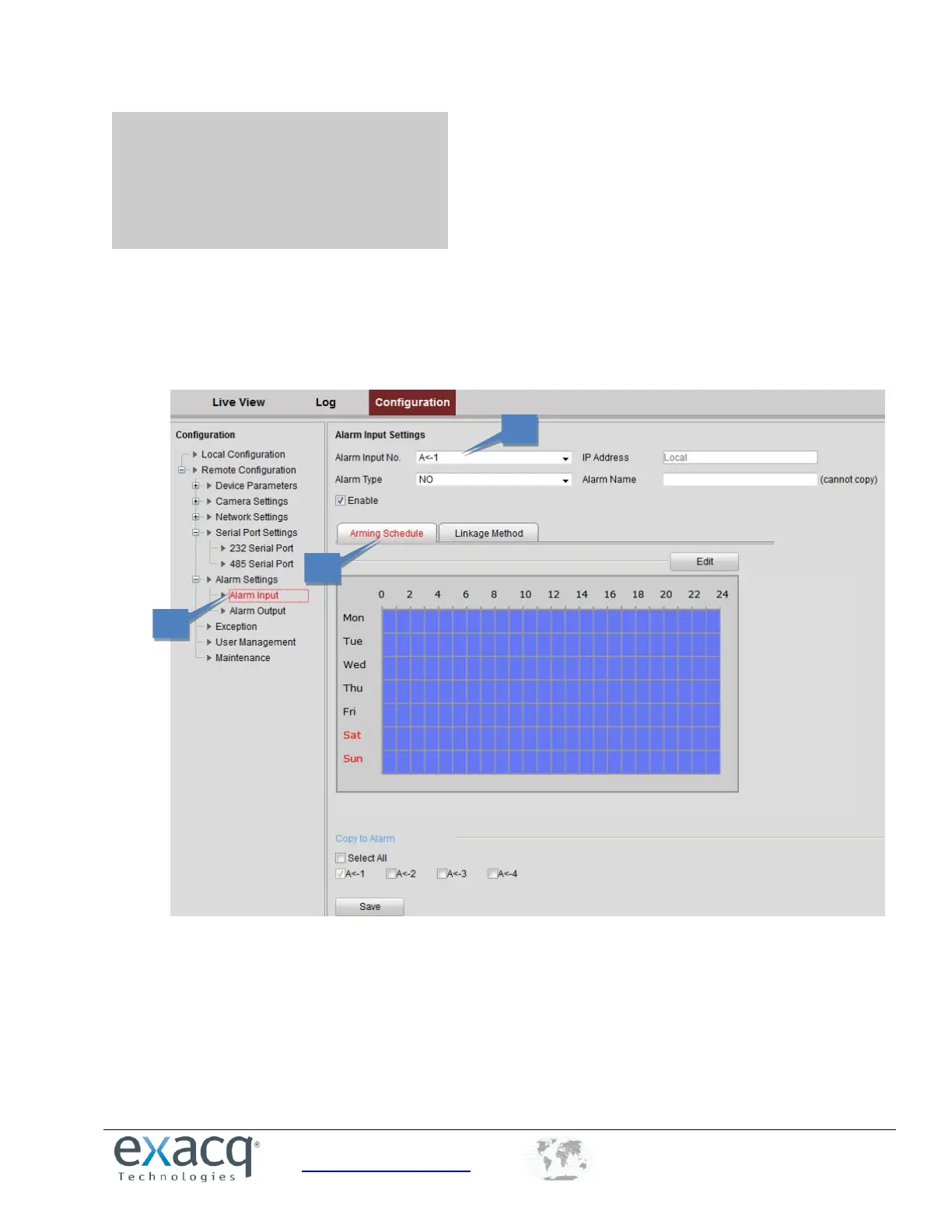
To configure the external alarm input, complete the following steps:
1. From the Remote Configuration menu, select Alarm Settings and then Alarm Input to open the Alarm Settings
interface.
2. Choose the Alarm Input No. and the Alarm Type: NO (Normally Open) or NC (Normally Closed).
3. Set the Arming Schedule for the alarm input.



 To Next Page