+1.317.845.5710
+44.1438.310163
USA (Corporate Headquarters)
Europe/Middle East/Asia
36
Configuring HTTPS Settings
HTTPS (Hyper Text Transfer Protocol Secure) ensures the data transferred is encrypted using Secure Socket Layer (SSL) or
Transport Layer Security (TLS). HTTPS provides authentication of the web site and associated web server that one is
communicating with and create a secure channel over an insecure network.
HTTPS URLs begin with "https://" and use port 443 by default.
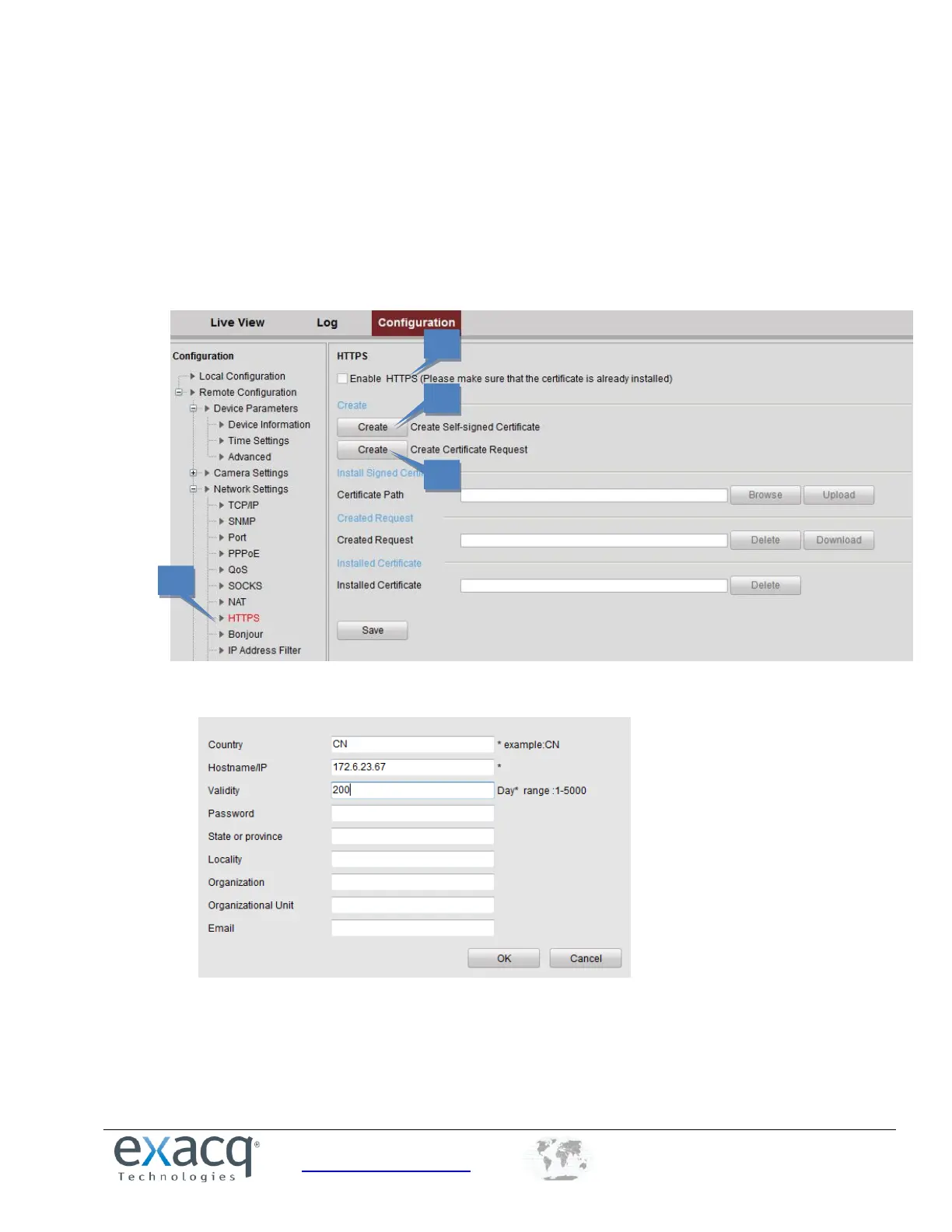
1. From the Remote Configuration menu, select Network Settings and then HTTPS to open the HTTPS settings
interface.
2. Click Create to create the self-signed certificate or authorized certificate. This opens the following window.
Enter the country, host name/IP, validity, and other information.
Click OK to save the settings.



 To Next Page