+1.317.845.5710
+44.1438.310163
USA (Corporate Headquarters)
Europe/Middle East/Asia
49
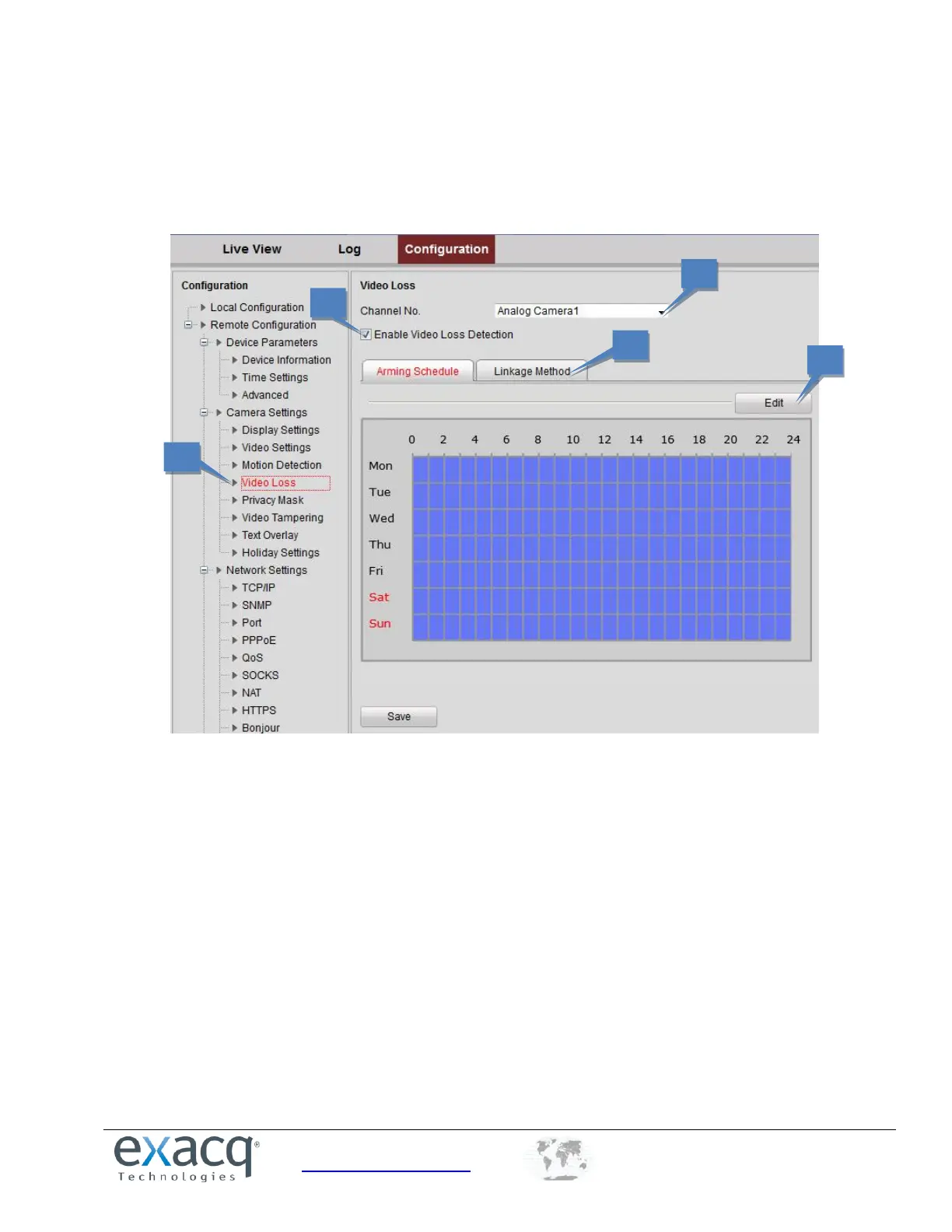
Configuring a Video Loss Alarm
To configure the video loss alarm, complete the following steps:
1. From the Remote Configuration menu, select Camera Settings and then Video Loss to open the video loss alarm
setting interface.
2. Select the Channel for which to configure the video loss alarm.
3. Select Enable Video Loss Detection checkbox.
4. Click Edit to edit the arming schedule for video loss detection. The arming schedule configuration is the same as
setting of the Arming Schedule for Motion Detection.
5. Click the Linkage Method tab to set the actions taken for the video loss alarm.



 To Next Page