+1.317.845.5710
+44.1438.310163
USA (Corporate Headquarters)
Europe/Middle East/Asia
38
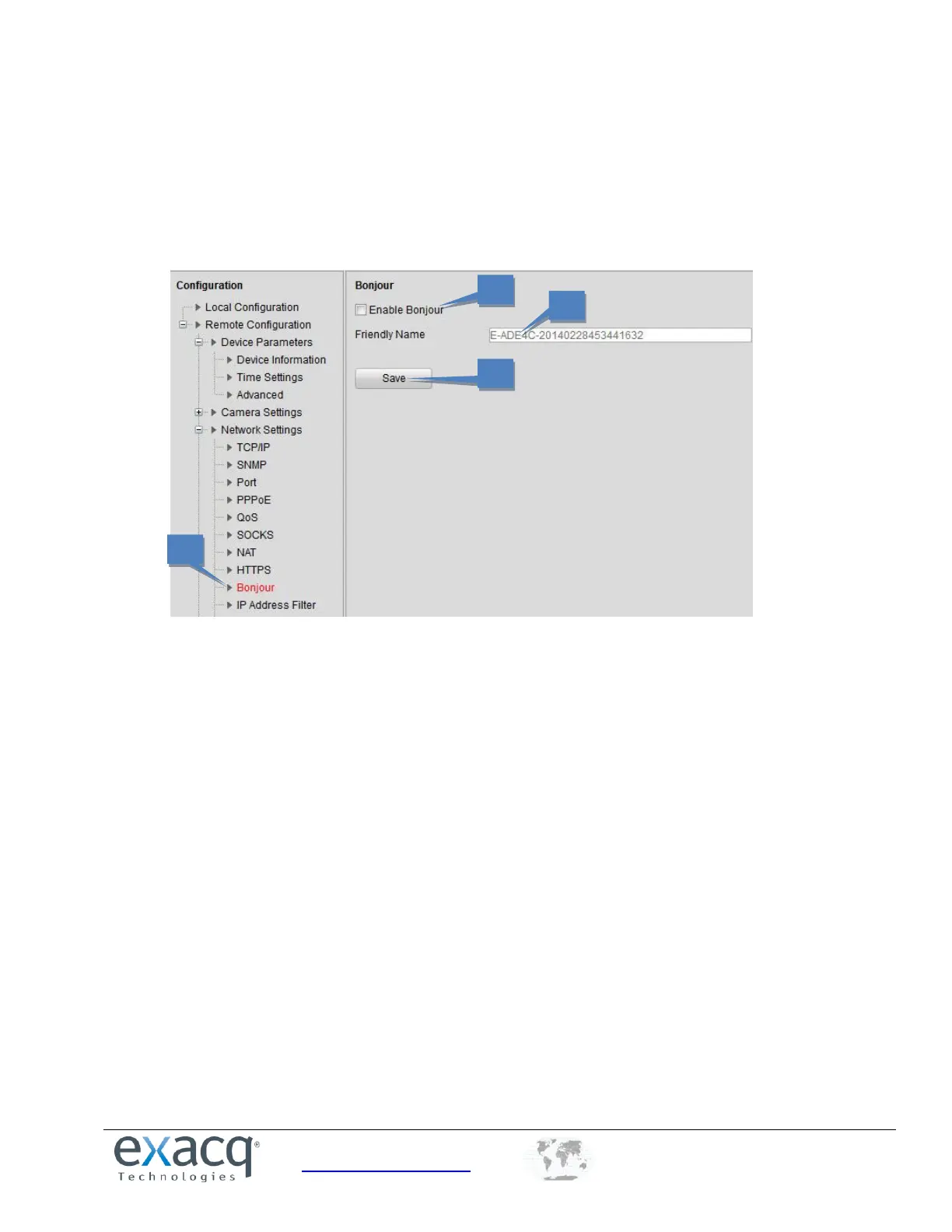
Configuring Bonjour Settings
Bonjour is enabled by default, and the video encoder can be automatically detected by operating systems and clients that
support this protocol. Make sure you have installed the Bonjour plug-in on your PC before enabling the Bonjour function.
1. From the Remote Configuration menu, select Network Settings and then Bonjour to open the Bonjour settings
interface.
2. Select the Enable Bonjour checkbox.
3. Edit the name of device. The name is shown when the device is detected by the system. Only letters, numbers,
and hyphens (“-”) can be contained in the name.
4. Click Save to save the settings.



 To Next Page