+1.317.845.5710
+44.1438.310163
USA (Corporate Headquarters)
Europe/Middle East/Asia
59
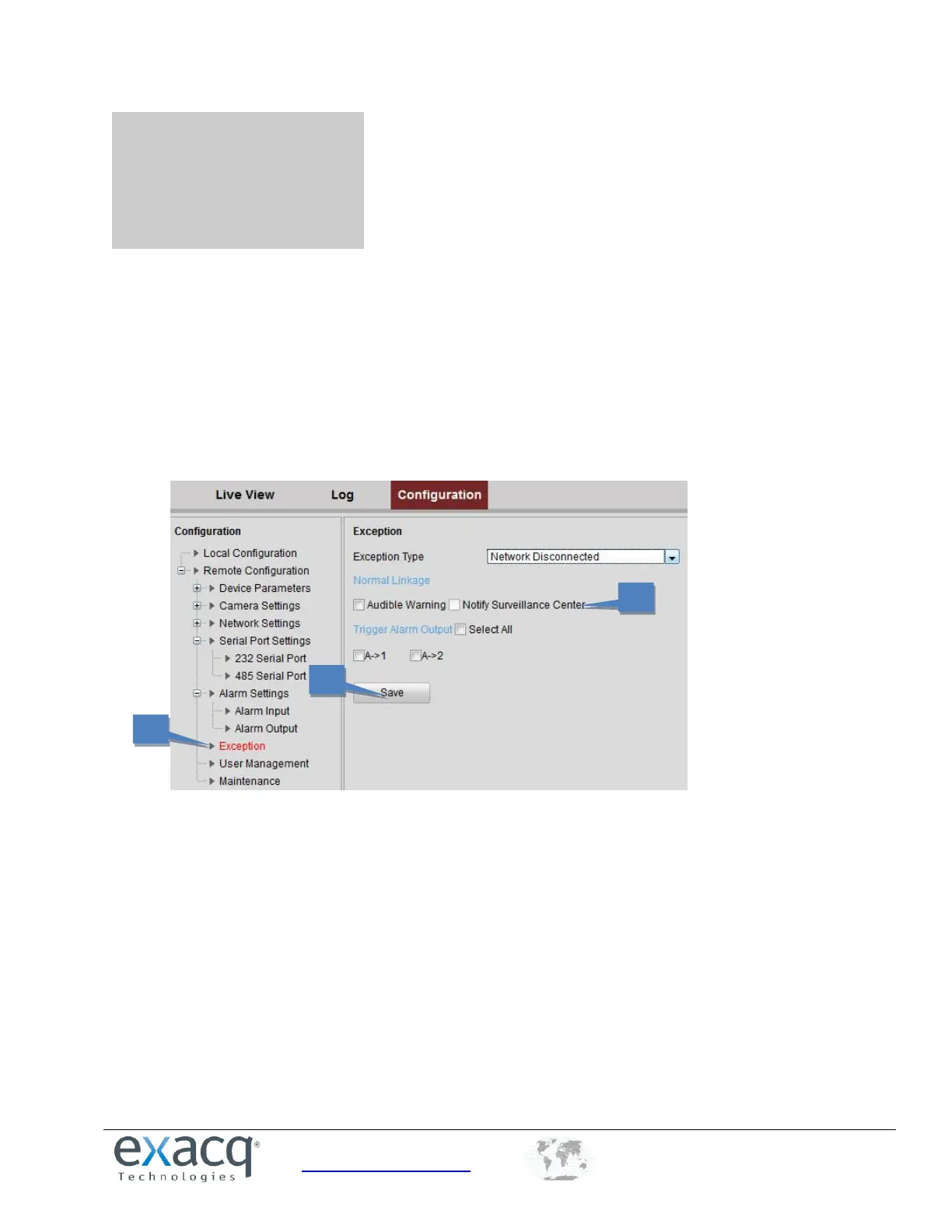
12 Exceptions
The exception type can be network disconnected, IP address conflict, illegal access, video standard mismatch, video
signal exception, record/capture exception, and video resolution mismatch. When the selected resolution under
Configuration > Camera Settings >Video Settings and the actual video input resolution are mismatched, the exception
alarm will occur.
To configure exceptions, complete the following steps:
1. From the Remote Configuration menu, select Exceptions to open the Exception settings interface.
2. Select the checkbox to set the action or actions (Audible Warning or Notify Surveillance Center) to be taken for
the Exception alarm.
3. Click Save to activate the settings.



 To Next Page