+1.317.845.5710
+44.1438.310163
USA (Corporate Headquarters)
Europe/Middle East/Asia
41
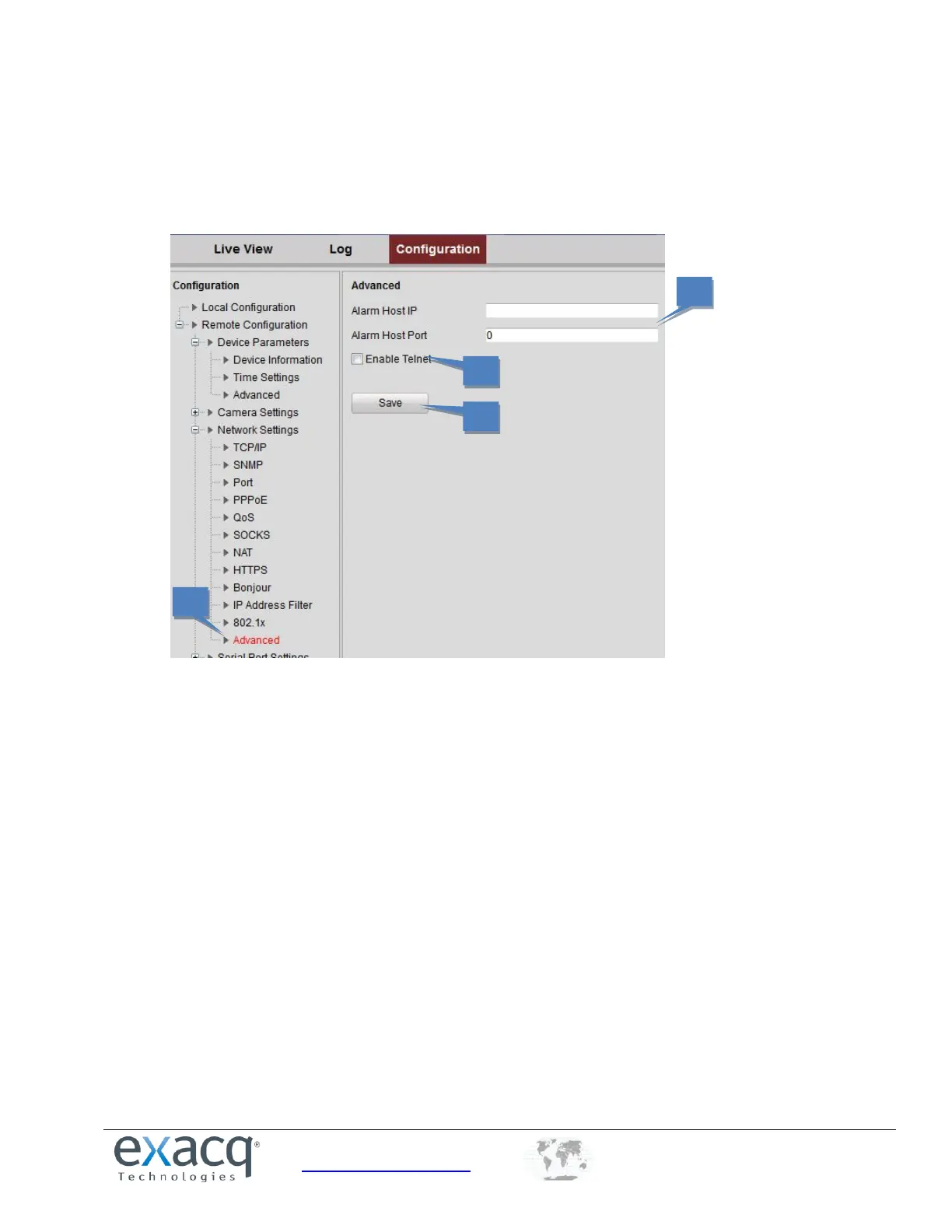
Configuring Advanced Settings
The Advanced page allows you to configure an alarm host.
1. From the Remote Configuration menu, select Network Settings and then Advanced to enter the Advanced
interface.
2. Enter the IP address and port of the alarm host.
3. Select Enable Telnet if required.
4. Click Save to save the settings.



 To Next Page