+1.317.845.5710
+44.1438.310163
USA (Corporate Headquarters)
Europe/Middle East/Asia
55
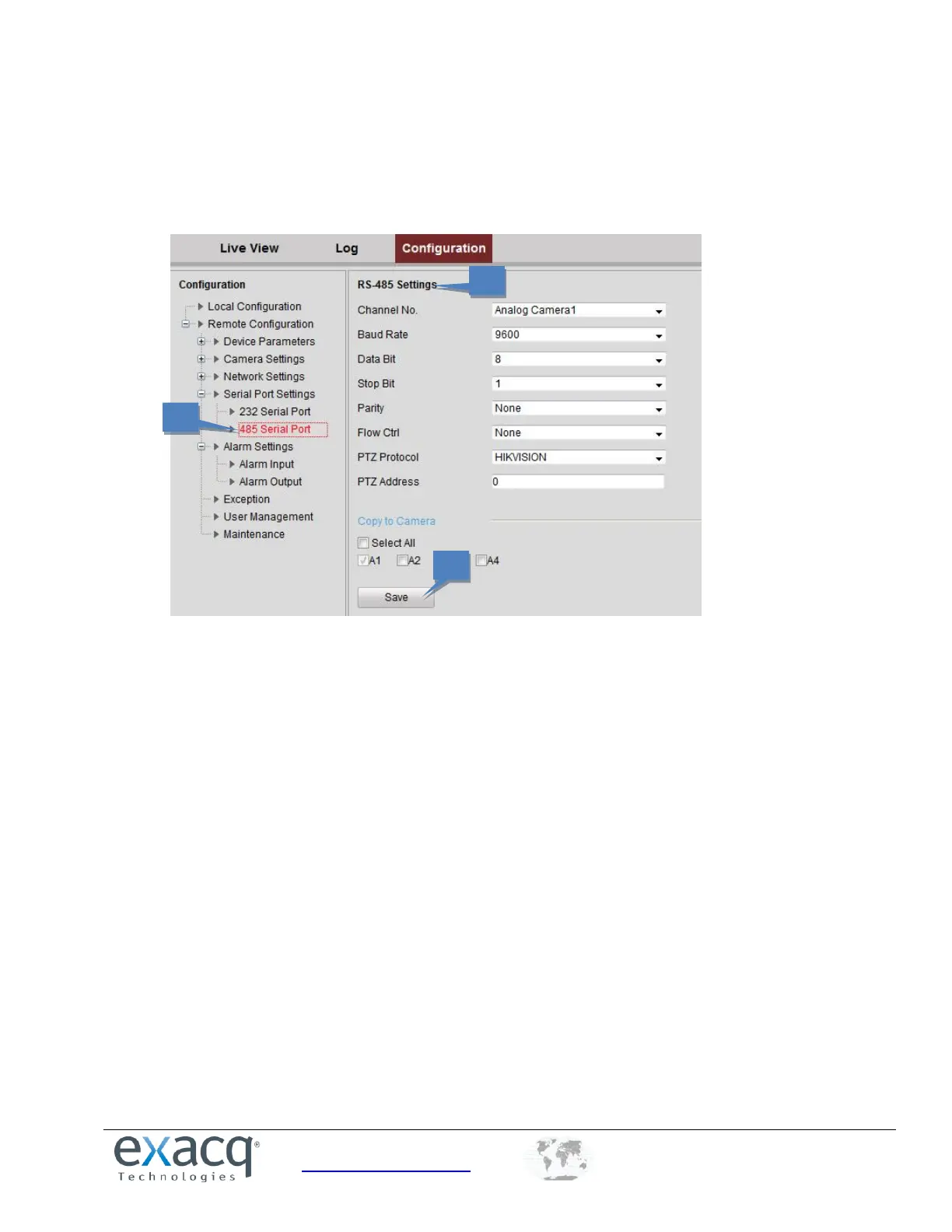
Configuring RS-485 Settings
The RS-485 serial port is used to control the PTZ of the camera. To configure RS-485, complete the following steps:
1. From the Remote Configuration menu, select Serial Port Settings and then 485 Serial Port to open the RS-485
port setting interface:
2. Set the RS-485 parameters. By default, the Baud Rate is set as 9600, the Data Bit as 8, the Stop Bit as 1, and the
Parity and Flow Ctrl as None. The Baud Rate, PTZ Protocol, and PTZ Address parameters should be exactly the
same as the parameters of the connected PTZ camera.
3. Click Save to activate the settings.



 To Next Page