+1.317.845.5710
+44.1438.310163
USA (Corporate Headquarters)
Europe/Middle East/Asia
29
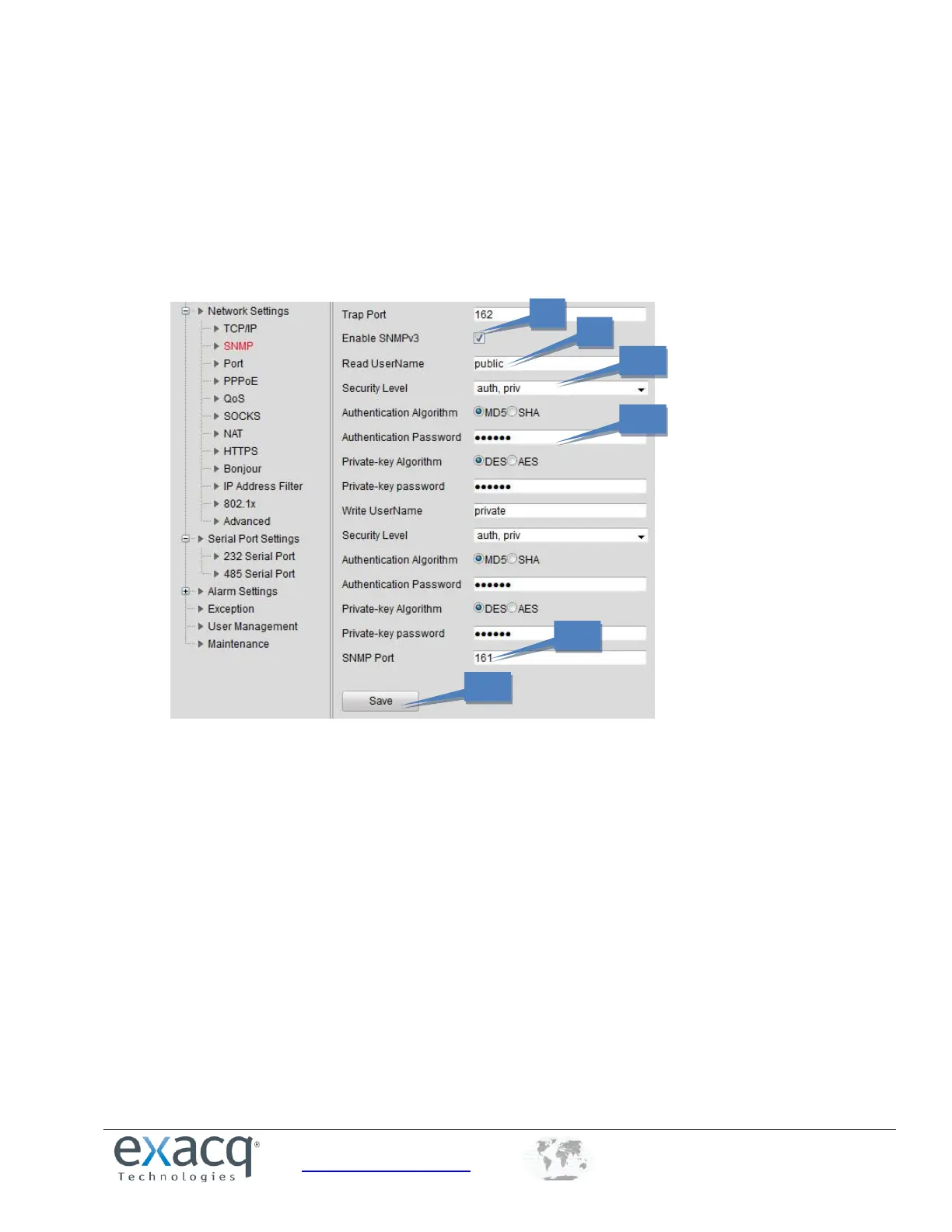
8. If needed, enable SNMPv3
9. Configure the read username (default: public).
10. Select the security level to “auth, priv”, “auth, no priv”, or “no auth, no priv.”
11. If the security level is set to “auth, priv”, you can configure the Authentication Algorithm and Private-key
Algorithm parameters. If the security level is set to “no auth, no priv”, you cannot configure the Authentication
Algorithm and Private-key Algorithm parameters.
12. Set the SNMP port (default: 161).
13. Click Save to save the settings.


 To Next Page
 Loading...