exacqVision User Manual
1/24/2011
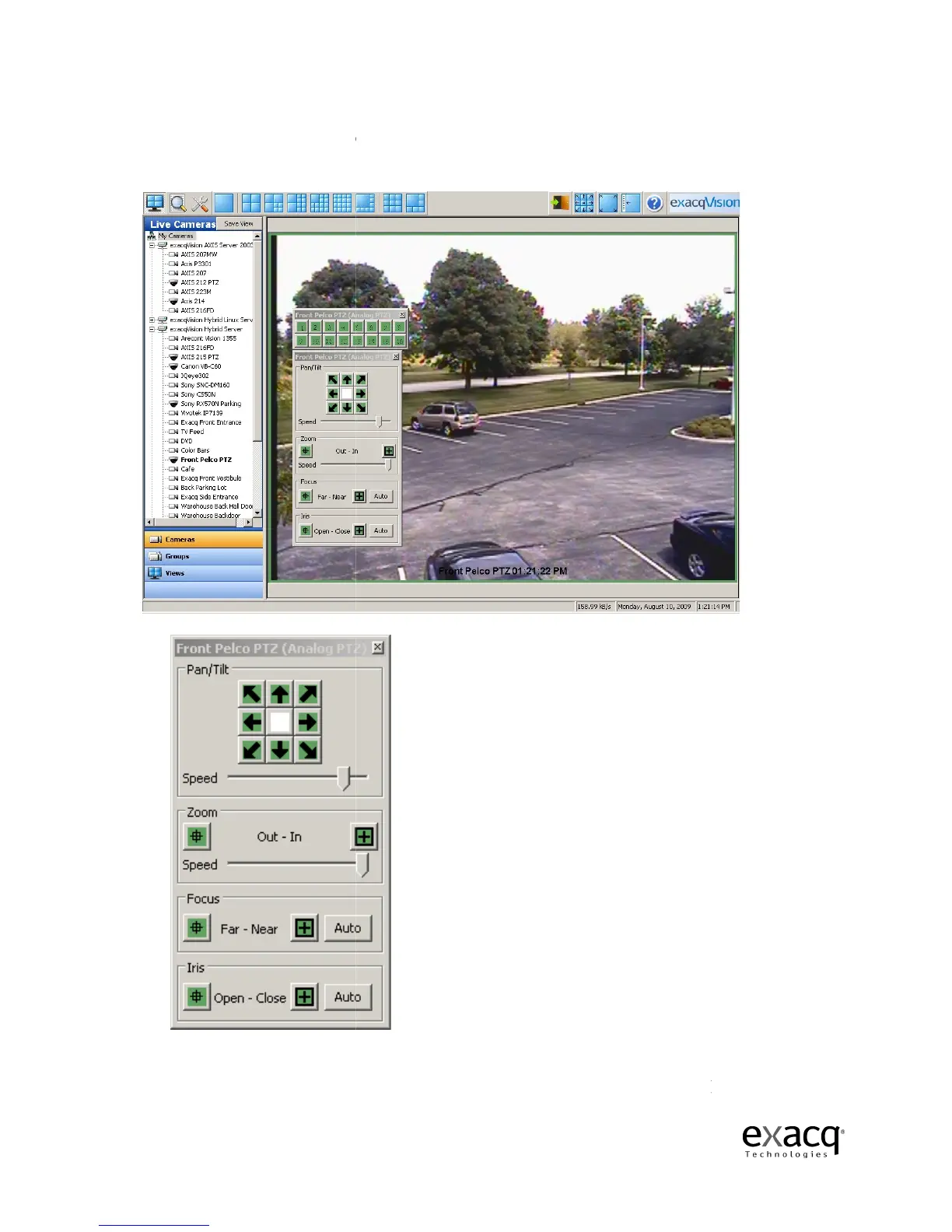
The PTZ panel and preset panel contain
You can click and drag on the title bar of the PTZ Controls to move them anywhere on your
screen.
To control Pan/Tilt
, click on the green arrow buttons. To control
buttons. To control the speed of the pan/tilt and zoom functions, adjust the
directly below each feature.
Page 63
The PTZ panel and preset panel contain
t
he name of the camera being controlled
You can click and drag on the title bar of the PTZ Controls to move them anywhere on your
, click on the green arrow buttons. To control
Zoom
buttons. To control the speed of the pan/tilt and zoom functions, adjust the
he name of the camera being controlled
in the title bar.
You can click and drag on the title bar of the PTZ Controls to move them anywhere on your
slider bar



 To Next Page