exacqVision User Manual
1/24/2011
When using cameras that support
PTZ Controls. You can focus Far or Near, or you
you can increase the iris
by clicking Auto.
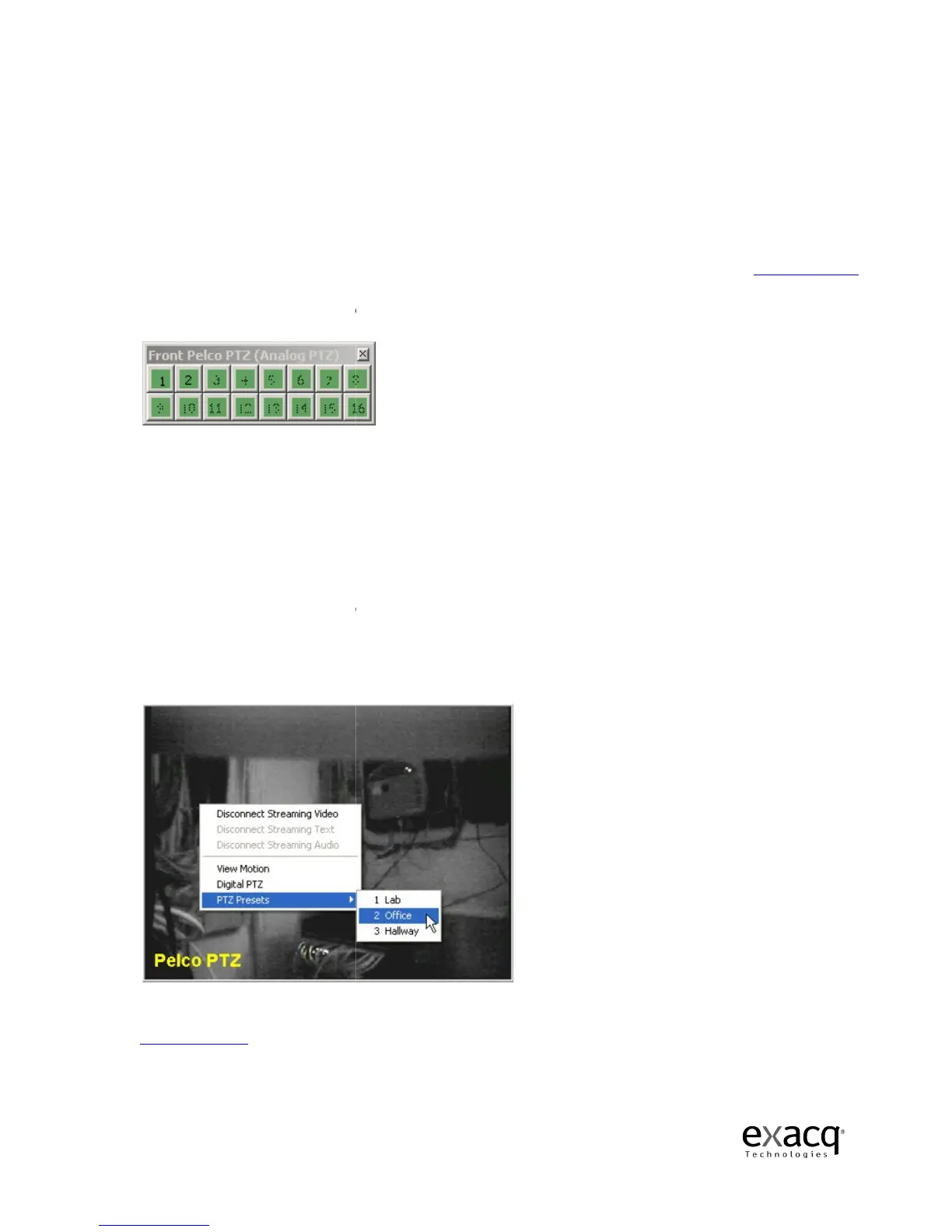
You can also use the Preset buttons you have setup by clicking on the green, numerical buttons at
the bottom of the PTZ control.
page 135.
By rolling your cursor over the Preset buttons, you can acces
preset name
you typed in when you set up the PTZ camera.
You can also
The arrow keys move your camera to the left, right, up, and down.
Down zooms out.
Clicking Alt and Z at the same time will enable the zoom box.
location by holding down the control key and dragging the zoom box over the desired portion of
the image. Clicking Alt Z
again will bring it back.
using the Speed slider control on th
You can also use your
Video Panel and selectin
g PTZ Presets and then the name of the desired preset.
Finally, if you have access to a USB joystick, you can use it t
Joystick Setup, page 103,
for detailed instructions on how to set up your joystick.
Page 64
When using cameras that support
Focus and Iris
, you can also control those features using the
PTZ Controls. You can focus Far or Near, or you
can
click Auto to activate auto
by clicking Open, reduce it
by clicking Close, or activate a
You can also use the Preset buttons you have setup by clicking on the green, numerical buttons at
the bottom of the PTZ control.
For directions on how to setup a Preset button, see
By rolling your cursor over the Preset buttons, you can acces
s a tool tip based on the
you typed in when you set up the PTZ camera.
the arrows, Page Up key, and Page Dow
The arrow keys move your camera to the left, right, up, and down.
Clicking Alt and Z at the same time will enable the zoom box.
You
can zoom in on a particular
location by holding down the control key and dragging the zoom box over the desired portion of
again will bring it back.
You can adjust the speed the Zoom feature by
using the Speed slider control on th
e PTZ Control.
to access the PTZ presets by right-click
g PTZ Presets and then the name of the desired preset.
Finally, if you have access to a USB joystick, you can use it t
o maneuver your PTZ controls.
for detailed instructions on how to set up your joystick.
, you can also control those features using the
click Auto to activate auto
-focus. Similarly,
by clicking Close, or activate a
uto-iris
You can also use the Preset buttons you have setup by clicking on the green, numerical buttons at
For directions on how to setup a Preset button, see
Camera Setup,
s a tool tip based on the
s in, and Page
can zoom in on a particular
location by holding down the control key and dragging the zoom box over the desired portion of
You can adjust the speed the Zoom feature by
g PTZ Presets and then the name of the desired preset.
o maneuver your PTZ controls.
See
for detailed instructions on how to set up your joystick.



 To Next Page