exacqVision User Manual
1/24/2011
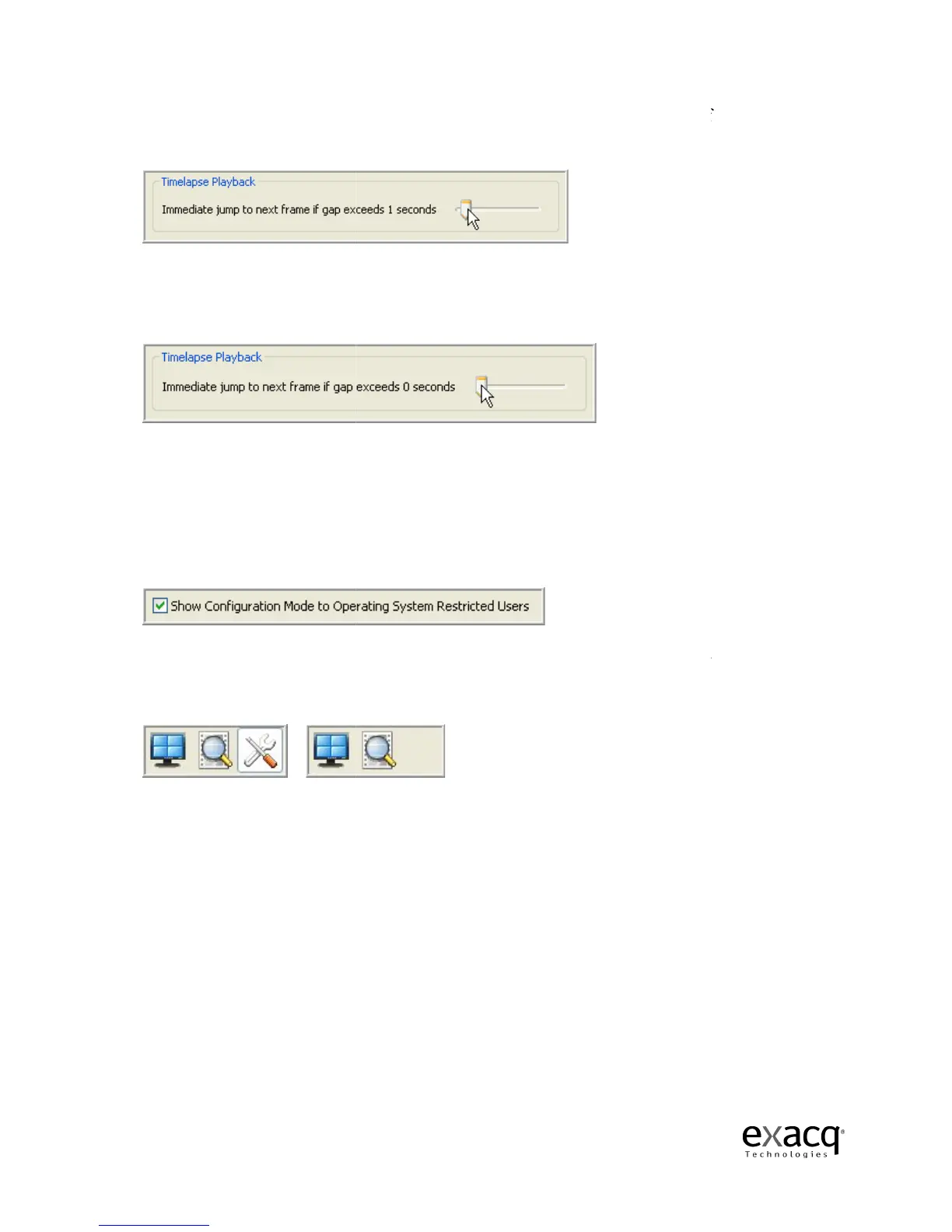
The Timelapse Playback
video gaps due to timelapse recording or discontinuous motion.
The system automatically jumps to the next video frame after a one second gap.
the dwell time to z
seconds by sliding it to the right
.
The
Show Configuration Mode to Operating System Restricted Users
the Setup button for a client who ha
By default, the Setup button is displayed for all clients, but you can hide it for an individual client
by deselecting the checkbox.
Instead of seeing the Live, Search and Setup icons, the restricted Windows user will
Live and Search icons.
This may prevent confusion that may occur from displaying an icon the
restricted user can’t utilize.
Page 97
ontrol allows you to adjust the amount
video gaps due to timelapse recording or discontinuous motion.
The system automatically jumps to the next video frame after a one second gap.
interval control to the left or
increase the dwell time up to 15
seconds by sliding it to the right
.
Show Configuration Mode to Operating System Restricted Users
checkbox allows you to hide
the Setup button for a client who ha
s a restricted Windows setting.
By default, the Setup button is displayed for all clients, but you can hide it for an individual client
Instead of seeing the Live, Search and Setup icons, the restricted Windows user will
This may prevent confusion that may occur from displaying an icon the
display time between
The system automatically jumps to the next video frame after a one second gap.
You can decrease
increase the dwell time up to 15
checkbox allows you to hide
By default, the Setup button is displayed for all clients, but you can hide it for an individual client
Instead of seeing the Live, Search and Setup icons, the restricted Windows user will
only see the
This may prevent confusion that may occur from displaying an icon the



 To Next Page