Accessing Your Unit Remotely
FTB-1v2 and FTB-1v2 Pro 197
Working With VNC
Configuring the VNC Server
The UltraVNC Server is already installed on your unit. By default, the server
is configured to accept secured connections only. This means that you
must configure a password before establishing a connection between a
computer and your unit.
You can modify various connection settings to better suit your needs.
To configure the VNC Server:
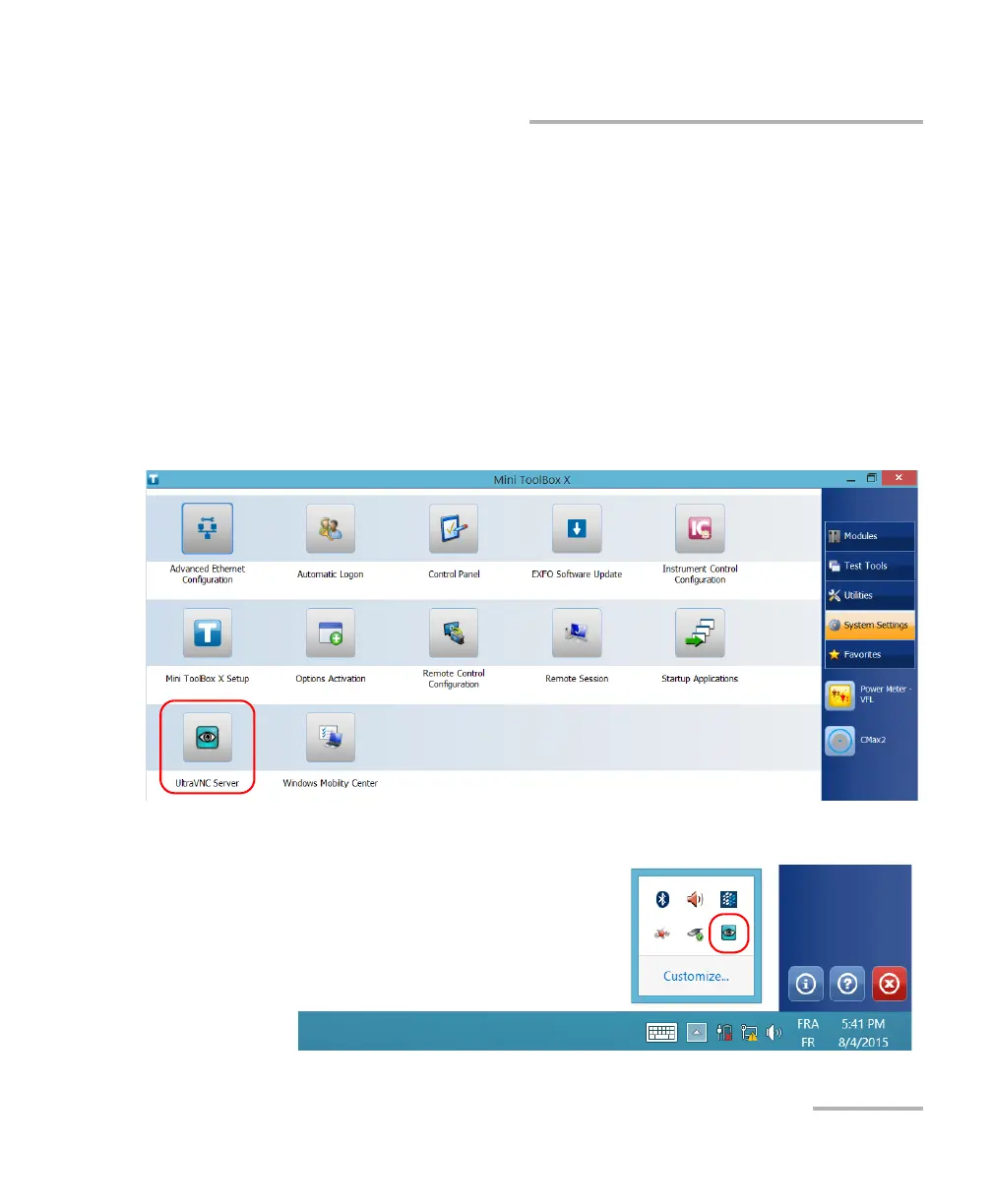
1. From the main window, tap the System Settings button.
2. Tap UltraVNC Server.
3. From the notification area, right-click the UltraVNC icon.



 To Next Page