Turntable control SmartTurn
Structure and function
Dok-ID:EXPERT-0003-EN-2011 21
Pos: 4.9 / S martT ur n/4.2 .1_ a O- Stel lung -Grafi k @ 1\ mod_1219136730145_38.doc @ 6991
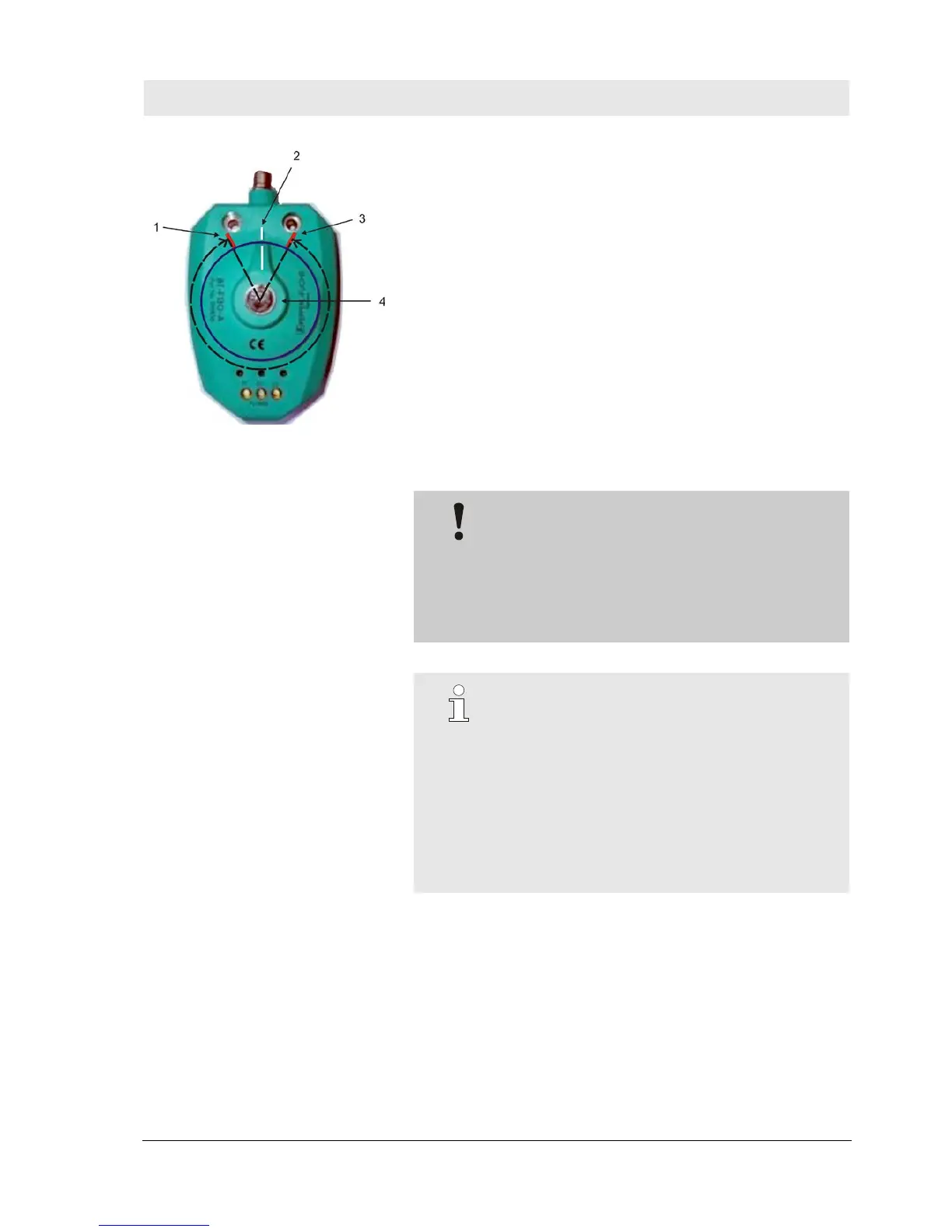
Fig. 4 0-position - sensor
0-position and switch-off angle at the sensor
1 Switch-off angle forward
2 0-position
3 Switch-off angle backward
4 Position encoder
Pos: 4.10 /S martT ur n/4. 2.1 _b @ 1\ mod_1219137280849_38.doc @ 7002
CAUTION!
The turntable should not be activated with the
"Slow on" activation in continuous mode
Therefore:
– Only use "Slow on" for inching mode, or if the
turntable is started from an intermediate
position.
Pos: 4. 11 /Smar tTur n/4.2. 1_c @ 1\mod_1219137934686_38.doc @ 7013
NOTE!
There is no optimization for "Slow on" activation, in
this case the system is always switched off at a
fixed switch-off angle.
With "Backward on" activation in continuous mode,
turntable movement is not switched off by the
turntable controller.
"Reverse on" activation is only intended for inching
mode in continuous mode to enable clearing, if


 To Next Page