
 Need help?
Do you have a question about the Expert SmartTurn and is the answer not in the manual?
Only persons from whom it can be expected that they reliably execute their work are considered as personnel.
Any use that extends beyond the intended use, and/or any other use of the device can cause dangerous situations.
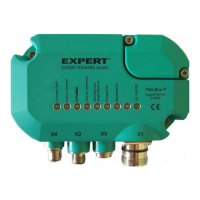
The SmartTurn turntable controller is used to control Expert-Tünkers fixed indexing turntables with any desired indexing.
In standard mode, continuous operation and reverse operation are differentiated.
The turntable rotates depending on the selection via the PLC, 1 to 4 cycles forward or backward per activation.
With 'Forward on' or 'Backward on' the turntable controller checks the activated direction and the momentary position.
If the switch off angle reaches the end of the lock movement, then the warning 'End lock angle' is output to the PLC.
There are three setting possibilities on the control unit, S1, S2, and S3. They are behind a screw-fastened cover.
Only trained, skilled personnel should perform installation and commissioning work.
Connect the sensor and control unit via sensor cables. Only use the specified sensor cable.

 To Next Page
 General