This document is considered an uncontrolled copy when printed. Always ensure that you print and use a current version.
Copyright 2023 ExRobotics B.V.
7.4.1. Thermal Annotations
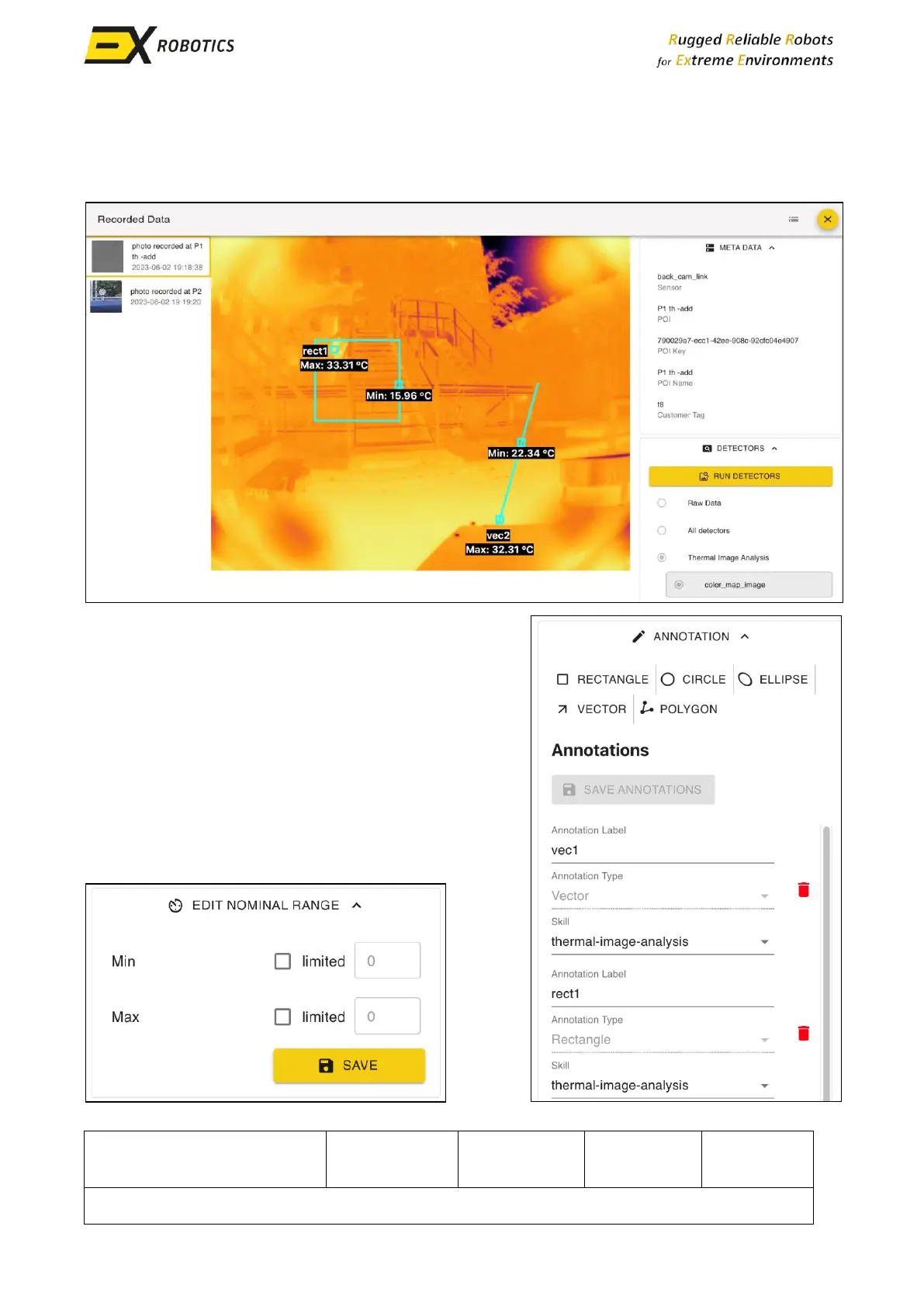
The user can annotate a thermal image and display the temperature limits of a specific area as
illustrated in this picture of a record in the Mission Report.
Areas of interest are framed using the “Annotation”
menu. Select the shape that best frames the area of
interest and use your mouse/trackpad to draw it on the
image. You can add multiple frames to a single image.
Once you’ve added all the areas of interest click on
“Save annotations”.
You can use the “Edit nominal range” menu to set up
minimum and maximum thresholds for the areas of
interest. Users can be notified if those thresholds are
violated. The same thresholds apply to all areas of
interest.



 To Next Page