This document is considered an uncontrolled copy when printed. Always ensure that you print and use a current version.
Copyright 2023 ExRobotics B.V.
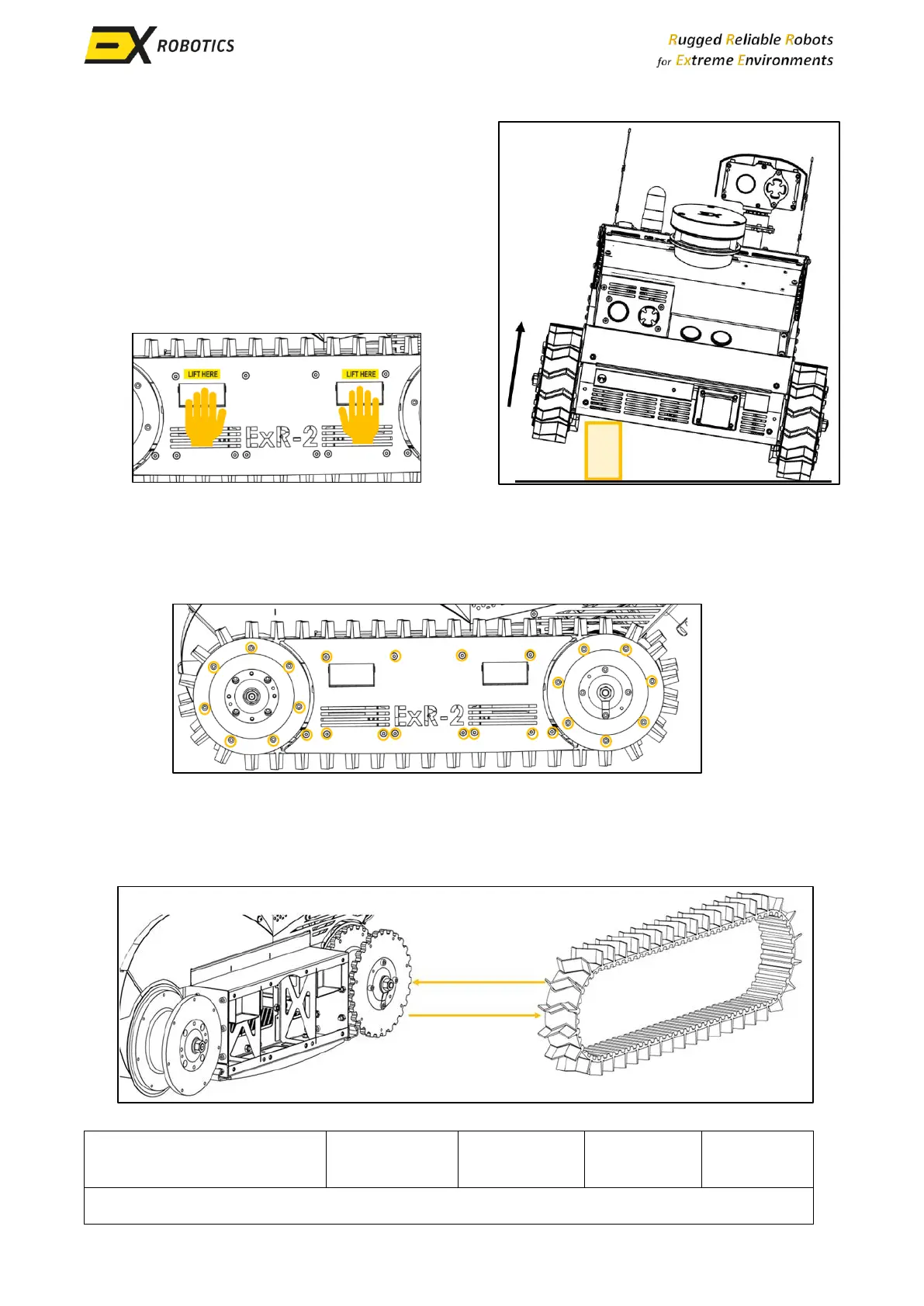
▪ Prop the robot on the beam or a suitable
support structure to elevate the tracks off the
ground. This will provide easier access for
track replacement. Ask a co-worker to help lift
the robot and to place the block under the
robot. You can lift the robot at the designated
places marked with a LIFT HERE sticker. Lifting
the robot elsewhere could cause damage to
you or the robot.
9.3.3. Removing the Flanges and Track Guard
▪ Locate and remove the screws securing the track guide and the flanges with an Allen key.
Remove the track guard and the flanges.
9.3.4. Replacing the Track
▪ Slide the old track off the side of the sprockets carefully.
▪ Slide the new track onto the sprockets ensuring it’s properly aligned with the sprocket teeth.



 To Next Page