ExRobotics B.V.
ExR-2 Robot
Operating Guide
Document No.:
20220412IP1
Version No.: 3
This document is considered an uncontrolled copy when printed. Always ensure that you print and use a current version.
Copyright 2023 ExRobotics B.V.
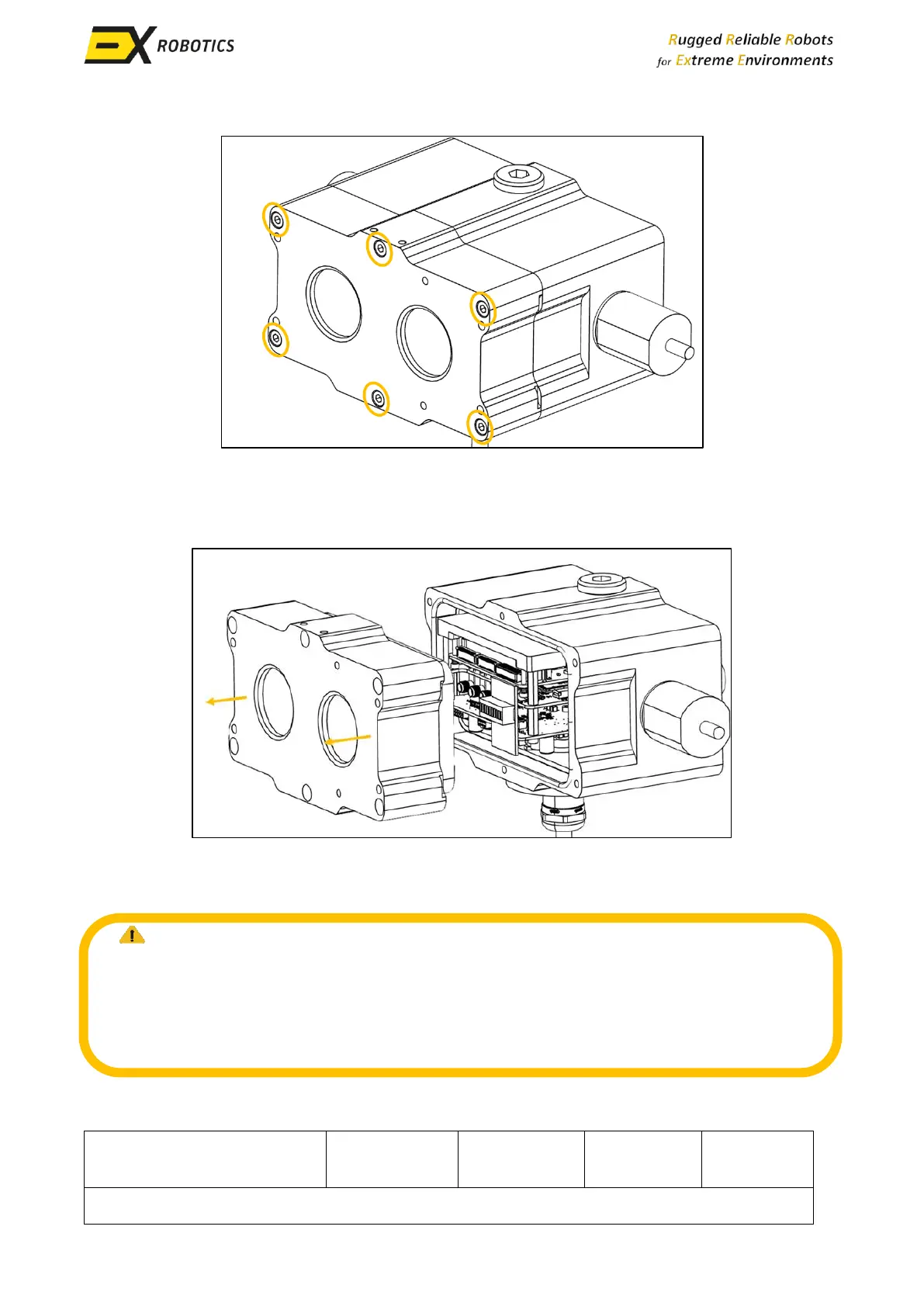
▪ Remove the screws that secure the enclosure front to the enclosure back (6 screws in total).
9.5.3. Accessing the SIM Card Slot
▪ Gently pull the enclosure front away from its back, be very careful not to damage the flame
paths (the contact surfaces between the front and back of the enclosure).
NOTE: Flame paths, play a fundamental role in preventing ignition or explosion from Ex-d
certified components. Damage to these flame paths can result in fires or explosions when
the module is exposed to a potentially explosive environment. Therefore, ensuring the
undamaged state of the flame paths is essential to guaranteeing safety.



 To Next Page