This document is considered an uncontrolled copy when printed. Always ensure that you print and use a current version.
Copyright 2023 ExRobotics B.V.
9.5.4. Changing the SIM Card
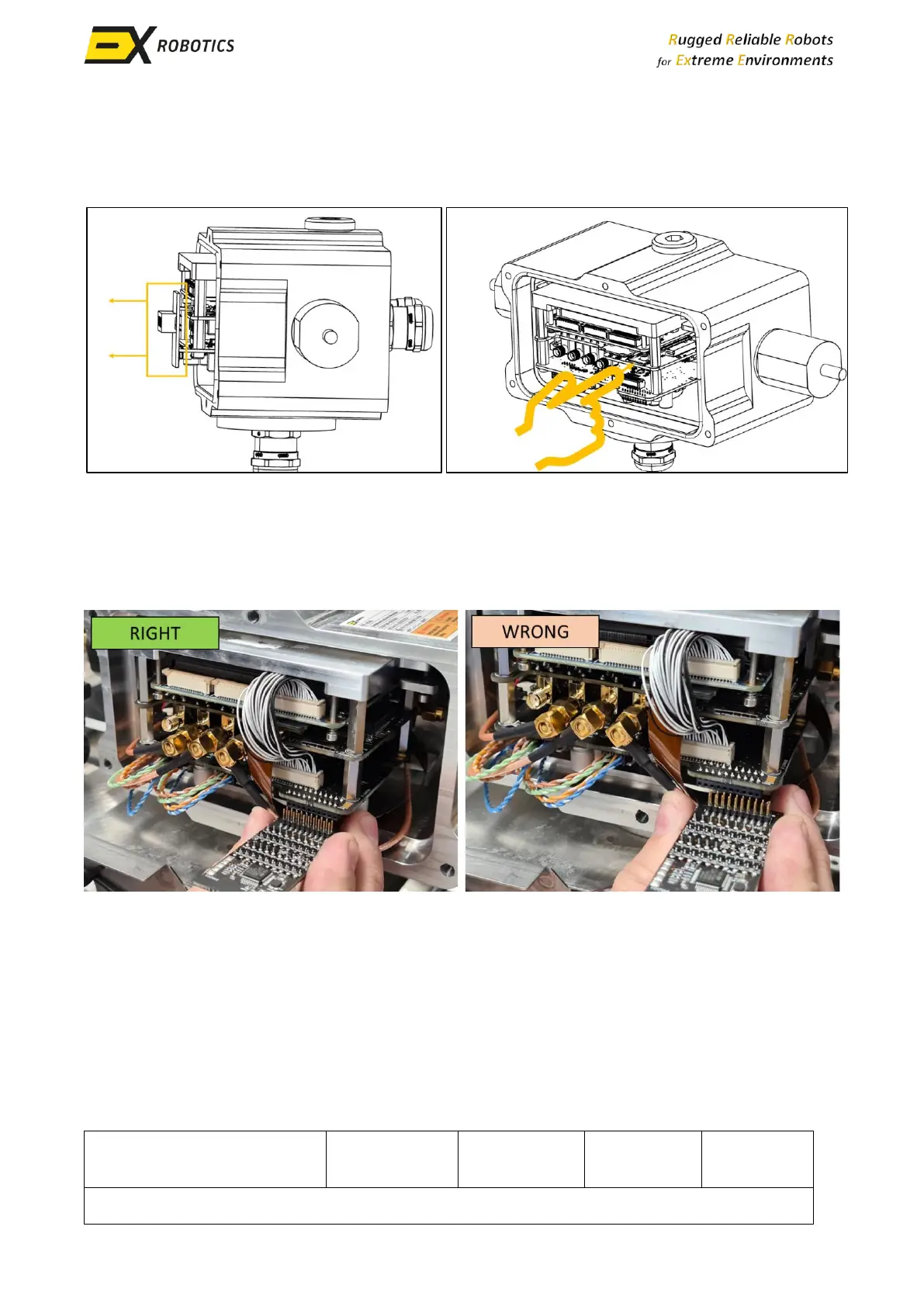
▪ Remove the status indicator board from its slot.
▪ Press the front of the existing SIM card to release it from the holder.
▪ Insert the new SIM card into the holder, ensuring correct orientation.
9.5.5. Reassembling the Device
▪ Re-install the status indicator board, aligning its pins carefully (see pictures below).



 To Next Page