This document is considered an uncontrolled copy when printed. Always ensure that you print and use a current version.
Copyright 2023 ExRobotics B.V.
9.7.2. Battery Removal
▪ Locate the robot on a flat surface for stability. Power off the robot and
disconnect it from any power source.
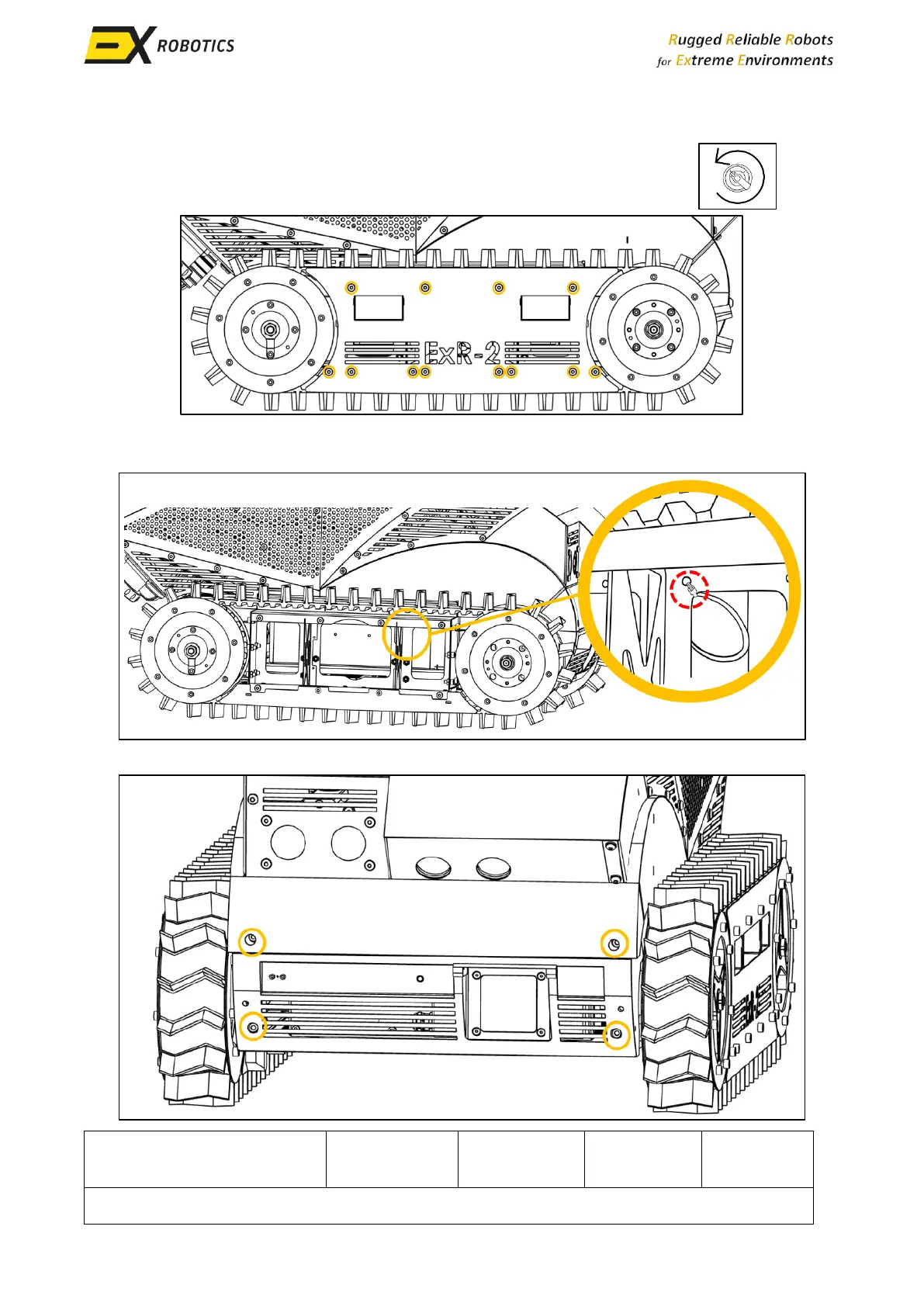
▪ Remove the right track guard as described in Section 9.3 of the manual.
▪ Locate the microphone cable tie shown in this image and cut it with the side cutter. This
releases the extra cable required to remove the robot's lower front panel.
▪ Remove the four screws that secure the robot's lower front panel.



 To Next Page