AvediaStream e2635/e3635 and e2655/e3655 Encoders V1.1
Administrator’s Guide 15
AvediaStream e2655/e3655 Interface
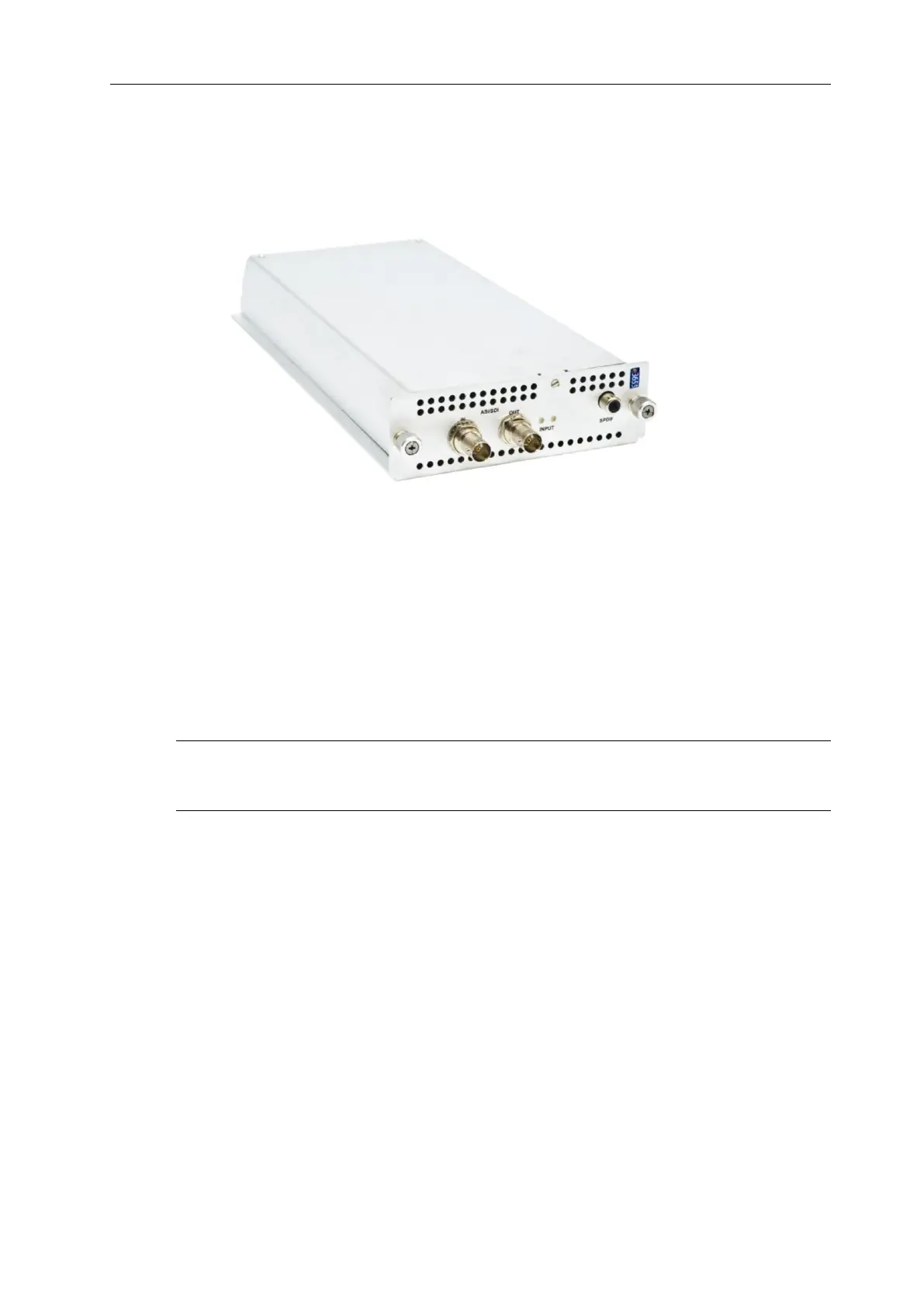
The AvediaStream e2655 and e3655 encoders provide a Serial Digital Interface video input
with embedded or S/PDIF audio inputs. SDI Loop-through is also available. Connections are
shown in Figure 3 below.
Figure 3 AvediaStream e3655 Encoder – Rear Panel
The AvediaStream e2655 and e3655 offer three physical interfaces:
● Single input BNC (SDI video, SDI video with embedded audio)
● Single output ‘Loop-though’ BNC (No Output, Input loop-through, or Re-clocked Input
Loop-through)
● RCA Phono (SPDIF audio)
This allows you to encode audio from the SDI interface or to use the S/PDIF interface as the
audio source.
Note: The BNC interface is marked with ASI/SDI as this interface is common to the SDI
Encoder and ASI Gateway. The interface is committed to SDI or ASI in the factory and cannot
have its function changed in the field.
The AvediaStream e2655 and e3655 are fitted with 2 LEDs with following functions:
● Left – The Red LED is lit when signal errors are detected on the input signal.
● Right – The Green LED is lit when the encoder detects SDI, HD-SDI or 3G-SDI input
signals.
SDI Interface (IN)
The SDI interface supports SMPTE 259M (270Mbits/s SD-SDI), SMPTE 292M (1.485Gbit/s
HD-SDI) and SMPTE 424M (2.97Gbits/s 3G-SDI). Connect an SD-SDI, HD-SDI, or 3G-SDI
input using a BNC connector.
The following resolutions and frame rates are supported:
● 525i 60Hz and 625i 50Hz
● 720p 50Hz/59.94Hz/60Hz
● 1080i 50Hz/59.94Hz/60Hz
● 1080p 23.98Hz/24Hz/50Hz/59.94Hz/60Hz



 To Next Page