Quantum Series Videowall Processing Systems • Installation and Maintenance 47
Monitor connector pin assignments
5 Ground (H-sync)
10 Ground (V-sync)
4 No Connection
9 +5 V Output*
3 Blue
8 Ground (Blue)
2 Green
7 Ground (Green)
1 Red
6 Ground (Red)
DDC Clock 15
V-sync 14
H-sync 13
DDC Data 12
No Connection 11
*5 V on pin 9 is limited to
200 mA by thermal fuse.
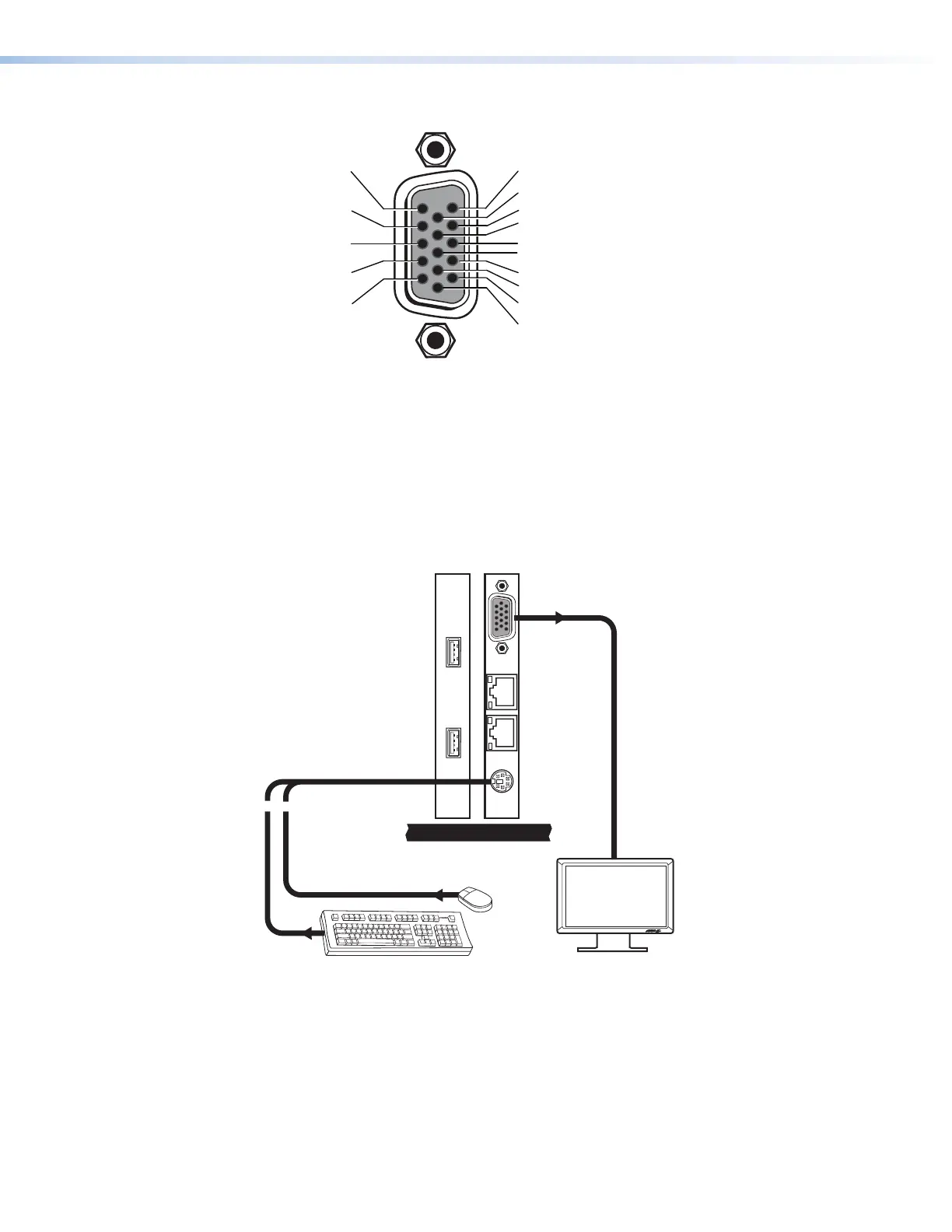
Figure 35. Pin Assignments for the Monitor Connector
Quantum Elite 408 and Quantum Connect keyboard, mouse, and monitor
connections
On the Quantum Elite 408 and the Quantum Connect, one mini DIN connector for both
the keyboard and the mouse is on the last card on the right in the card cage. For a PS/2
keyboard and mouse, connect a splitter cable (provided) from this connector to the cables
of the keyboard and mouse (see figure 36). For a USB keyboard and mouse, connect
them to the two USB connectors (see figure 37 on the next page).
oprietary Splitter Cable
ovided)
MEDIA I
MEDIA II
Figure 36. Connecting a PS/2 Keyboard, Mouse, and Monitor to a
Quantum Elite 408 or a Quantum Connect



 To Next Page