Quantum Series Videowall Processing Systems • Operation 59
Operation
When all sources, displays, and the computer or other controlling device have been
connected to the cards in the card frame and set up as needed via the Control Panel and
Quantum Control Software, the Quantum system is fully operational.
While the processor is operating, you can continue to create and revise layouts, scenes,
and window parameters using the Quantum Control Software (see the Quantum Control
Software User Guide for the procedures). You can also change the settings available
through the Control Panel.
This section describes the functions you can perform while the system is operating. The
following topics are covered:
• Powering On and Off
• Using the Control Panel
• Accessing the Quantum Control Software
Powering On and Off
Powering on
Before powering on the system, ensure that the provided power cord is connected
between the Power connector on the Quantum rear panel and an AC source.
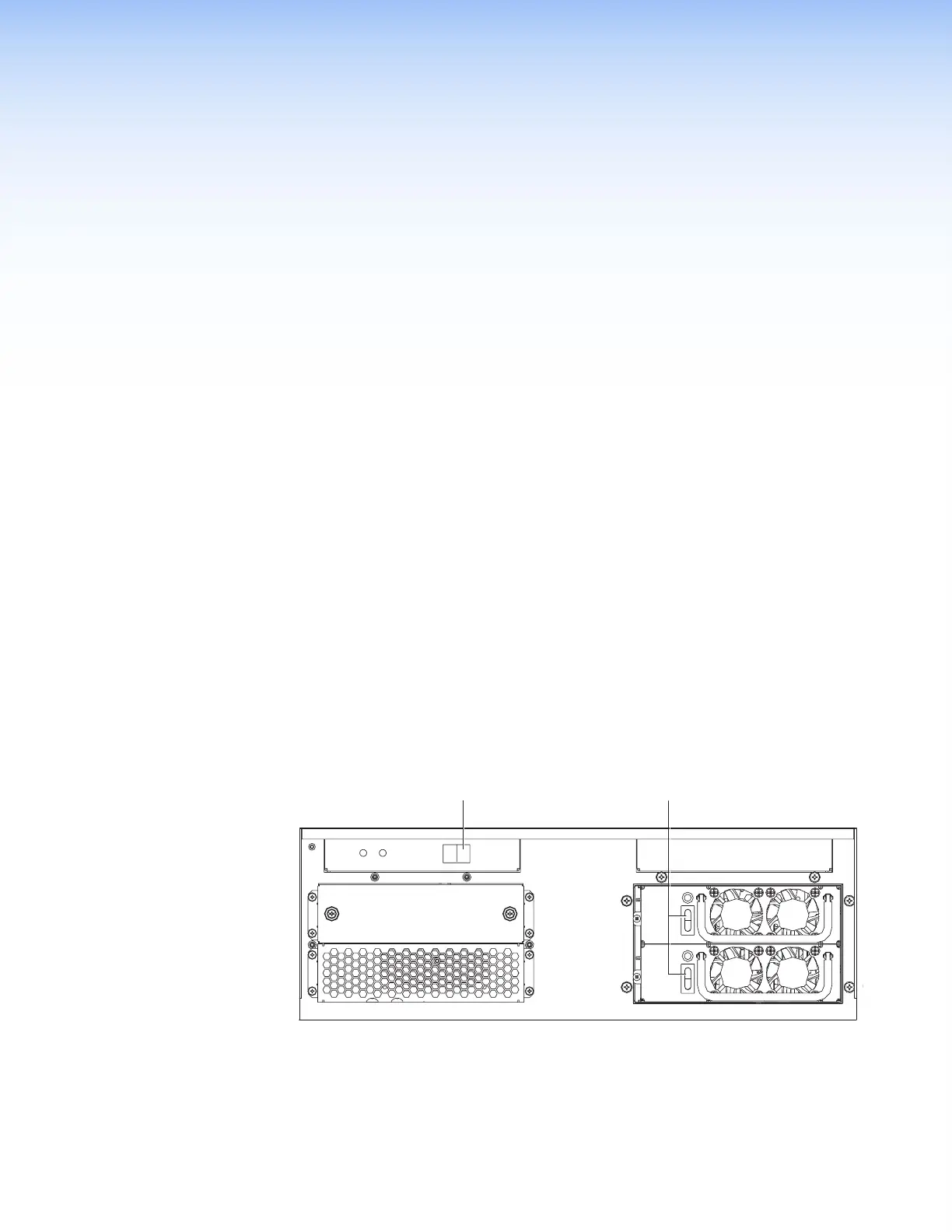
• Quantum Elite 615:
1. Unlatch and open the lower access panel.
2. Set the vertical Power rocker switches on both power supply units to I (On).
3. Set the horizontal Power rocker switch to I.
I
O
I
I
O
O
POWER
Power Switch
Switches
Figure 49. Power Switches on the Quantum Elite 615 Front Panel



 To Next Page