Quantum Series Videowall Processing Systems • Installation and Maintenance 57
Maintenance
Cleaning Ventilation Grilles and Filters
The front ventilation grilles and air filters should be checked periodically for dust buildup.
Excess dust deposits reduce the efficiency of the cooling fans and can cause the unit to
overheat.
To clean the grilles and filters, use a vacuum cleaner and, if necessary, a soft brush to
remove any dust.
Removing and Replacing Components
The fan modules on all Quantum models and the power supply modules on the Quantum
Elite 615 can be replaced if they should fail. These modules are hot-swappable, which
means that they can be replaced while the unit is powered on and operating.
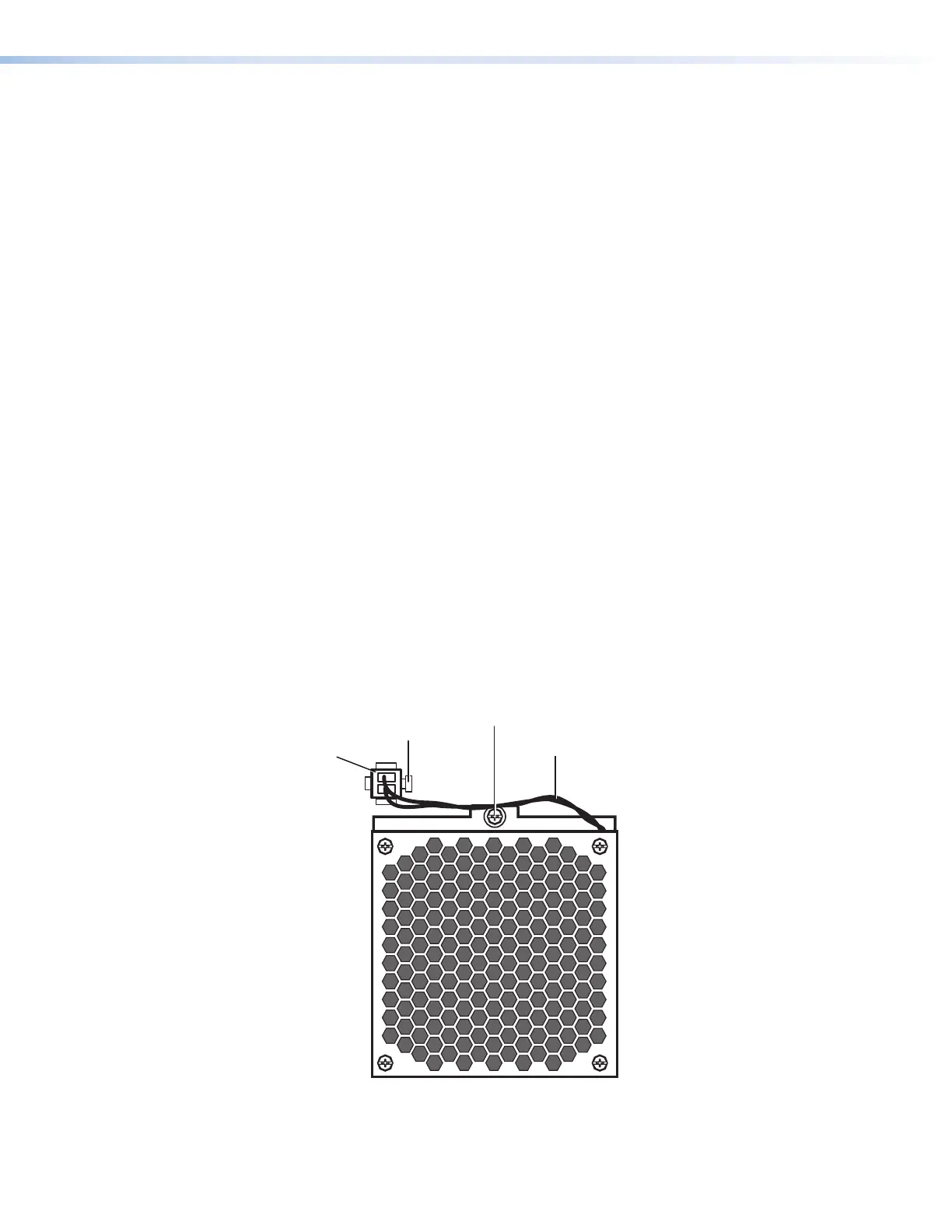
Replacing a fan
To replace a cooling fan module:
1. Open or remove the front access panel:
• Quantum Elite 615: Loosen the two screws on the top access panel and
remove the panel.
• Quantum Elite 408 and Connect: Rotate the latch on the access panel
one-quarter turn counterclockwise and pull outward on it to lower the panel.
2. Unplug the fan power cord:
a. Press the retaining clip, located on the right side of the fan power cord plug,
inward.
b. Pull the plug out of the fan power connector.
3. Loosen the single screw from the top of the fan module.
Fan Power Cord
Retaining Clip
Figure 47. Removing a Fan Module



 To Next Page