Quantum Series Videowall Processing Systems • Installation and Maintenance 58
4. Tilt the top of the fan forward, then lift the module up and out of its housing.
5. Place the new fan into the housing by inserting the two tabs at the bottom of the fan
module into the two slots at the bottom of the opening and tilting the top of the fan
back into the unit.
6. Press the top of the fan back into place.
7. Tighten the screw.
8. Plug the fan power cord into the connector, ensuring that the clip is on the right side
of the connector.
Replacing a power supply (Quantum Elite 615 only)
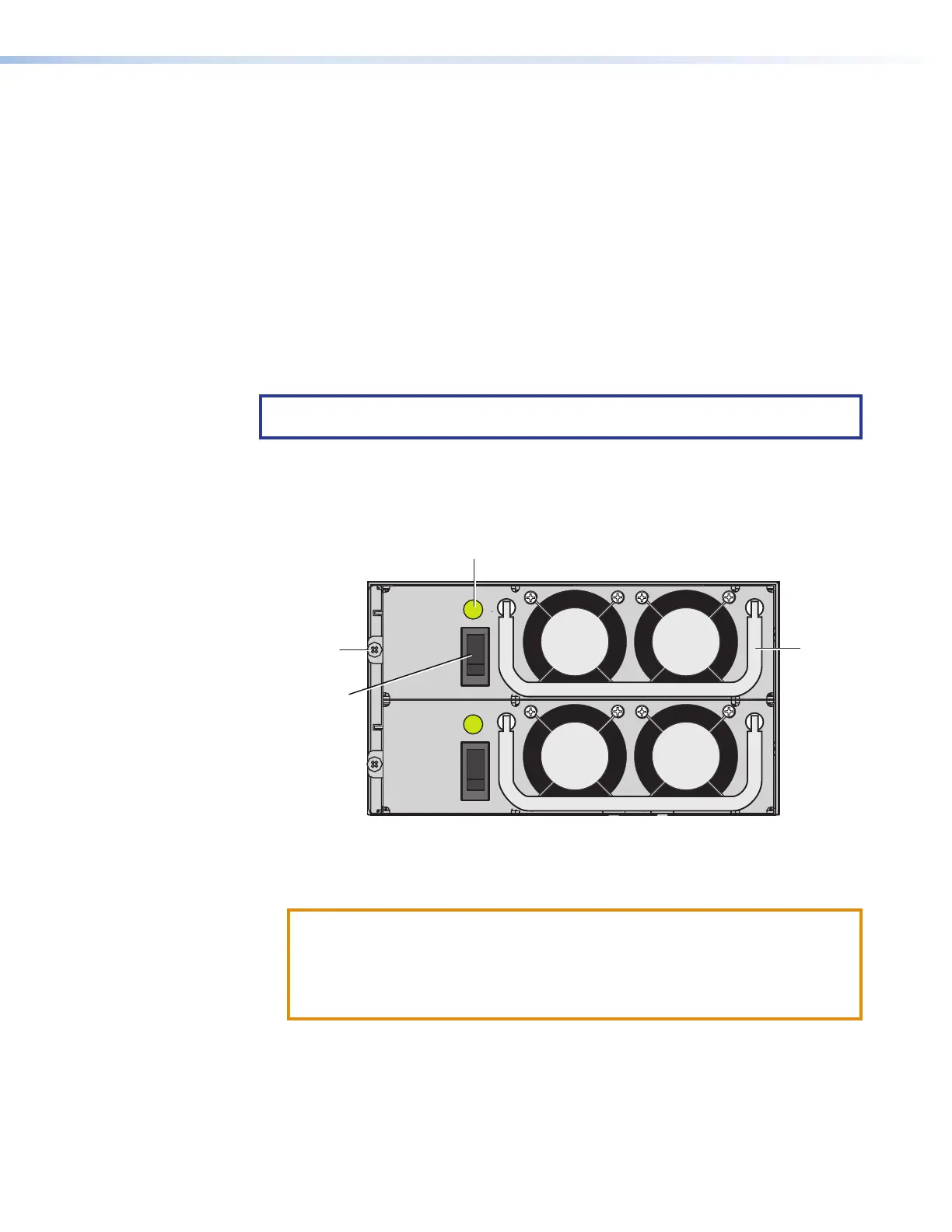
If a power supply unit (PSU) fails on the Quantum Elite 615, an audible alarm is triggered,
and the front panel Power LED lights red. In addition, the green status LED above the
PSU power switch is extinguished.
NOTE: The alarm also sounds when a functioning PSU is disconnected or powered
off.
To remove and replace a PSU:
1. Rotate the latch on the lower access panel one-quarter turn counterclockwise and
pull outward on it to lower the panel.
2. Use a small screwdriver to remove the retaining screw at the left of the failed PSU.
Retaining
Screw
Handle
PSU Power
Switch
Figure 48. Power Supply Units on the Quantum Elite 615
3. Lift and pull out the metal handle on the PSU until the power supply comes free.
4. Insert the new PSU and press it firmly into place.
ATTENTION:
• Ensure that the switch on the new PSU is in the Off position before installing
it.
• Assurez-vous que l’interrupteur situé sur la nouvelle alimentation est en
position Off avant de l’installer.
5. Replace the retaining screw.
6. Switch on the new PSU and check that its status LED is lit.



 To Next Page