Quantum Series Videowall Processing Systems • Installation and Maintenance 46
Keyboard, Mouse, Monitor, USB, and Media Cards
The two cards installed in the first two slots on the right side of the rear panel contain
the connectors listed below. The locations of these connectors depend on the Quantum
model.
• PS/2 keyboard connector
• Monitor connector
• USB ports (2)
• Media I and Media II network ports (Elite models only)
Connecting a PS/2 keyboard, USB mouse, and monitor
To access the Quantum Control Panel screens, connect a PS/2 or USB keyboard
and USB mouse (provided) and a separate monitor (not provided) to the keyboard (or
keyboard/mouse) and monitor connectors on the rear panel. The Control Panel screens
enable you to perform such tasks as changing network settings, resetting the unit to
its default settings, and placing the processor in service mode (see Using the Control
Panel on page 61). The PS/2 keyboard, USB mouse, and the monitor are not required
during normal operation of the processor.
NOTE: The Control Panel software resides on the Quantum processor and is used
only for the system setup and trouble-shooting activities. This is not the same
software as the Quantum Control Software, which is loaded on your computer for
use in setting up the sources and displays and creating and managing presentations.
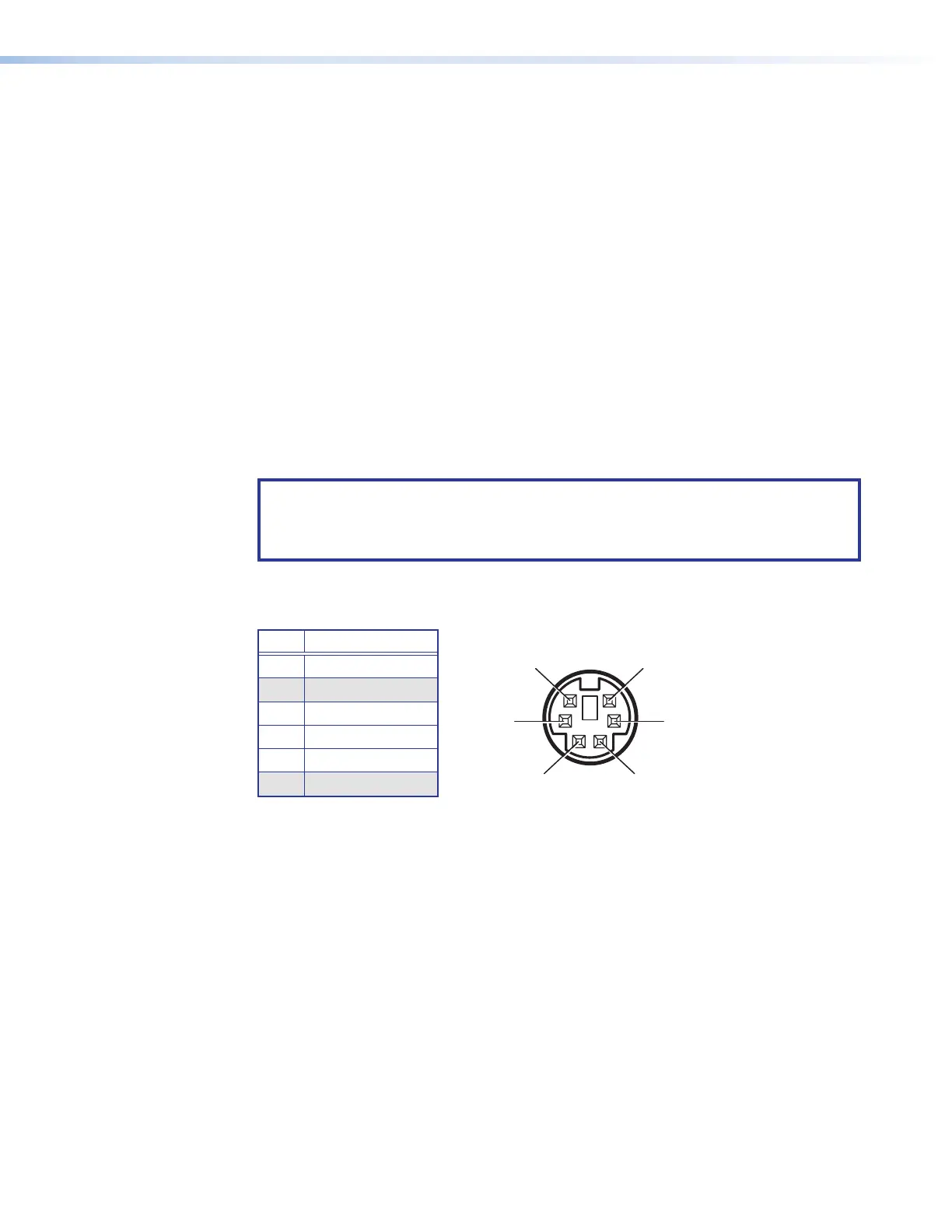
Keyboard and mouse PS/2 port pin assignments
Pin Function
1 Data
2 No connection
3 Ground
4 +5 VDC supply
5 Clock
6 No connection
Figure 34. Pin Assignments for the Mini DIN Keyboard and Mouse Connector



 To Next Page