version 4.7.2 – July 10th, 2022 Firmware version V2.1.7 and higher
EXXFIRE Installation and Service Manual 50
• A damaged product (e.g. when dropped) results in a hazardous situation! Leakage of
chemicals, toxic release is possible! See: 0.
• In case of activation of the CGG: see 2.2 Operational
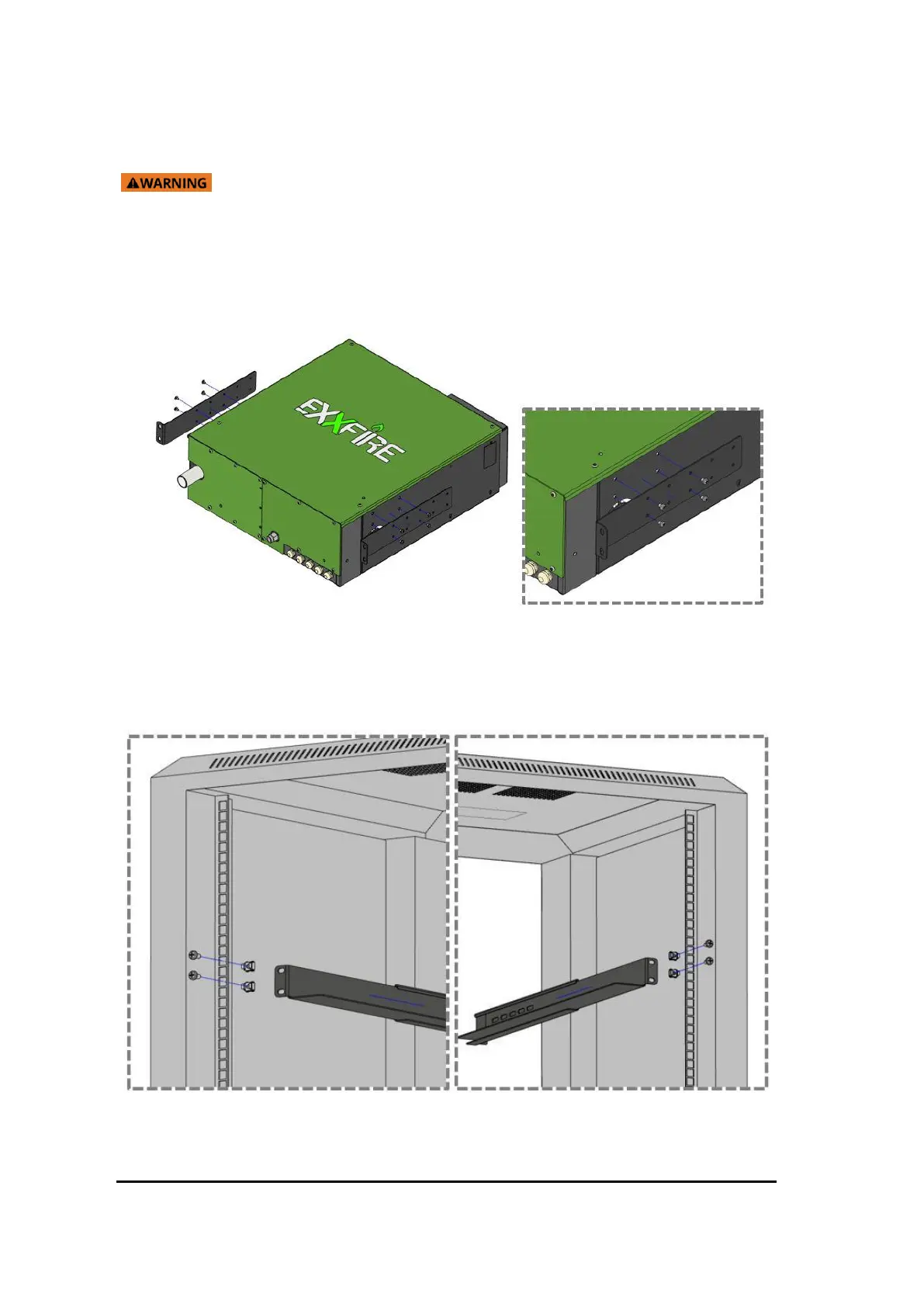
• Mount the two “Front mount brackets” to either side of the EXXFIRE®
750CNF/1500CNF/2250CNF
Figure 36 Attaching mounting rack
19. Mount 2x cage nuts to each of the 4 corners of the rack (front and back sides of the rack).
Mount the Adjustable Rack Mount Brackets Left and Right to the respective sides of the cabinet
using the provided screws, at the 4 corners.
Figure 37 Side mount server rack



 To Next Page