version 4.7.2 – July 10th, 2022 Firmware version V2.1.7 and higher
EXXFIRE Installation and Service Manual 60
Keep any excess cable inside the box to a minimum. Excessive looping of “spare” cable will
compromise EMC tolerance, and could lead to increased false alarms.
Push the cables into the terminal block which is labelled RS485, as described above.
If any cable glands remain unused, they must be fitted with the blanking plugs provided. Failure
to do this can result in increased fault indications since the sampled air flow rate will be less
stable.
Once all connections have been made and the configuration settings have been changed
(settings for Master and Slave systems, see Chapter 5), the rear cover must be refitted, with all
screws to provide a good seal against air leakage, light leakage, and EMC. NB: Please take care
that the earth cable to the cover panel does not get stuck in between the cover panel and the
system, since this will cause air leakage.
Please take the following into account:
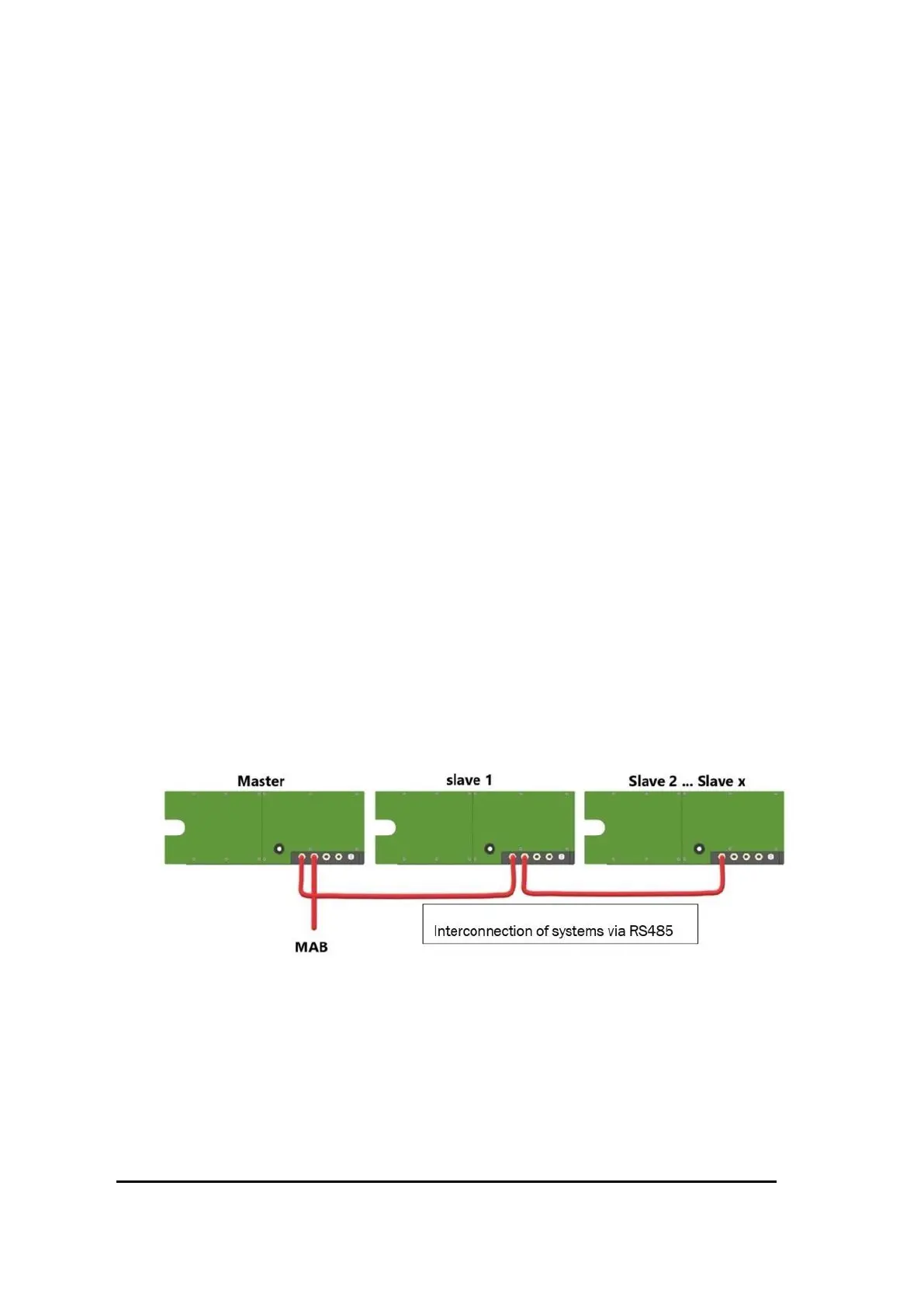
- Always place the Master system at the outside of the daisy chain, so that the Master
system only needs 1 cable gland for the RS485 cable
- Connections to the Alarm and Fault relays must always be made to the Master system
- In case one or more Manual Activation buttons are used it is recommended to connect
them to the two outermost systems, i.e. the Master system and the Slave system at the
other end of the daisy chain
- Door Switches can be connected to any system; in case no more cable glands are available
at the Master system the connection of the Door Switches should be made to one of the
Slave systems
Figure 49 Example of three connected systems with MAB connected to the Master system



 To Next Page