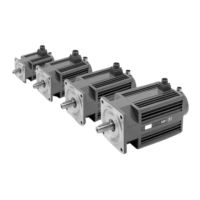
ACSD-46/80 Digital Brushless AC Servo Drive system - Ref.1609
SPEED SELECT
Selector that can help the NODE SELECT select the node number
and can confirm the communication speed of the CAN bus.
How to select the bus speed?
Proceed as follows to select the bus speed:
Start the drive up (or do a reset) with the rotary switch in the “0”
position.
The BUS ACTIVITY indicating LED will blink twice quickly (50
ms on) in 1 second intervals.
Now, select the transmission speed with the node selecting
rotary switch.
The selected speed will be effective when setting the SPEED
SELECT selector to ON. This speed is immediately saved in the
drive's E²PROM memory. The LED stops blinking and stays on
and the drive stays in the “non-operative” state indefinitely.
Now select the node number (attending to the status SPEED
SELECT selector) and reset the unit to start it up properly.
How to select the node number?
The node number is set with the combination of the NODE
SELECT (NS) switch and the SPEED SELECT (SS) switch accord-
ing to the following formula:
NOTE. Do not forget to set the SPEED SELECT back OFF.
Node
Select
Transmission
speed (rate)
Node
Select
Transmission
speed (rate)
0 1 MBd 5 100 kBd
1 800 kBd 6 50 kBd
2 500 kBd 7 20 kBd
3 250 kBd 8 10 kBd
4 125 kBd others 1 MBd
NOTE. Note that if the drive is started up with the NODE
SELECT switch in the 0 position, and the SPEED SELECT, the
previous sequence is executed immediately hence selecting a
CAN speed of 1 MBd.
Node = NS + (16 x SS) where NS can never be 0


 To Next Page
 Loading...