F&P SleepStyle Product Technical Guide | 7
3. OPERATION
3.1 IMPORTANT INFORMATION
3.1.1 Function of the device after interruption and restoration of the power supply:
All device settings are permanently retained during power interruption or when the device is disconnected from the wall socket.
After power is restored, the device will restart in the same mode that it was in prior to the power interruption or disconnection.
Note: Power interruptions in Auto mode will reset the auto algorithm to minimum pressure.
3.1.2 Error codes:
In the event of an error, a code will be displayed; refer to the Use and Care Guide in Appendix C (section 9.2) for a description of
the error codes and corrective actions.
4. SUPPORT INFORMATION
4.1 SERVICING NOTES
• This device is not repairable and does not contain any repairable parts.
• The device does not require preventative maintenance.
• Only the replacement parts stated in section 5.9 are designated as replaceable by service personnel.
4.2 CLEANING AND HIGH-LEVEL DISINFECTION
• For cleaning, refer to the cleaning instructions in the Use and Care Guide in Appendix C (section 6.2).
• For reprocessing between patients, refer to the cleaning and high level disinfection instructions in the Clinician Guide in Appendix D
(section 10.2).
5. DEVICE CHECKS
5.1 INTRODUCTION
The device checks in this section may be performed to confirm that the device/accessories are safe and functioning correctly; there is no
requirement to perform these checks on a routine basis.
Note: If any of the device checks fail, please contact your Fisher & Paykel Healthcare representative.
5.1.1 Recording settings prior to device checks
During the device checks, it is necessary to change many of the device settings; if the device is likely to be returned directly
to the patient after conducting device checks, all settings should be recorded and re-entered when the checks have been
completed. Refer to the Use and Care Guide in Appendix C and Clinician Guide in Appendix D for additional information on
viewing/changing settings.
5.1.2 Test conditions:
The performance checks should be conducted under the following ambient conditions:
• Temperature: 23 ± 2 °C (73 ± 4 °F)
• Humidity: 50 ± 5 % RH
Note: Ambient conditions outside the ranges shown above will aect the performance check results.
5.1.3 Display check
There is not a specific display check process but it is recommended to observe the display throughout the following tests to
confirm that it is fully functional and easy to read.
5.2 FAULT LOG CHECK
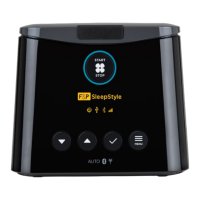
1. Power up the device and enter the Clinician menu by pressing and holding Start/Stop then one of the other device buttons.
together until the menu is displayed.
2. Use Down
to select “Fault log” under “SERVICE INFO” then press OK .
3. Use Down
or Up to scroll through the fault log (if applicable).
4. Note any error codes (including the date) so that additional error codes that may occur during the checks will be obvious. Refer to
the Use and Care Guide in Appendix C (section 9.2) for additional information regarding error codes.


 To Next Page