16
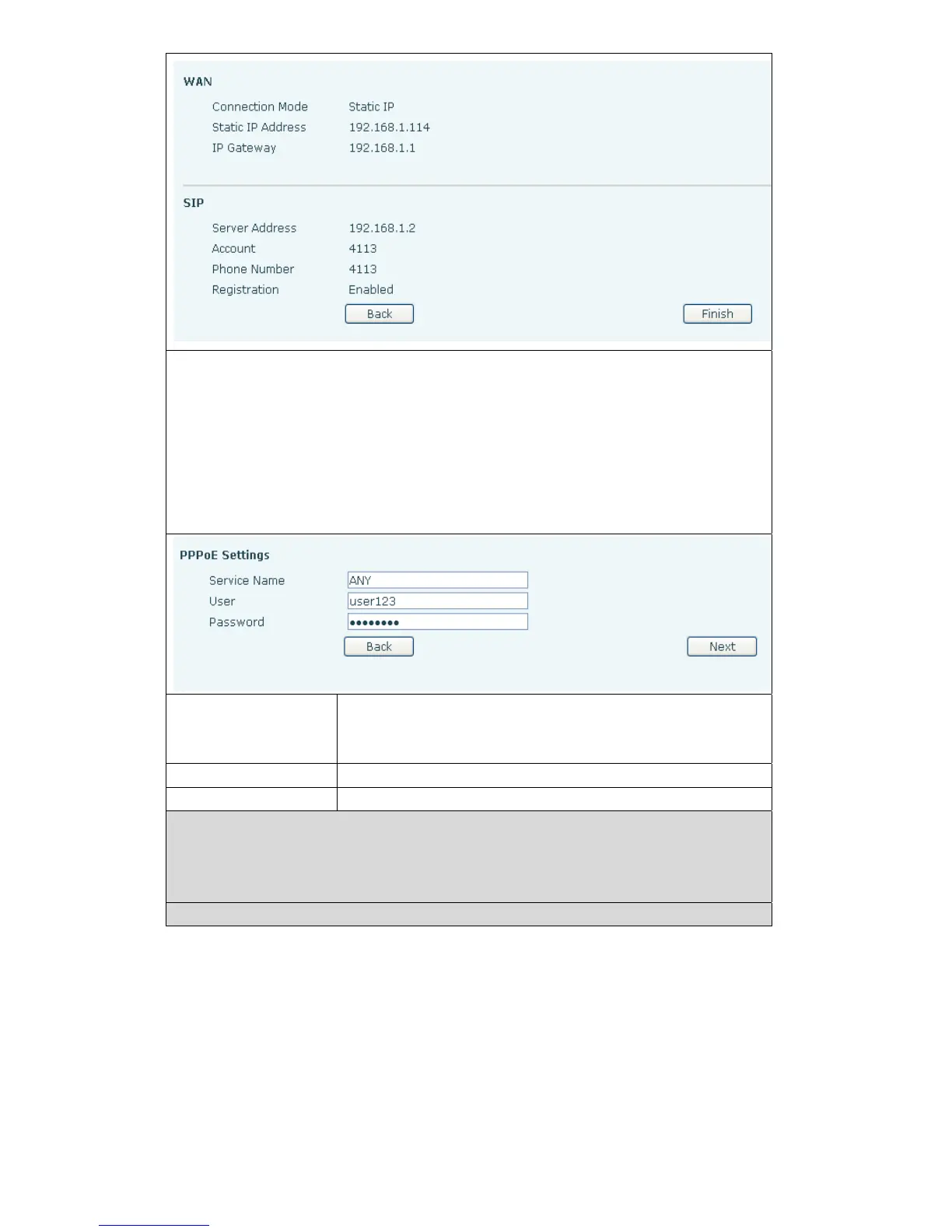
Show your manual configuration details.
Select DHCP MODE,click【NEXT】c
an simple SIP parameter(defaulted as 1 line)
And browse configuration items. Click【BACK】return to the last page,specific
operation same as Static IP MODE。
Select PPPoE MODE,click【NEXT】can simply configurate online account and
password and SIP parameter(defaulted as 1 line)a
nd browse configuration items.
Click【BACK】return to the last page,specific operation same as Static IP
MODE.
Server name
service name,e.g. PPPoE service provider has no
special requirements
,the name as the default value is
ok.
User
Please enter your ADSL account.
Password
Please enter your ADSL password.
Note:After the above operation is completed please click【Finish】button,The
phone will automatically save the current configuration and reboot,
After the successfully reboot can use the registered account to make
calls.



 To Next Page