DTC1000Me-1250e-4250e-4500e Card Printer Service Manual PLT-01543 rev 1.0
.
Remove/Replace the Mag Roller (D930122)
Caution: Turn OFF the Printer and unplug the power cord from the Printer.
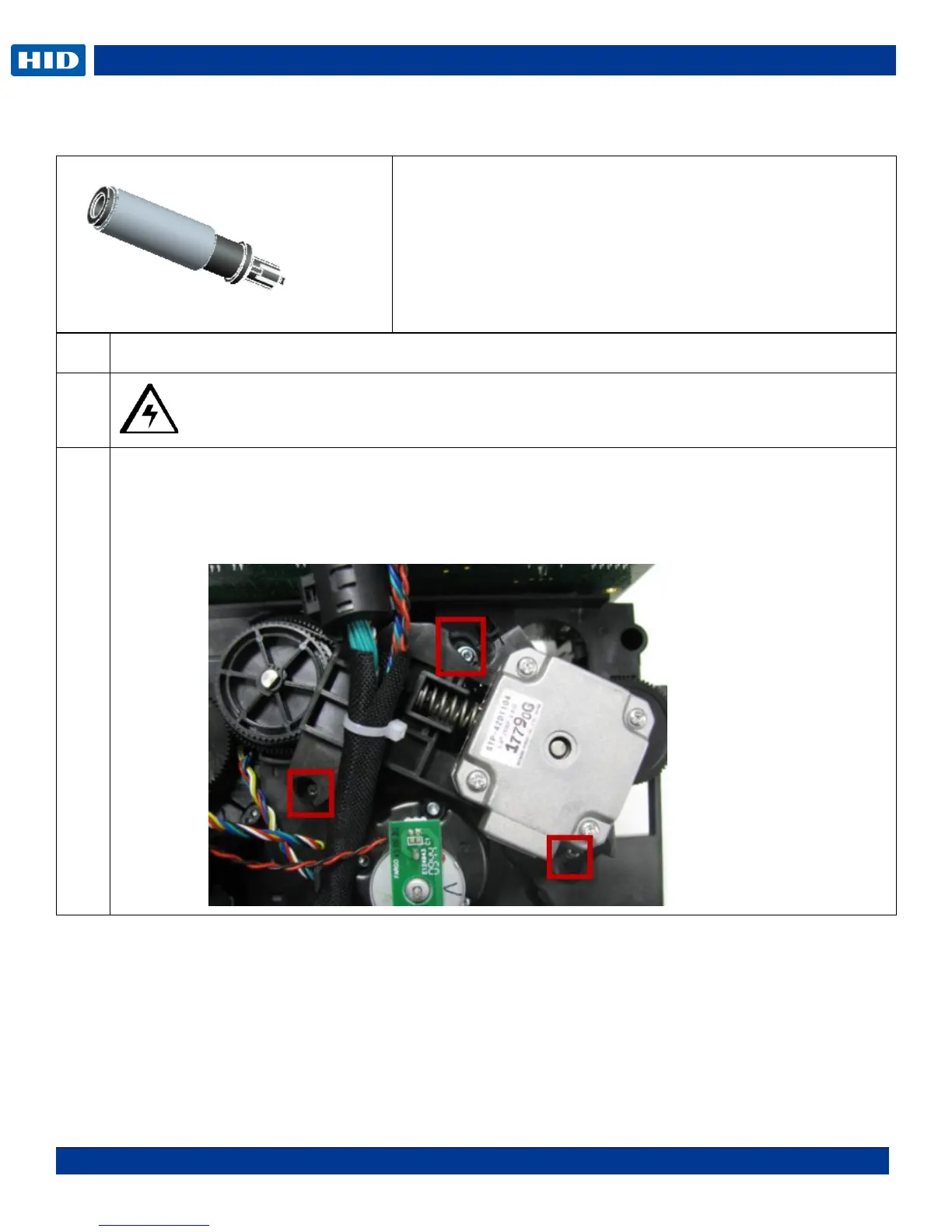
Remove the Stepper Motor Assembly (D930028)
Remove the 3 screws that hold the Motor/Mount to the printer frame. (Make NOTE: of where the 2
screw/washers go and the one machine screw. Remove the printhead cable for more clearance.)
The motor is attached to a plastic mounting frame.
Tools needed: Small flat screwdriver, T10 Torx screwdriver
Estimated Repair Time: 20 min
Preparation: Remove the Covers
Important: This procedure can only be performed by
authorized service personnel.



 To Next Page