DTC1000Me-1250e-4250e-4500e Card Printer Service Manual PLT-01543 rev 1.0
.
Parts Replacement- Printer
Remove/Replace the Mainboard
Caution: Turn OFF the Printer and unplug the power cord from the Printer.
Remove the covers to access the mainboard.
Remove all the wire connections from the Mainboard.
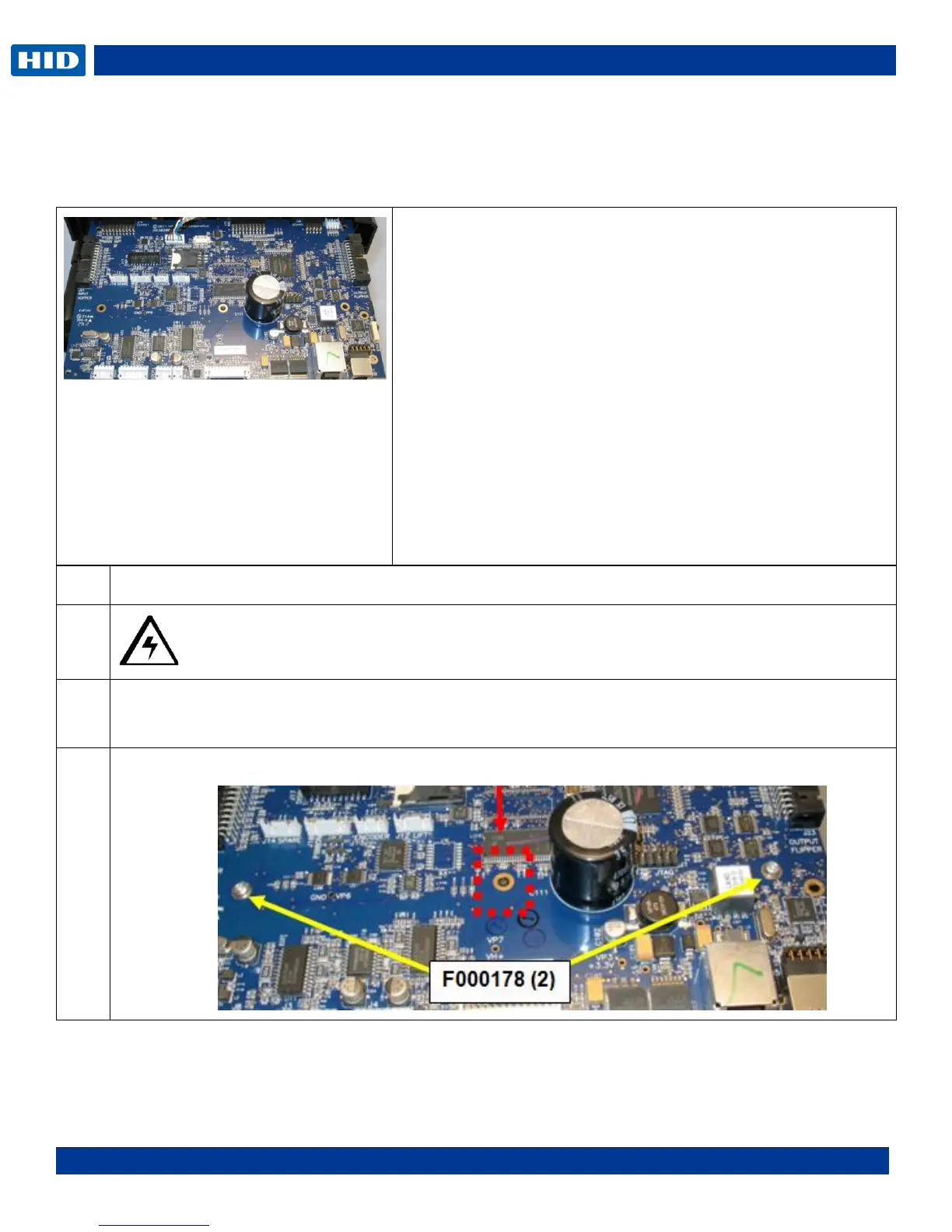
Remove the 2 screws (F000178) shown. The center open hole is for the frame peg.
NOTE: : NA=Non-APAC
AP=APAC
FD=Flipper Dual
Check the printer label to order the
correct board.
Tools needed: T10 Torx screwdriver
Estimated Repair Time: 20 min
Preparation: Remove the Covers
Important: This procedure can only be performed by
authorized service personnel.
DTC1000Me PCA-00106
DTC1250e PCA-00102 NA
DTC1250e PCA-00103 AP
DTC1250e PCA-00104 FD NA
DTC1250e PCA-00105 FD AP
DTC4250e PCA-00107
DTC4500e PCA-00109



 To Next Page