© 2010 HID Global Corporation All rights reserved
DTC4500 Card Printer/Encoder User Guide L001444 Rev1.0
126
Upgrade the Printer Firmware
Step Procedure
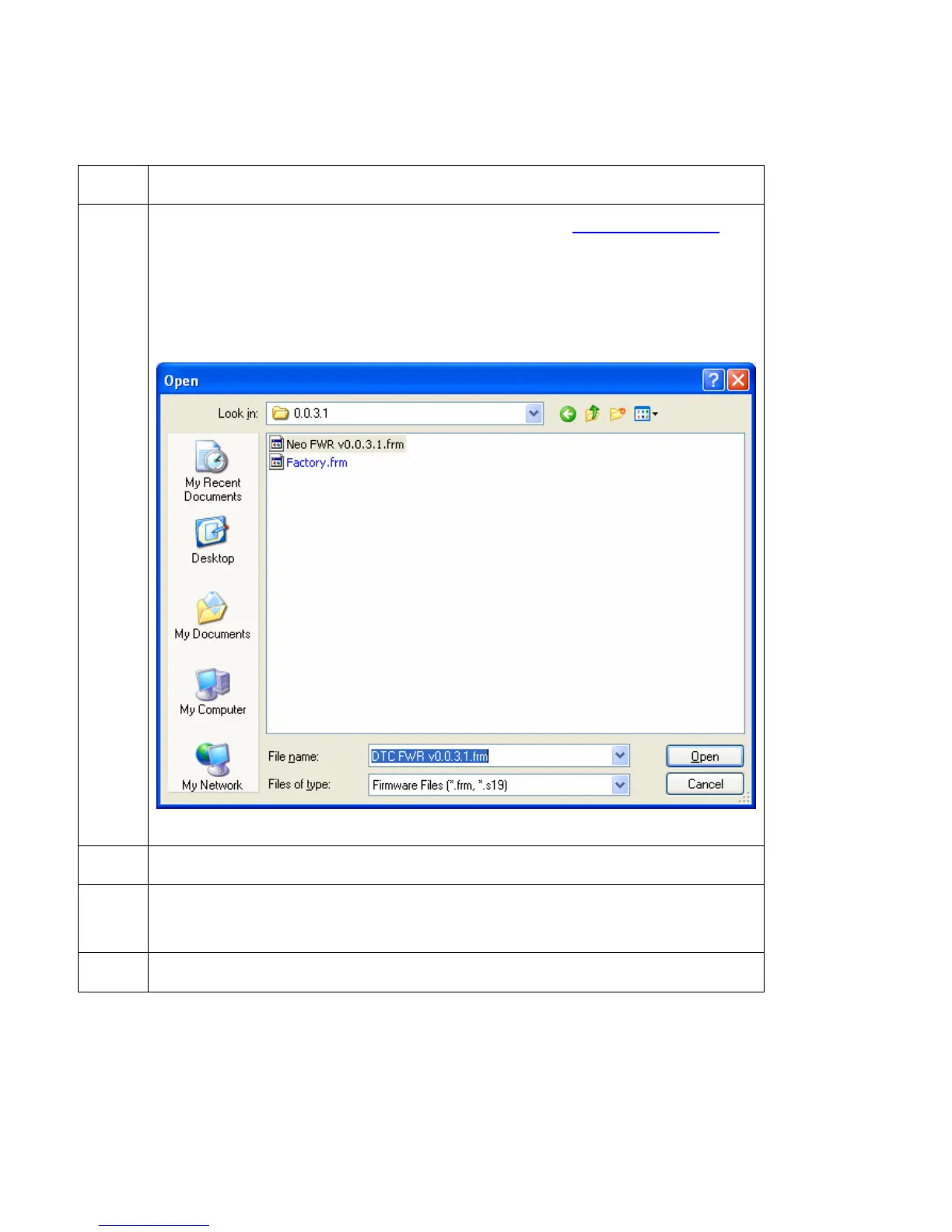
4 Find the Firmware via Check for Firmware Updates at www.hidglobal.com
• Save the file to a folder.
• Use the Browse button to find the .frm file..
• Select the file. Click Open.
5 Click on Upgrade to start the upgrade process.
6 This message will appear while Firmware is updating.
Loading Firmware.
7
The Printer will reboot after this process is completed.



 To Next Page