© 2010 HID Global Corporation All rights reserved
DTC4500 Card Printer/Encoder User Guide L001444 Rev1.0
61
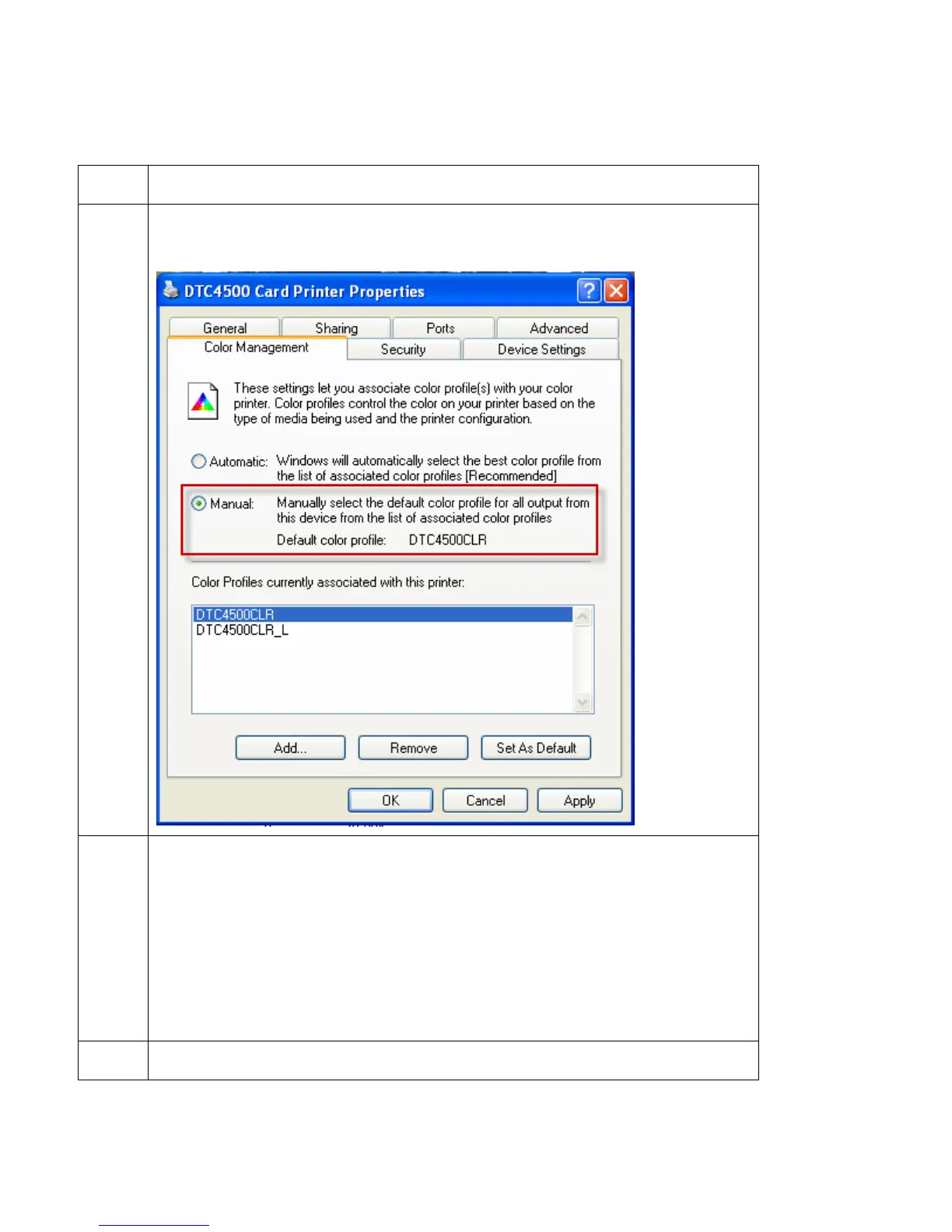
Changing the Color Profile Selection for the DTC4500
Step Procedure
3 Click Manual.
4
Default Color Profile
Select the DTC4500CLR for a Color Profile that attempts to match the
DTC550 card printer from FARGO.
OR
Optional Color Profile
Select the DTC4500 CLR_L for a Color Profile that attempts to match the
Persona C30(e) and FARGO DTC400(e) card printers..
5 Click Set as Default.



 To Next Page