© 2010 HID Global Corporation All rights reserved
DTC4500 Card Printer/Encoder User Guide L001444 Rev1.0
43
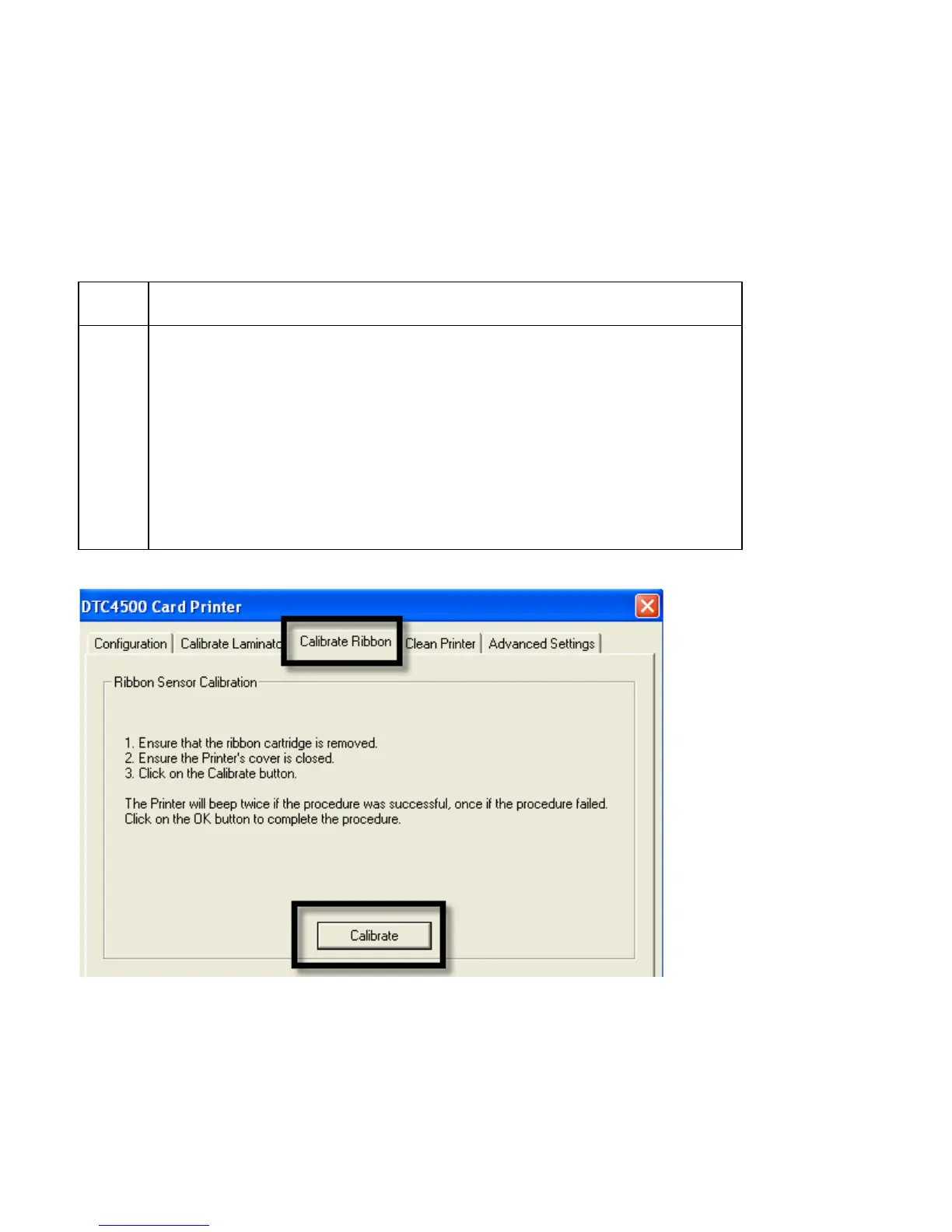
Selecting the Calibrate Ribbon tab
The two buttons for the Calibrate Ribbon tab are described below.
• Calibrate button: Sends the Calibrate Ribbon Command to Printer. Follow the instructions below to
set up the Printer.
• Help button: Launches help specific to this tab.
Step Procedure
1 Select the Calibrate Ribbon tab.
a. Ensure that the Ribbon is removed from the Ribbon Drawer.
b. Ensure the Printer’s Ribbon Drawer is closed.
c. Ensure the Printer’s Cover is closed.
d. Click on the Calibrate button. (Note: The Printer’s LCD will display
CALIBRATE PASSED.)
e. Click on the OK button (on the driver window) to complete the
procedure.



 To Next Page