© 2010 HID Global Corporation All rights reserved
DTC4500 Card Printer/Encoder User Guide L001444 Rev1.0
87
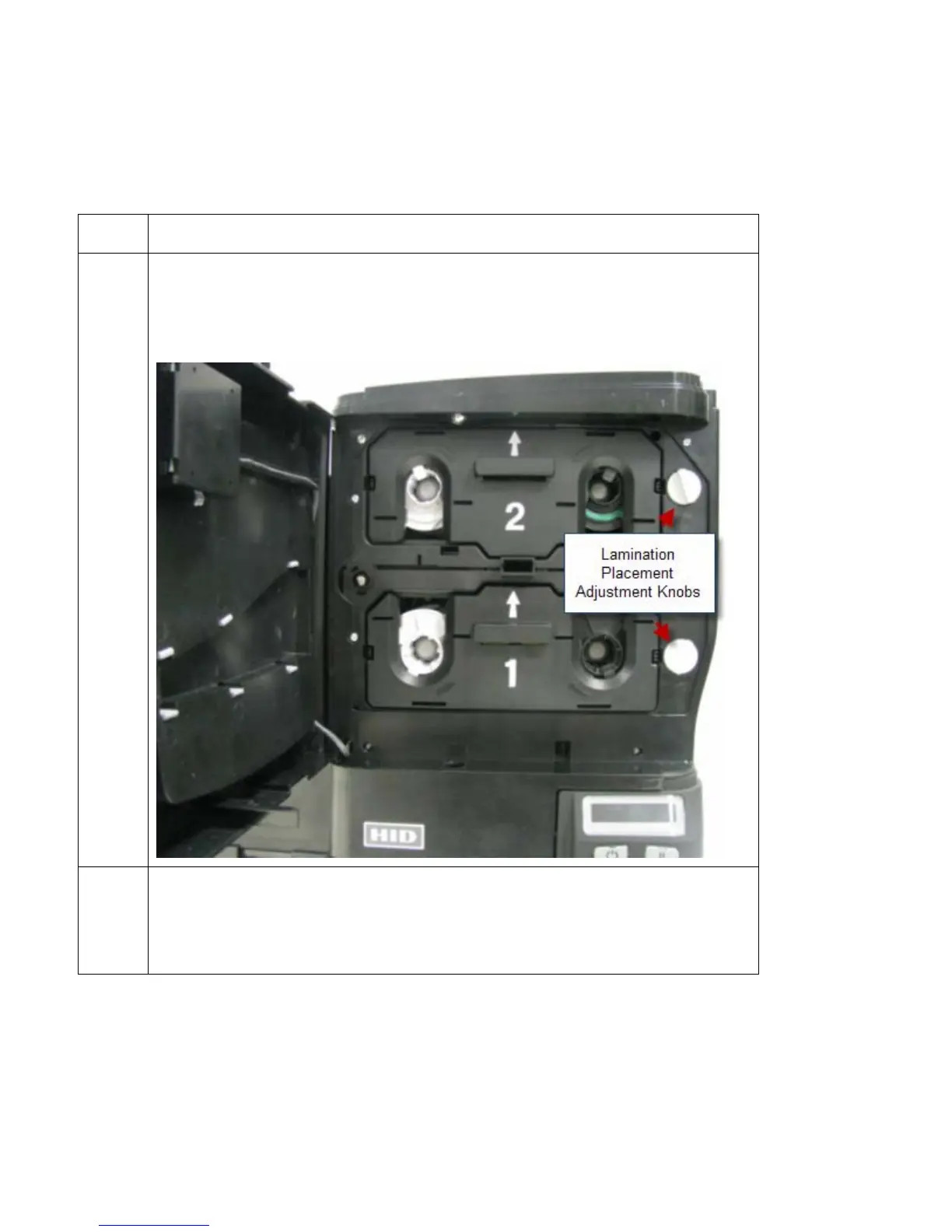
Adjusting the Lamination Placement on the Card
The Card Lamination Module provides an adjustable Lamination Placement knob that allows you to fine-
tune where the lamination is being placed on the card.
Step Procedure
1
• The Lamination Placement Adjustment Knob is the light gray knob to the
right of the Lamination Cartridges.
• The printer will have one or two film cartridges loaded (depending on
whether this is a Single or Dual-Side Lamination Module).
2 Print a test card to see if the Lamination placement needs to be adjusted.
Turn the knob to the right to move the patch toward the front edge of the
Lamination Module. Turn the knob to the left to move the patch toward the
back edge of the lamination module.



 To Next Page