© 2010 HID Global Corporation All rights reserved
DTC4500 Card Printer/Encoder User Guide L001444 Rev1.0
41
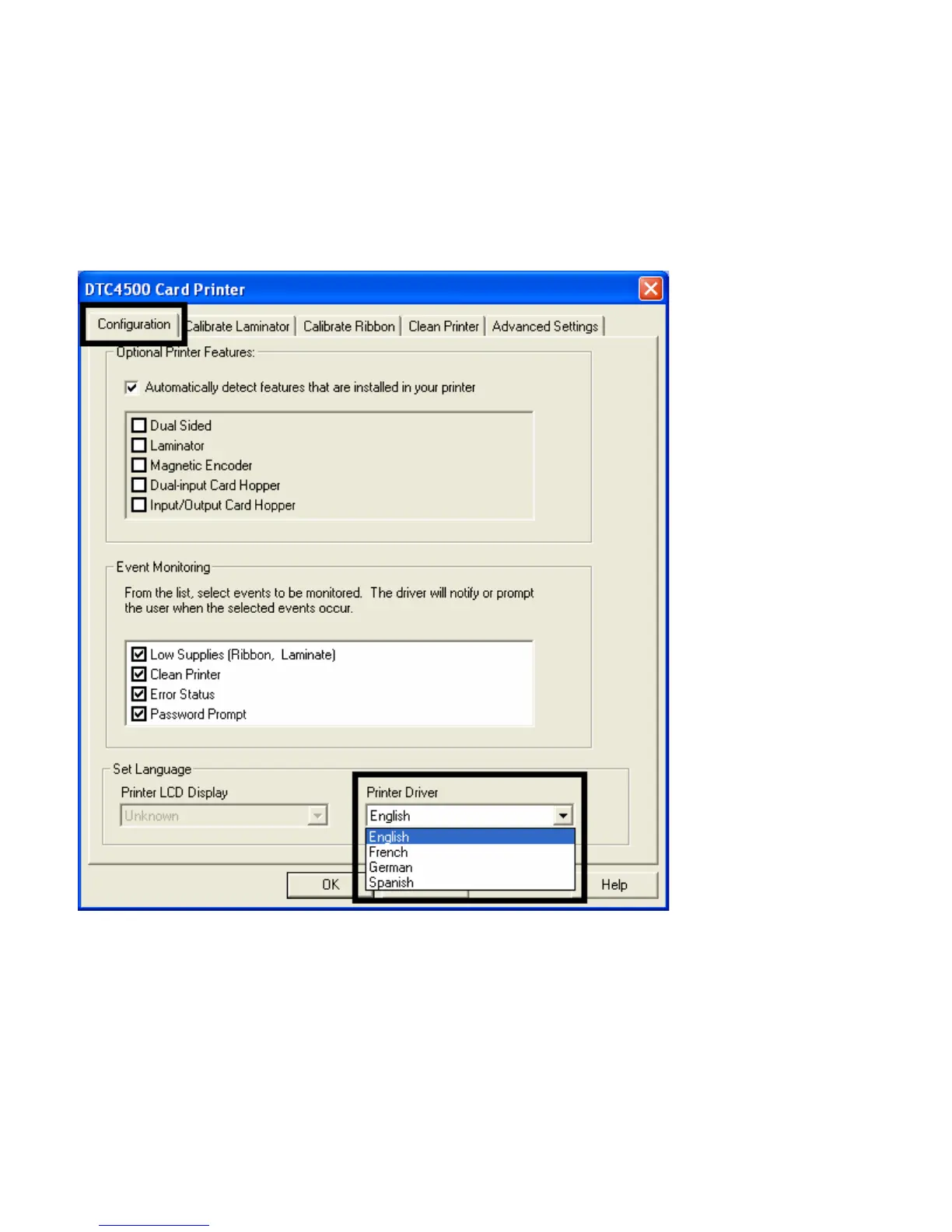
Using the Configuration Tab
This option is used to show the currently installed Optional Printer features, Event Monitoring, to set the
Printer Driver language and Printer LCD Display language.
• To switch between languages, select the desired language and reboot the driver.
Using the Event Monitoring Group Box
This Event Monitoring group box displays the Low Supplies (Ribbon, Laminate and Film).
• The default setting is checked. If checked, the Ribbon Low message box is displayed with every
print job when Printer reports low Ribbon to the Driver.



 To Next Page