FaroArm User Guide
January 2007
26
Chapter 1: Introduction to the FaroArm
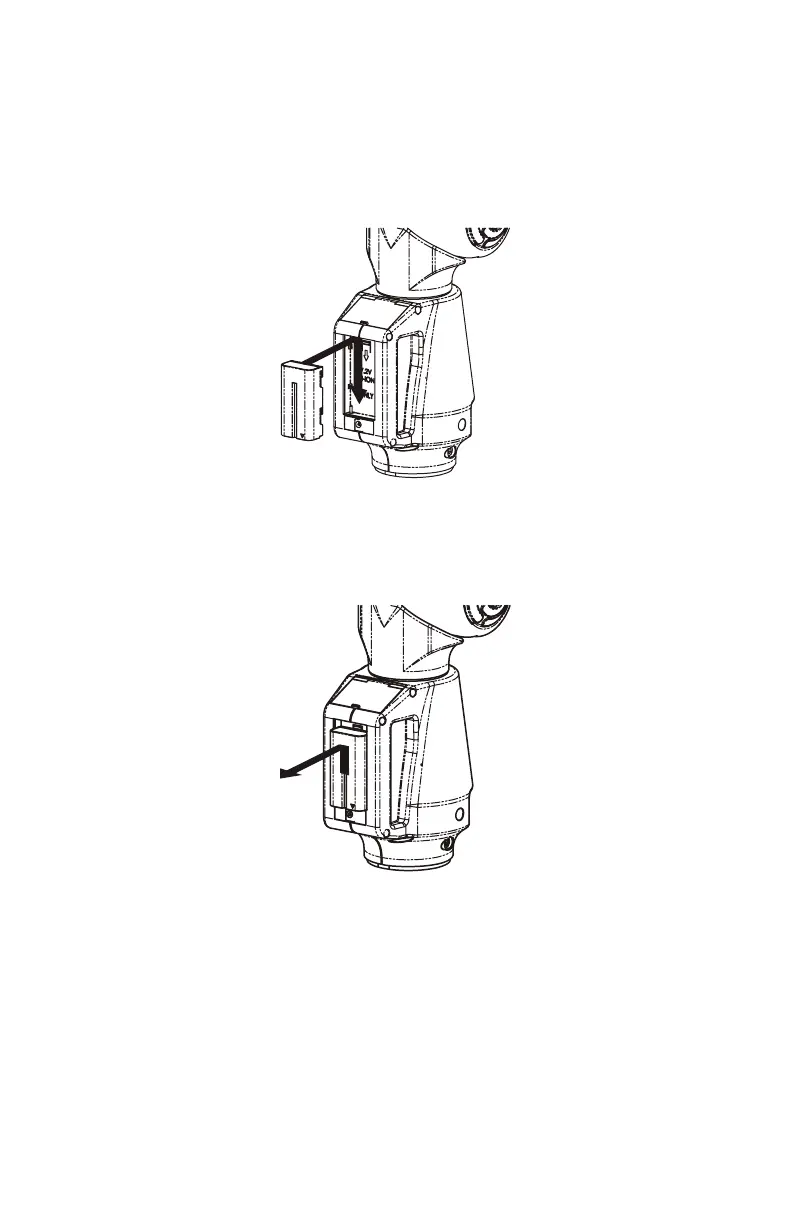
Installing the Battery Pack
Slide the battery pack in and down until it clicks.
Removing the Battery Pack
Slide the battery pack up to remove.
Charging the Battery Pack
Install the battery pack and connect the FaroArm to a power outlet and
the battery begins charging. Charging automatically stops when the
battery pack is completely charged. The D
IAGNOSTICS dialogue box
displays the current status of the battery pack. See “Diagnostics” on
page 41.
W
ARNING: Only use the rechargeable battery pack supplied with
Figure 1-14 Installing the battery
Figure 1-15 Removing the battery
08M46E00_FaroArmUSB.book Page 26 Monday, January 15, 2007 1:12 PM



 To Next Page