FaroArm User Guide
January 2007
31
Chapter 2: CAM2 Measure Devices Menu
Probes
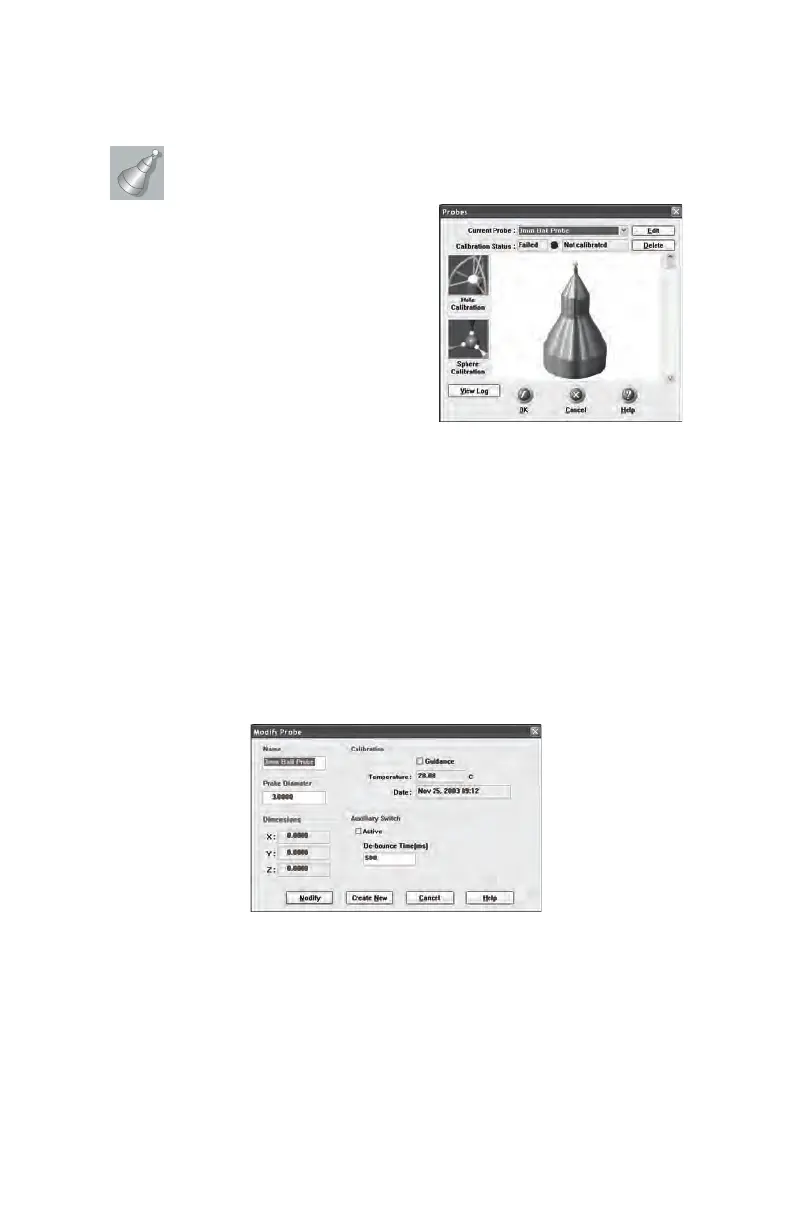
Select DEVICES < PROBES
from the DEVICES menu. In the
P
ROBES dialogue box you can:
• Select the current probe and view
the calibration status.
• Create, Edit and Delete a probe.
• Calibrate the current probe.
• View the calibration log for the current probe.
The calibration status and calibration date are displayed for every probe.
The three standard probes for the FaroArm, 3mm Ball, 6mm Ball and
Point are created by default. Each of these probes must be calibrated
before you begin measuring your parts.
Edit Probe
Click the EDIT button in the PROBES dialogue box to modify the details
of the current probe. Change any settings and click the MODIFY button
to continue.
To create a new probe:
1 Enter a new Name for the probe.
2 Enter the diameter of the probe. Check the status bar at the
bottom of your screen for the current units.
Figure 2-2 Modify Probe Dialogue Box
08M46E00_FaroArmUSB.book Page 31 Monday, January 15, 2007 1:12 PM



 To Next Page