FaroArm User Guide
January 2007
29
Chapter 2: CAM2 Measure Devices Menu
Chapter 2: CAM2 Measure Devices
Menu
The DEVICES menu contains all the commands used to
configure a measuring device. These commands are also
available on the Devices toolbar and the Device Position toolbar.
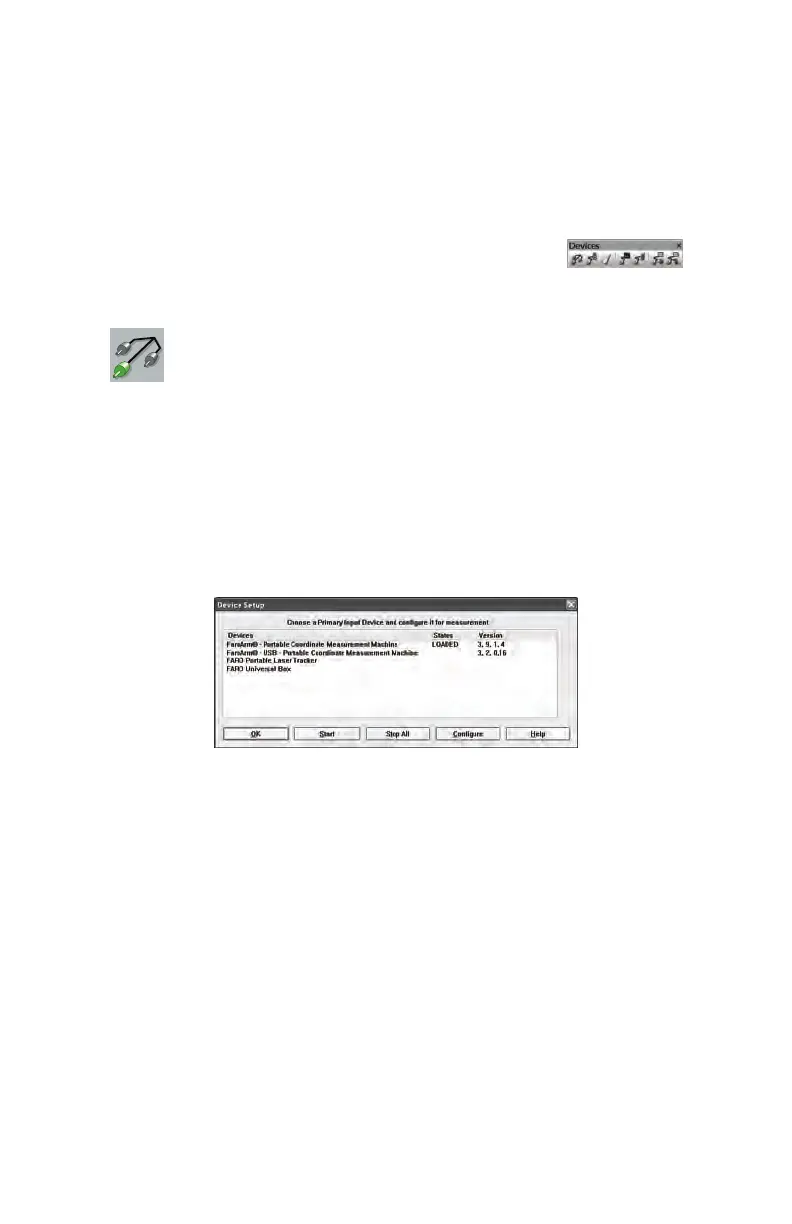
Device Setup
Select DEVICES < DEVICE SETUP from the DEVICES
menu. Choose a primary input measuring device from the D
EVICE
S
ETUP dialogue box. The default device is the FaroArm. To change the
primary input device, select the device name and click the START
button. This establishes communications with the selected device.
When the FaroArm starts, the software attempts to initialize
communication with the primary input device. A startup device cannot
be saved in a settings file.
Figure 2-1 Device Setup Dialogue Box
08M46E00_FaroArmUSB.book Page 29 Monday, January 15, 2007 1:12 PM



 To Next Page