23
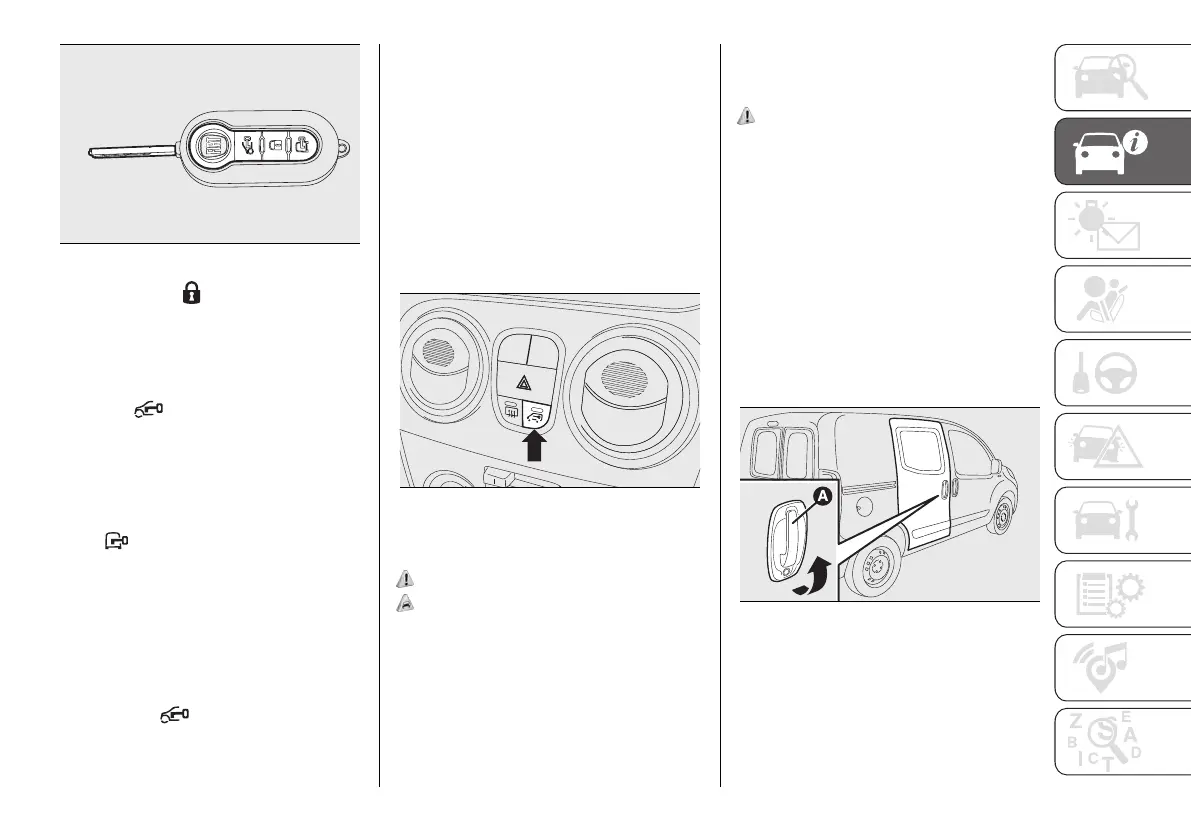
12 F0T0954
Pressing button on the remote
control twice in quick succession to
activate the dead lock device (see the
"Dead lock device" paragraph).
Door unlocking from the outside
Press the button shortly to
remotely unlock only the front doors
(Fiorino Cargo version) or all doors, to
turn on the front ceiling lights for a
limited period and to double flash the
direction indicators.
Press button and hold it pressed to
remotely unlock the load compartment
(Fiorino Cargo version) or the tailgate,
to turn on the rear ceiling lights for
a limited period and to double flash
the direction indicators. Turn the key
anticlockwise in the driver's door to
unlock the front doors only.
Press button briefly to unlock all
the doors (Combi version), switch
on the ceiling lights temporarily and
double-flash the direction indicators.
Turn the key anticlockwise in the
driver's door to unlock all the doors.
Unlocking the load compartment
from inside the vehicle (Cargo
version)
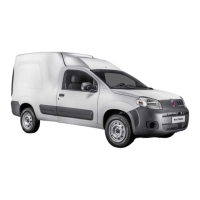
Press the button fig. 13 (Cargo version)
to unlock or lock the load compartment
(rear swing doors and sliding side
doors) from the inside. Press again to
lock all doors of the vehicle.
13 F0T0322
SLIDING SIDE DOORS
(for versions/markets, where provided)
6) 7)
2)
The sliding side door is fitted with a
spring-loaded latch that stops the door
from opening any further. To lock it,
simply push the door as far as it will go;
to unlock it, pull forward firmly.
In any case, make sure that the door
is correctly attached to the device that
holds it fully open.
8) 9)
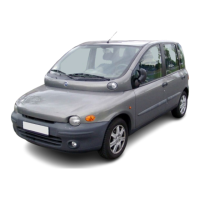
Opening/closing from the outside
Opening: turn the key in the lock and
pull handle (A) fig. 14 (Fiorino version)
or fig. 15 (Qubo version) in the direction
shown by the arrow, then slide the
door towards the rear of the vehicle
until it locks into place and can go no
further.
Closing: push the handle (A) fig. 14,
fig. 15 towards the front of the vehicle.
Turn the key with metal insert in the
closing direction.
14 F0T0136



 To Next Page