KNOWING YOUR VEHICLE
30
EXTERNAL LIGHTS
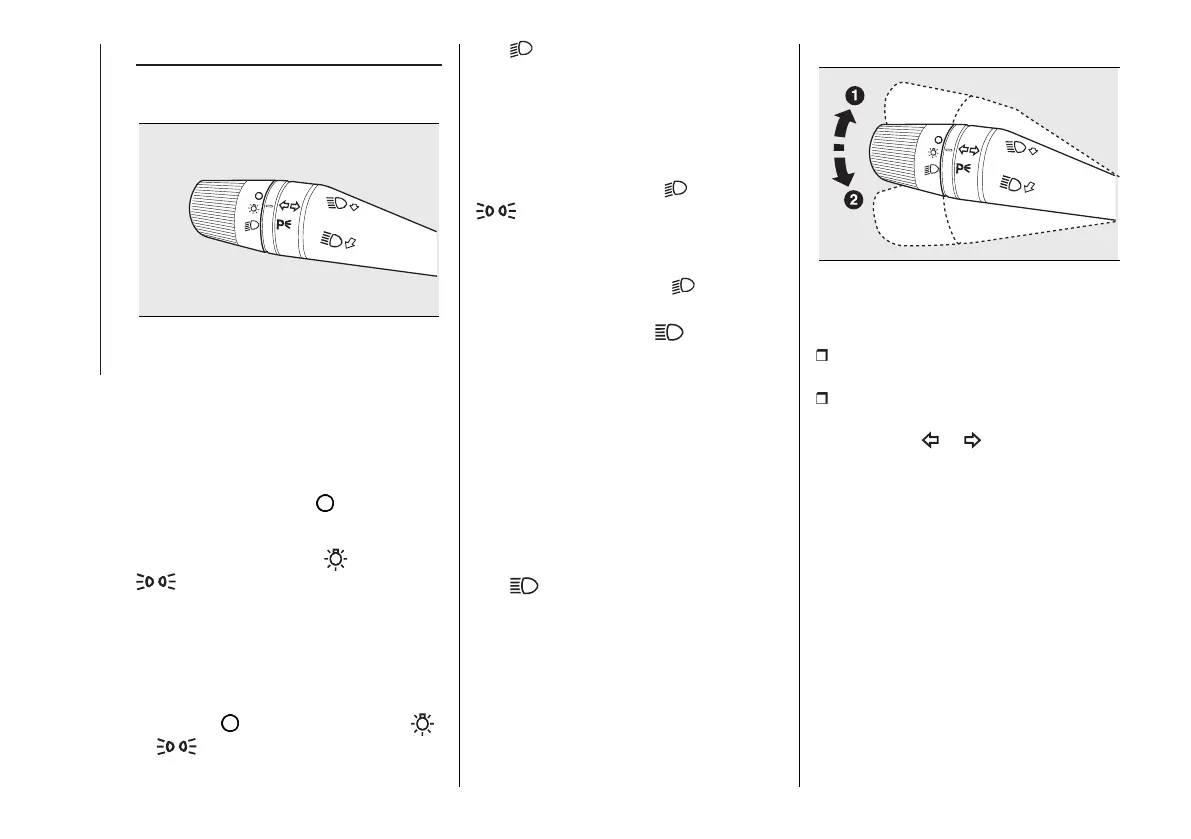
The left stalk fig. 37includes the exterior
light controls.
37 F0T0430
The exterior lights can only be switched
on when the ignition key is at MAR-ON.
The instrument panel and the various
dashboard controls will come on with
the external lights.
LIGHTS OFF
Ring turned to position .
SIDE LIGHTS
Turn the ring to position . The
warning light switches on in the
instrument panel.
PARKING LIGHTS
These lights can be turned on only with
the ignition key at STOP or extracted
by turning the ring on the left stalk first
to position and then to positions
or .
The warning light switches on in the
instrument panel. Operate the direction
indicator stalk to select the side (right
or left).
DIPPED BEAM
HEADLIGHTS
Turn the ring to position . The
warning light switches on in the
instrument panel.
MAIN BEAM HEADLIGHTS
When the ring in position pull the
stalk towards the steering wheel (2
nd
unstable position). The warning
light switches on in the instrument
panel.
To turn the main beams off, pull the
stalk towards the steering wheel again
(dipped beams will turn on).
FLASHING THE
HEADLIGHTS
Pull the stalk towards the steering
wheel (1
st
unstable position) regardless
of the position of the ring.
The warning light switches on in
the instrument panel.
DIRECTION INDICATORS
38 F0T0431
Take the stalk to the (stable) position
fig. 38:
up (position (1)): to activate the right
direction indicator;
down (position (2)): activates the left
direction indicator.
Warning light or will blink on the
instrument panel.
Direction indicators switch off
automatically when the vehicle is back
in a straight line.
If you want the indicator to flash briefly
to show that you are about to change
lane, move the stalk up or down
without it clicking into position. When
released the stalk will return to its initial
position.
Lane change function
If you wish to signal a lane change,
place the left stalk in the unstable
position for less than half a second.



 To Next Page